
This article will teach you how to create a Web App using CakePHP in Azure.
Requirements
- Windows Azure account
Follow the below steps now,
Step 1 - Go to Azure Portal and login with your Azure credentials,
Step 2 -
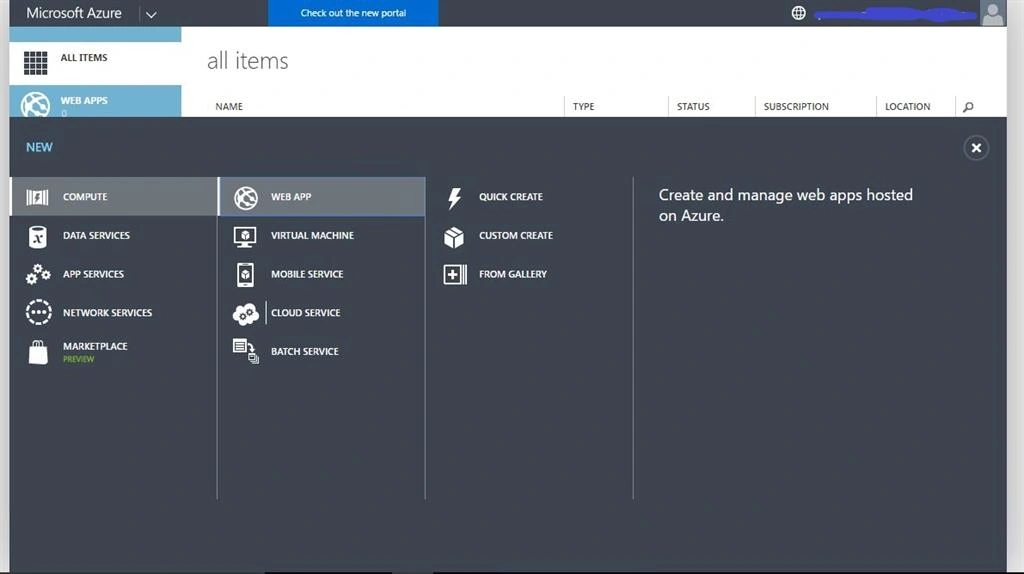
On the home screen of Azure management portal, select NEW, COMPUTE, WEB APP, then click FROM GALLERY. And the window shown below appears.
Step 3
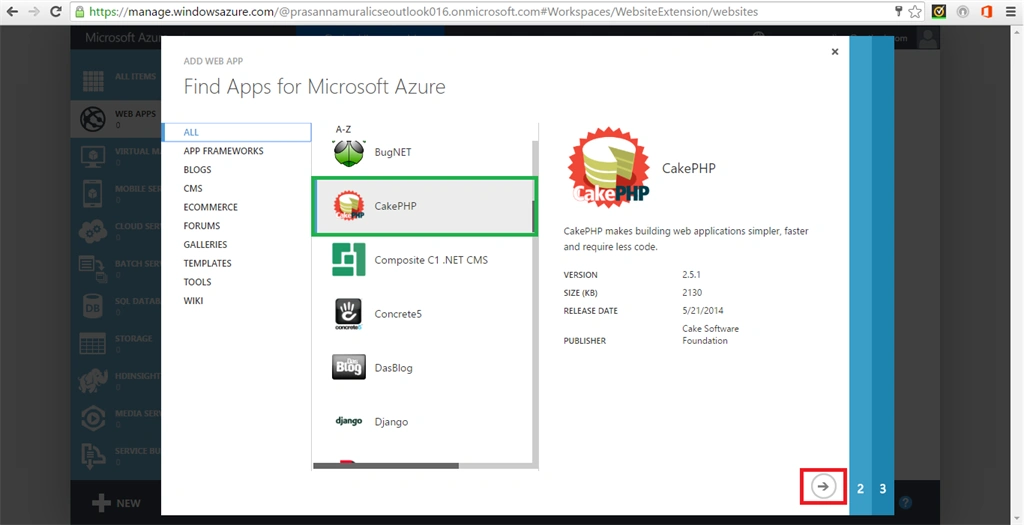
Now find the WEB APPS from the gallery that is shown below. On that scroll down and find CakePHP, then choose CakePHP and click next.
Step 4
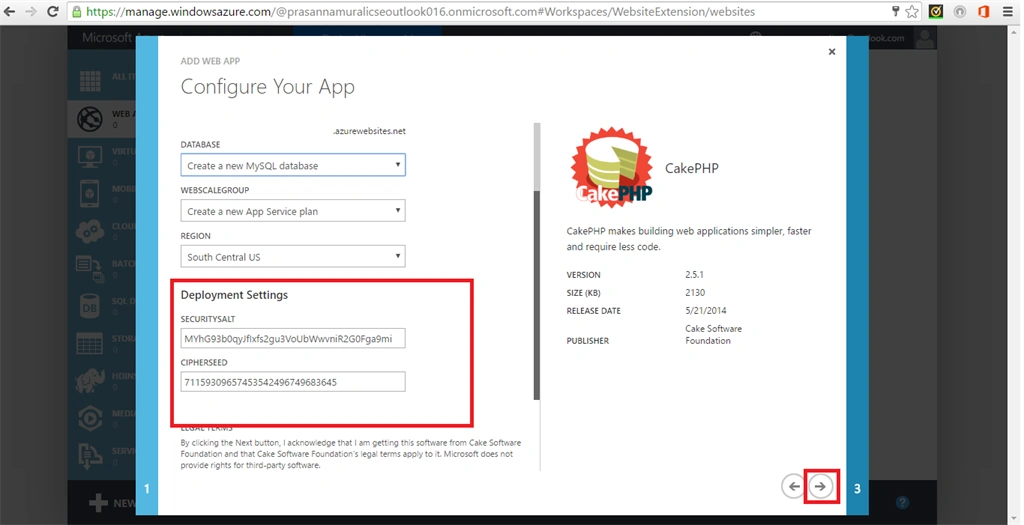
Now configure your web app as in the following screenshot. This is done by giving the URL, Database, WEBSCALE GROUP and REGION in site settings option.
Step 5
Now configure your web app deployment settings as in the following screenshot. This will be done by giving security salt and cipherseed values.
Step 6
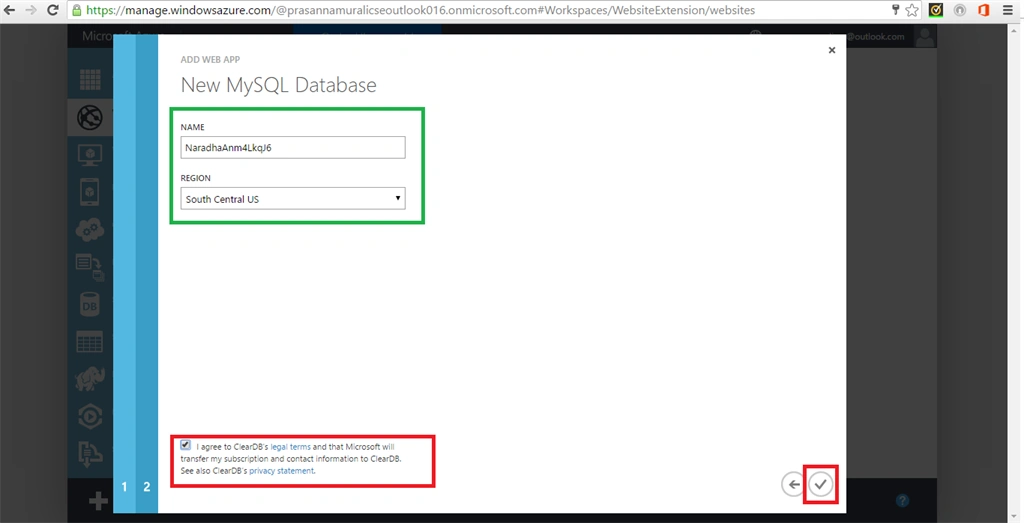
After that configure your New MySQL Database by giving NAME and REGION. Tick the License agreement at the bottom of the page and then click next.
Step 7
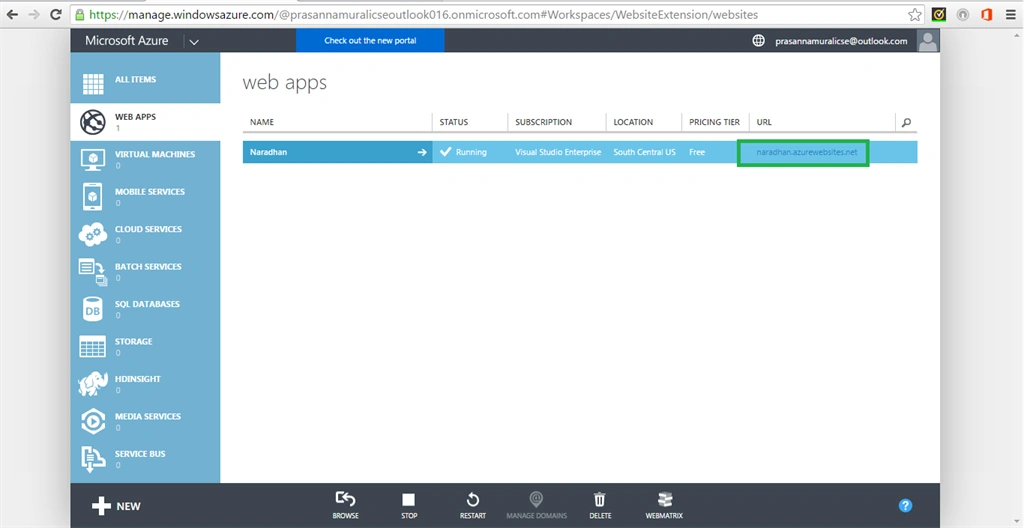
Step 8
It will open in some web browser and configure the Website that is loaded in web browser by entering credentials.
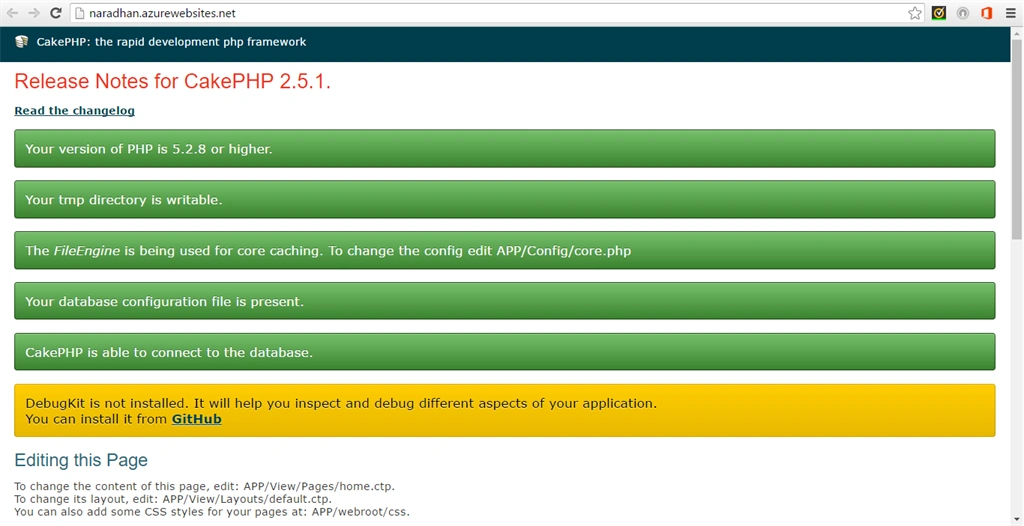


SubashPosted Aug 1, 2016, 8:36 PM EDT
Nice
Prasanna MuraliPosted May 14, 2016, 5:32 AM EDT
Thank you
Mohammed AshrafPosted May 11, 2016, 3:16 AM EDT
Really nice...
Anbu ManiPosted May 9, 2016, 10:01 PM EDT
Nice one
Praveen SreeramPosted May 9, 2016, 9:10 AM EDT
Any reason why are using old portal vs new portal?
Kuppurasu NagarajTOP 100Posted May 9, 2016, 7:55 AM EDT
Nice Sharing..
Prasanna MuraliPosted May 9, 2016, 5:04 AM EDT
Thank you
Debasis SahaTOP 100Posted May 9, 2016, 4:40 AM EDT
Good One..
Bhushan SinghPosted May 8, 2016, 9:52 PM EDT
nice