
This article will let you to know how to create Web Apps using Joomla in Windows Azure.
Requirements
- Windows Azure account
Follow the below steps now,
Step 1 - Login to your Azure credentials,
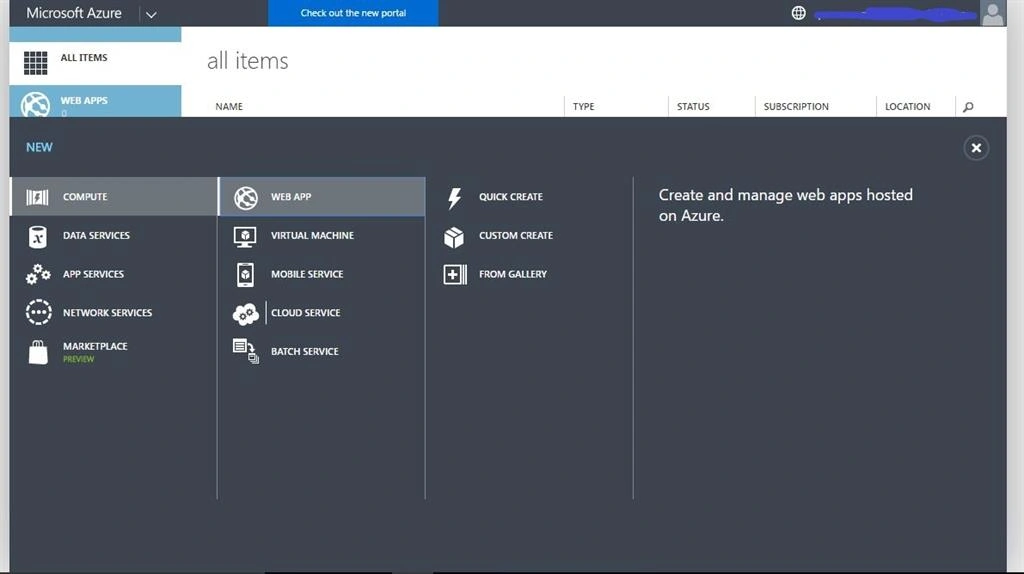
Step 2 - Now on the home screen of Azure management portal select New, Compute, Web App, then select From Gallery and window shown below appears.
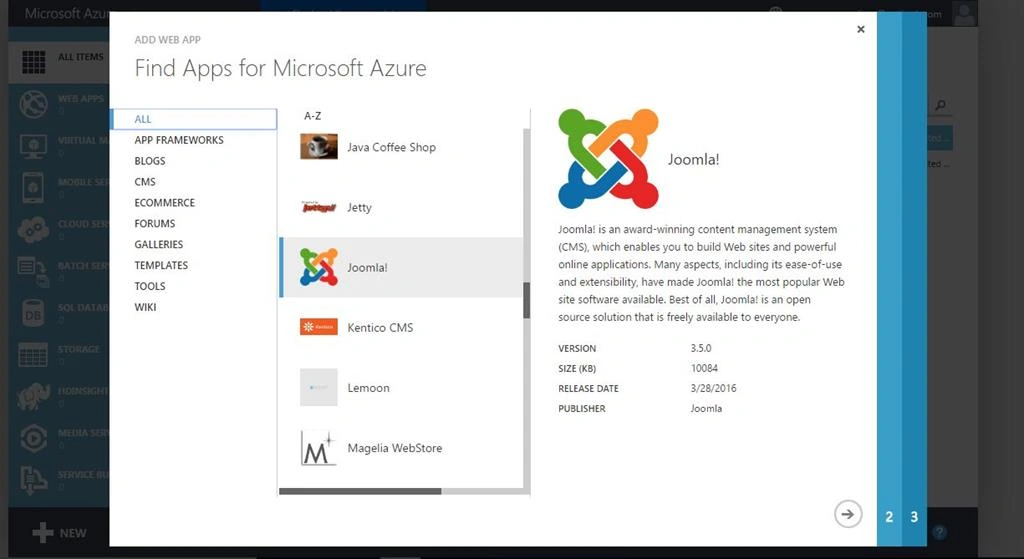
Step 3 - Now find the Web Apps from the gallery that is shown below. On that scroll down and find Joomla! Choose Joomla and click next.
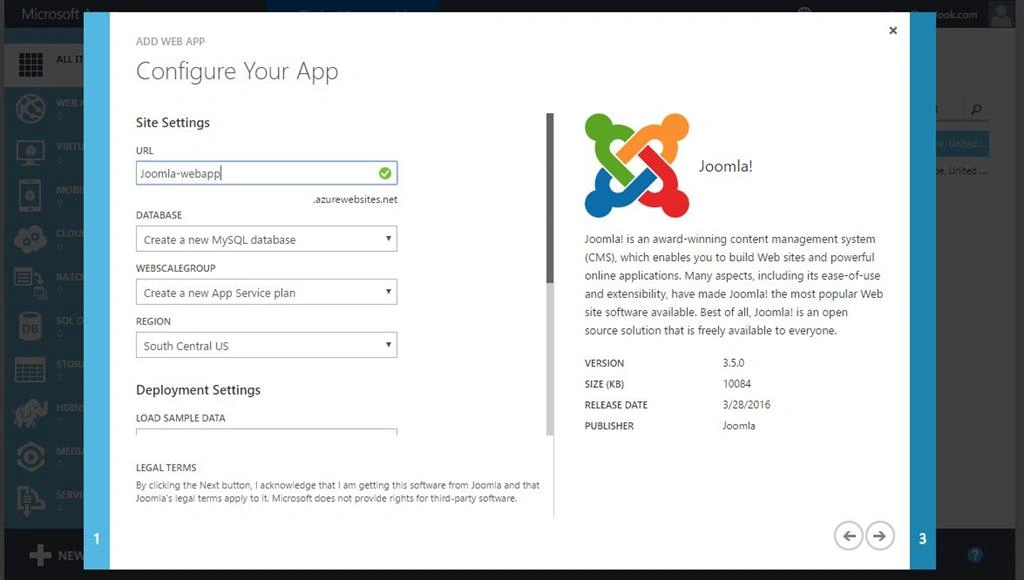
Step 4 - Now configure your web app as shown below in the screenshot. By giving the URL, Database, Webscale group and Region in Site Settings option.
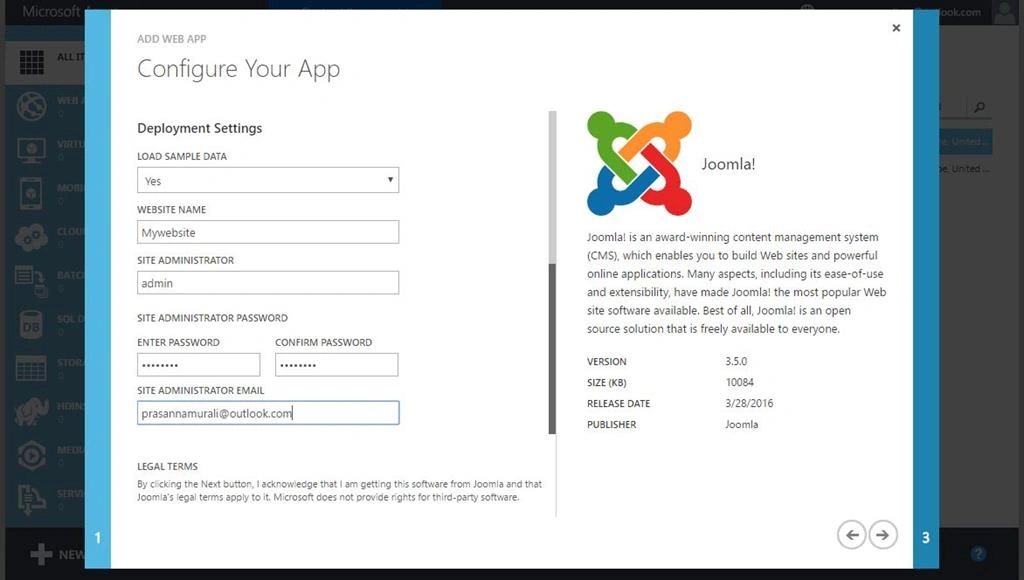
Step 5 - Now configure your web app deployment settings as shown below in the screenshot. By giving loading default data, Website name, site Administrator, site Administrator password and by site administrator Email ID. And then click Next.
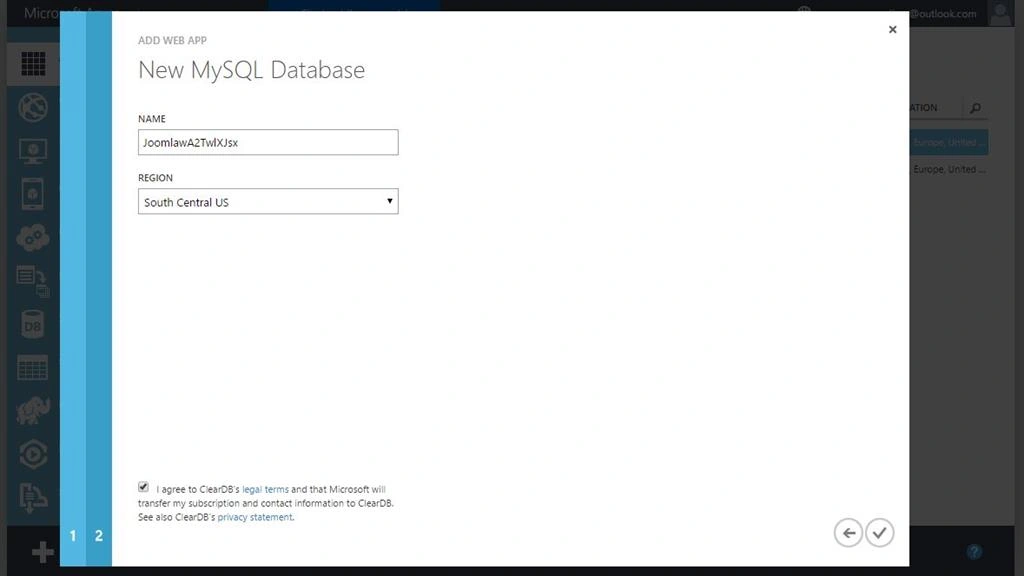
Step 6 - After that configure your new MySQL database by Name and Region. And tick the License agreement at the bottom of the page then click next.
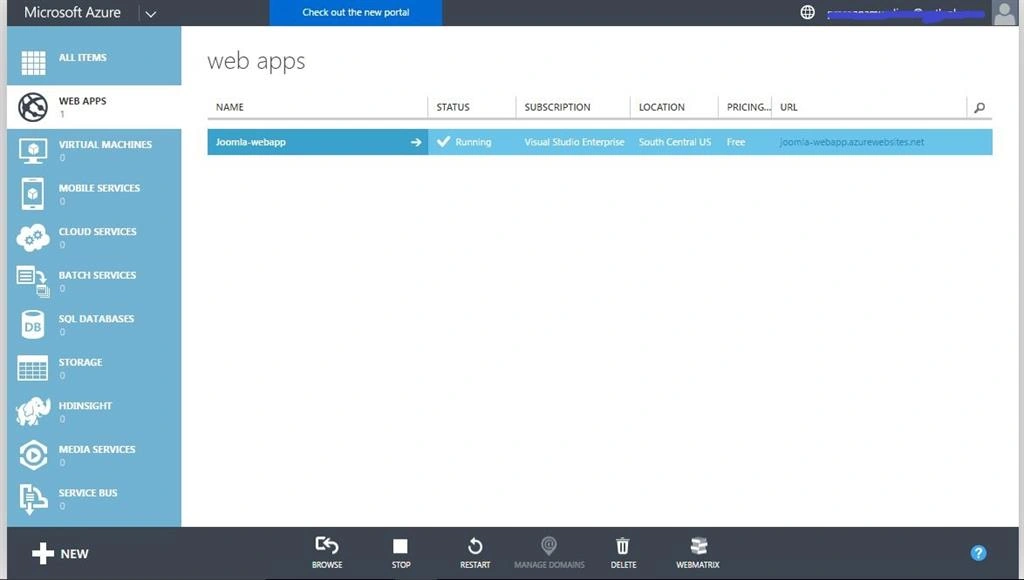
Step 7- It takes some time and then click the URL that is available in your management portal.
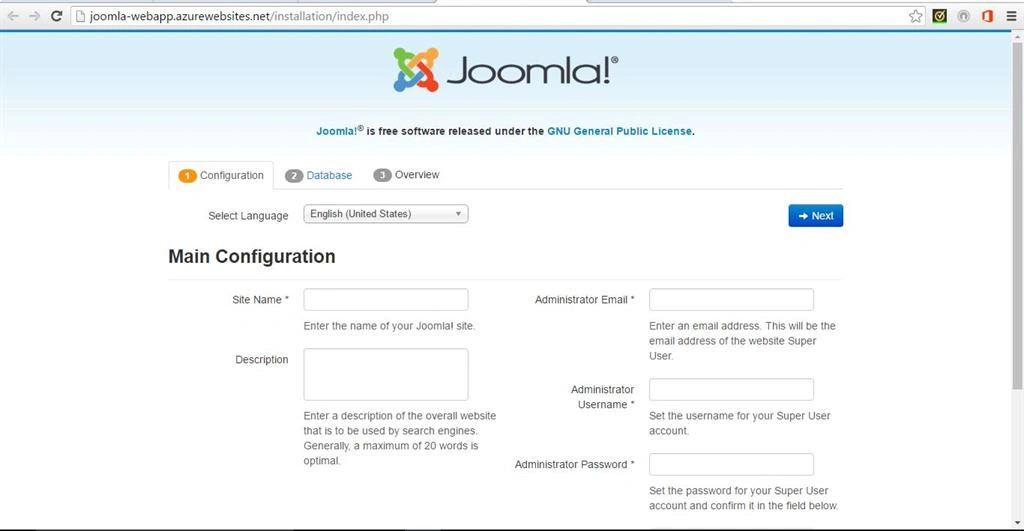
Step 8 - It will open in web browser and configure the Website by entering the credentials.


Delpin Susai RajTOP 100Posted Aug 28, 2016, 12:20 AM EDT
Nice
SubashPosted Aug 1, 2016, 8:33 PM EDT
Good one Prasanna
Prasanna MuraliPosted Jun 24, 2016, 6:14 PM EDT
thanks Rupali Shinde
Rupali ShindePosted May 16, 2016, 8:58 PM EDT
Thanks for sharing
Mohammed AshrafPosted May 11, 2016, 3:12 AM EDT
Interesting
princesurendharPosted May 8, 2016, 3:43 AM EDT
Nice
Prasanna MuraliPosted May 7, 2016, 7:43 AM EDT
Thanks all
Vignesh ManiTOP 100Posted May 6, 2016, 12:58 PM EDT
Good one
Aravinth ShanPosted May 6, 2016, 8:40 AM EDT
Gud one...
Anbu ManiPosted May 6, 2016, 7:45 AM EDT
Nice
Kuppurasu NagarajTOP 100Posted May 6, 2016, 5:10 AM EDT
Nice Sharing..
Debasis SahaTOP 100Posted May 6, 2016, 1:25 AM EDT
Good One..
Sr KarthigaPosted May 5, 2016, 11:37 PM EDT
good one
Anbu ManiPosted May 5, 2016, 10:33 PM EDT
Nice
Thiruppathi RPosted May 5, 2016, 9:42 PM EDT
Good Job..