
What is jQuery?
- A free, open JavaScript library
- Simplifies the task of creating highly responsive web pages
- Works across modern browsers
- Abstracts away browser-specific features, allowing you to concentrate on design
Introduction to JavaScript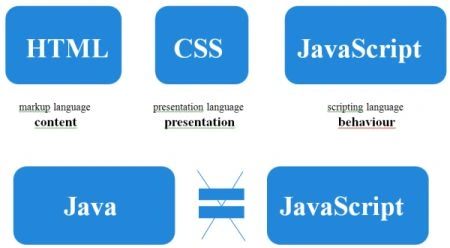
What is a Scripting language?
- Can't communicate with OS
- Can't access local files
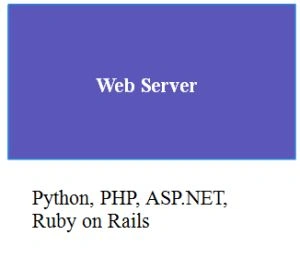
- Can't directly access a database
- Can't access hardware
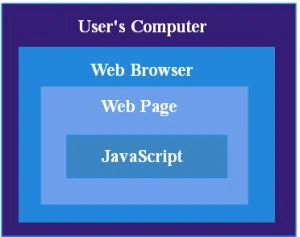
- Client-side language
- Works on the DOM
Document Object Model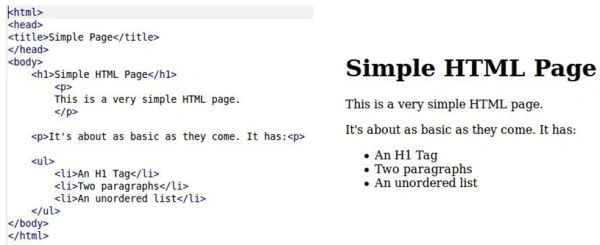
Document Object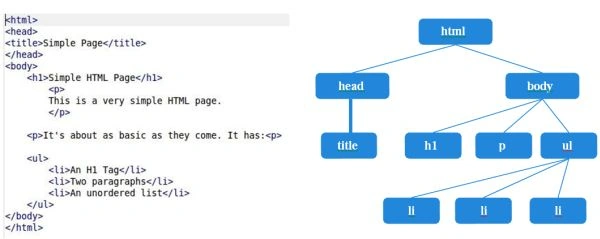
Model
JavaScript vs jQuery
- Example1: Hide an element with id "textbox"
//javascript
document.getElementById('textbox').style.display= "none";
//jQuery
$('#textbox').hide();
- Example 2: Create a <h1> tag with "mytext"
//javascript
varh1= document.CreateElement("h1");
h1.innerHTML= "mytext";
document.getElementsByTagName('body')[0].appendChild(h1);
//jQuery
$('body').append($("<h1/>").html("mytext");
Enable jQuery in your page
- jQuery can be enabled in your page by including :reference to jQuery library file
<script src="http://ajax.googleapis.com/ajax/libs/jquery/1.9.1/jquery.min.js">
- Introduce a jQuery function using the following function:
$(document).ready(function(){
//Script goes here
});
OR
$(function(){
//Script goeshere
});
Basic Selectors
- TagName
document.getElementsByTagName("tagName");
$("tagName")-$("div"),$("p"),$("div"),.....
- Tag ID
document.getElementById("id");
$("#id")- $("#name"),$("#address")
- Tag Class
document.getElementsByClassName("className");
$(".className")- $(".comment"),$(".code")
- Toselectall elements- $("*")
Selector-Combined
- Syntax
$("tagName.className")
$("tagName.className#tagId")
- Examples
$("h1.mainTitle")
$("h1.mainTitle#firstHeading")
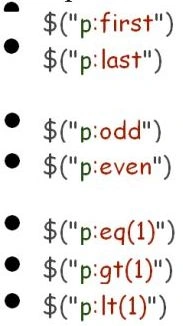
Index Filters
Syntax Example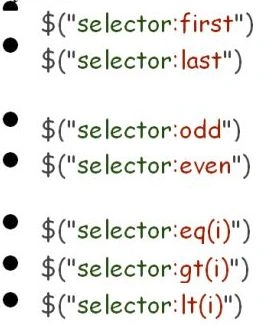
Condition Filters: Form Filters
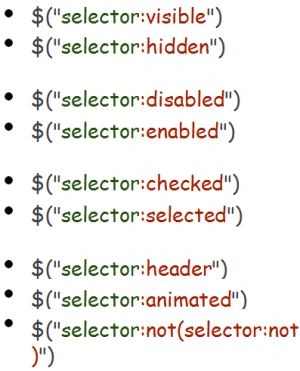

Relationship Filters: Content Filters
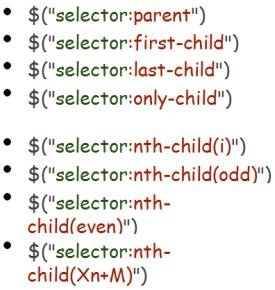
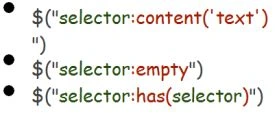
Attribute Filters
Syntax Example
Retrieve, Set and Remove Attributes
Syntax Example

Class, HTML, Text, Value: Functions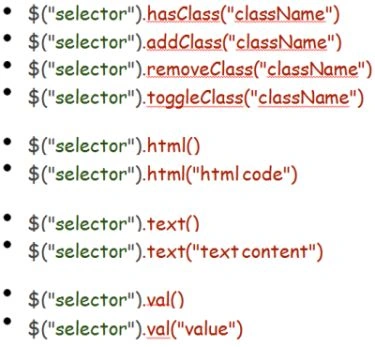
Traversing
Syntax Example

Events
- bind()
- unbind()
- ready()
- toggle()
- hover()
- trigger()
$("selector").bind(event,data,handler)
$("selector").unbind(event,handler)
Bind: Example
$(function(){
$("#myButton").bind("onclick", validate);
$("#myButton").click( validate);
});
function validate(){
if( $("#myText").val().length == 0 ) {
alert("Error")
} else {
$("#myForm").submit();
}
}
Animations
- show()
- hide()
- fadeIn()
- fadeOut()
- slideUp()
- slideDown()
Additional Features
- jQuery UI
- AJAX functionality
Thank You.


Akshay PatelTOP 100Posted Nov 18, 2013, 6:41 PM EST
Good work kamal...keep it up.
Dinesh BeniwalTOP 10Posted Nov 18, 2013, 3:04 AM EST
Great Work.
Sam HobbsPosted Nov 17, 2013, 8:29 AM EST
Scripting languages have existed for about half a century. In this article, "What is a Scripting language?", somewhat describes JavaScript in HTML but JavaScript outside of HTML can access local files and there is no such thing as client-side or the DOM outside of HTML. In fact, it is difficult to clearly define what a scripting language is. The Wikipedia says "In principle any language can be used as a scripting language".
kasi babuPosted Nov 17, 2013, 5:55 AM EST
nice webinar, good recap for every one through this activity...kamal...thanks