
Before starting, let's get these two terms straight.
Globalization is the process of designing the application in such a way that it can be used by users from across the globe (multiple cultures).
Localization, on the other hand, is the process of customization to make our application behave as per the current culture and locale. These two things go together.
To do globalization we need to use Resource Files.
Let's Start
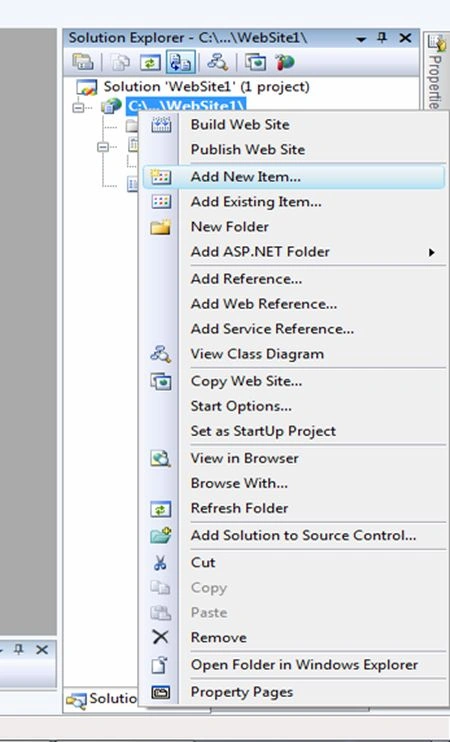
To add Resource Files to our project:
- Right-click on the Root Folder Add New Item.
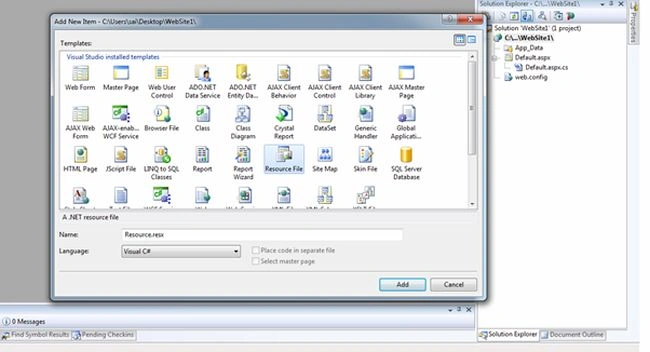
- Select Resource File from the above Templates.
- Name it "Resource.resx"
- You need other Resource Files for storing data depending on the Culture
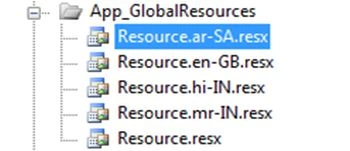
- Add another file with the following names of each resource, such as "Resource.en-GB.resx" else you can give a different name but after the (Dot ) because they are sub-files of "Resource.resx".
- For English you can add "Resource.en-GB.resx"
- For Marathi you can add "Resource.mr-IN.resx"
- For Hindi you can add "Resource.hi-IN.resx"
- For Arabic you can add "Resource.ar-SA.resx"
1. Let us add some data in these files; open "Resource.resx"
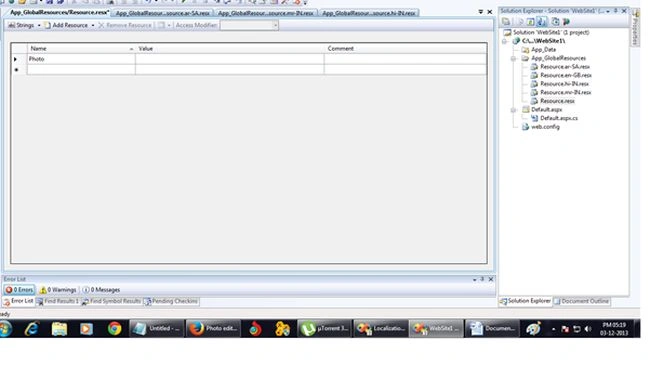
Add a name under the "Resource.resx" Filename Column and keep the Value column blank as in the following:
Save And Close Resource.resx
2. Open "Resource.en-GB.resx"
- Add a name under the "Resource.en-GB.resx" Filename and the value that you want to display in the value field.
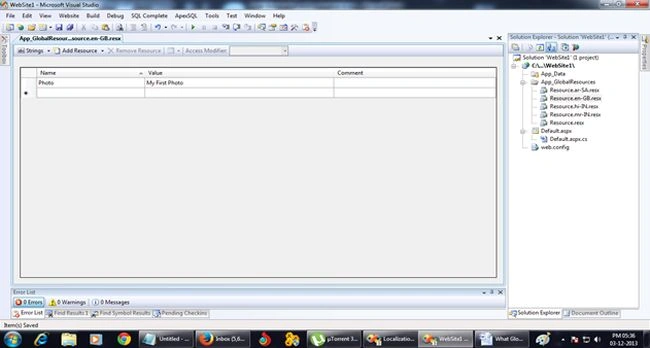
3. Open Resource.hi-IN.resx
- Add a name under the "Resource.hi-IN.resx" Filename and the Value that you want to display in the value field.
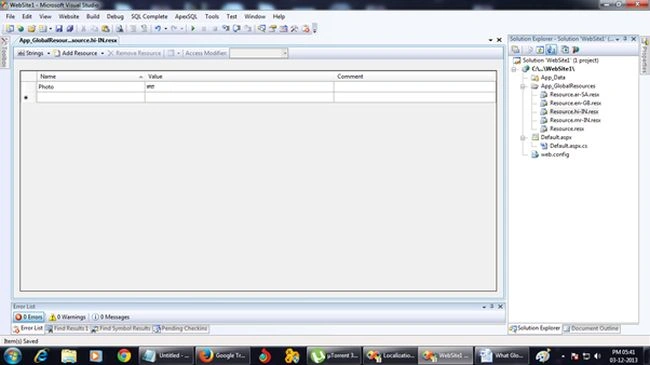
4. Open "Resource.mr-IN.resx"
- Add a name under the "Resource.mr-IN.resx" Filename and the Value that you want to display in the value field.
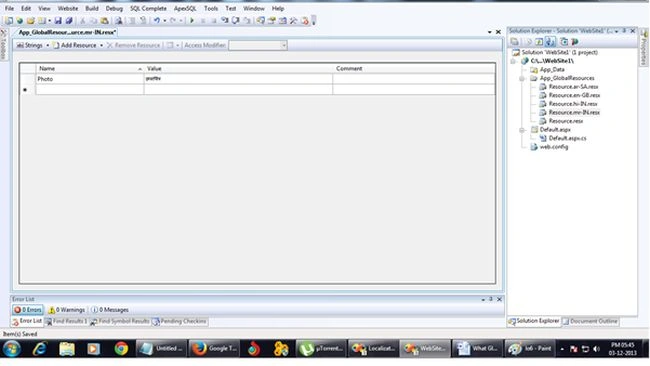
5. Open "Resource.ar-SA.resx"
- Add a name under the "Resource.ar-SA.resx" Filename and the Value that you want to display in the value field.
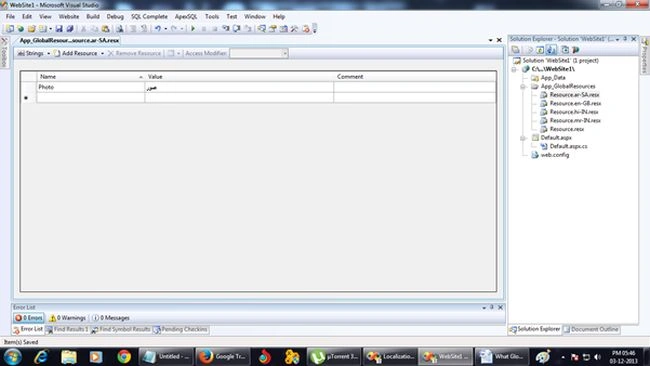
- Add a new page and name it "LocalPage.aspx"
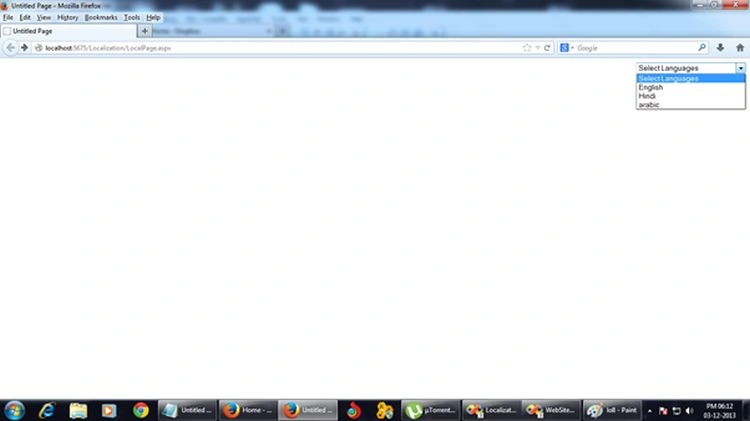
- Add a DropDownList in the "LocalPage.aspx"
On LocalPage.aspx
- <asp:DropDownList ID="DrpLanguages" AutoPostBack="true"
- runat="server" Width="200px"
- OnSelectedIndexChanged="DrpLanguages_SelectedIndexChanged">
- <asp:ListItem Text="Select Languages" Value="0"></asp:ListItem>
- <asp:ListItem Text="English" Value="en-GB"></asp:ListItem>
- <asp:ListItem Text="Hindi" Value="hi-IN"></asp:ListItem>
- <asp:ListItem Text="arabic" Value="ar-SA"></asp:ListItem>
- </asp:DropDownList>
LocalPage.aspx.cs
- protected void DrpLanguages_SelectedIndexChanged(object sender,EventArgs e)
- {
- Session["Culture"] = DrpLanguages.SelectedValue;
- Response.Redirect("Runpage.aspx");
- }
-
Add another page name ("Runpage.aspx")
-
Add a Label to this "Runpage.aspx"
Add two Labels
For accessing the resource file you need to add syntax like this:
- Text="<%$Resources:Resource,AccCode%>"
- "<%$Resources:Your Main Resource file Name, Add Name Of Resource field which you want to display %>"
- <asp:Label ID="lblresdisplay" Font-Size="Large" runat="server" Text="<%$Resources:Resource,AccCode%>"></asp:Label>
- <asp:Label ID="Label1" Font-Size="Large" runat="server" Text="<%$Resources:Resource,AccCode%>"></asp:Label>
To accomplish this, what we need to do is to override the InitializeCulture function and set the UICulture to the user selected language.
Runpage.aspx.cs
- using System;
- using System.Collections;
- using System.Configuration;
- using System.Data;
- using System.Linq;
- using System.Web;
- using System.Web.Security;
- using System.Web.UI;
- using System.Web.UI.HtmlControls;
- using System.Web.UI.WebControls;
- using System.Web.UI.WebControls.WebParts;
- using System.Xml.Linq;
- using System.Globalization;
- using System.Threading;
- public partial class Runpage : System.Web.UI.Page
- {
- protected void Page_Load(object sender, EventArgs e)
- {
- }
- protected override void InitializeCulture()
- {
- base.InitializeCulture();
- System.Threading.Thread.CurrentThread.CurrentCulture = new System.Globalization.CultureInfo(Session["Culture"].ToString());
- System.Threading.Thread.CurrentThread.CurrentUICulture = new System.Globalization.CultureInfo(Session["Culture"].ToString());
- }
- }
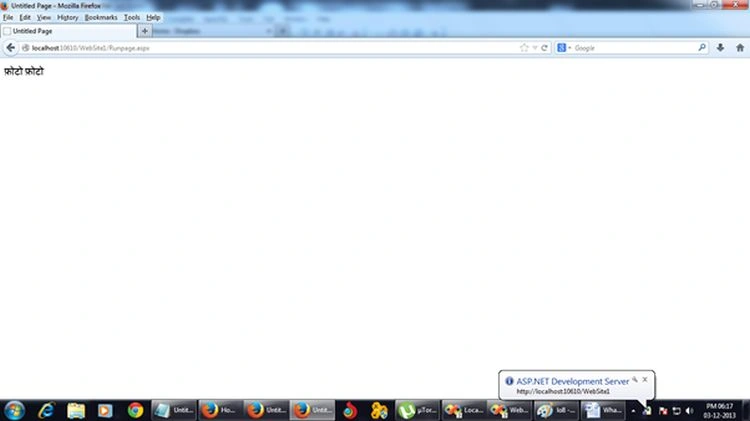
Final Output


Dieter Munnik (MBA)Posted Mar 11, 2020, 9:58 PM EDT
Hi, how do you implement this with the dropdown list selector in MVC ?
Ramzanali MominPosted Aug 8, 2018, 12:02 AM EDT
Sir i am working on one small project in asp.net with C# There i Stoped bcz i am not get proper output. my question is calcuate age between data of birth to date of marraige in javascript
Ramzanali MominPosted Aug 7, 2018, 11:56 PM EDT
Nice article for beginner .
tushar dasPosted May 14, 2018, 4:23 PM EDT
Just preparing for interview and the article is awesome...Good job Sai...
Muhammad Aqib ShehzadPosted Mar 22, 2017, 9:15 PM EDT
Very nice elaboration of the topic
piyush virojaPosted Dec 13, 2016, 8:27 PM EST
Good, dear ... :) thanks.
Karthik ElumalaiPosted Aug 23, 2016, 7:58 AM EDT
Good one..:)Thanks
Ram KumarPosted Feb 4, 2016, 2:23 AM EST
how to access your give resouce file in javascript
Pramod GuptaPosted Sep 30, 2015, 10:07 PM EDT
gud one
Saineshwar BageriPosted Sep 29, 2014, 3:32 AM EDT
download project and run Santhosh sir
Santhosh MPosted Sep 29, 2014, 3:31 AM EDT
can u give example on text=<%.....%>
Saineshwar BageriPosted Sep 29, 2014, 3:31 AM EDT
What this means
Saineshwar BageriPosted Aug 18, 2014, 8:11 PM EDT
it is value which i have entered in Resource file with name AccCode you can enter your values here.
ram kumarPosted Aug 18, 2014, 3:19 AM EDT
<%$Resources:Resource,AccCode%>">...what is that AccCode