
Introduction
By default, each Azure Web App has a single deployment slot called production. In Azure, when you publish your application in a Web app, it goes to the production environment.
In a traditional approach, directly pushing the code in the development server has the following demerits:
By default, each Azure Web App has a single deployment slot called production. In Azure, when you publish your application in a Web app, it goes to the production environment.
In a traditional approach, directly pushing the code in the development server has the following demerits:
- While deploying directly to the production server, you application needs a lot of downtime which hampers the user experience as the site is unavailable.
- If you have any error in your development or local system, that will get directly reflected in your production environment
- The cold start (Initial slowness) for the website can be overcome by these concepts. You can "Warm-up" (all the initialization of site loading) your application in staging.
- Here, you have the option to Rollback if any error occurs in production, within a fraction of a second.
- To ensure all the functionality of live sites are working correctly, we will follow up the site from a different environment, that is where the slot comes into picture.
So, to work out the above issues, we have these slotting concepts and different environment concepts.
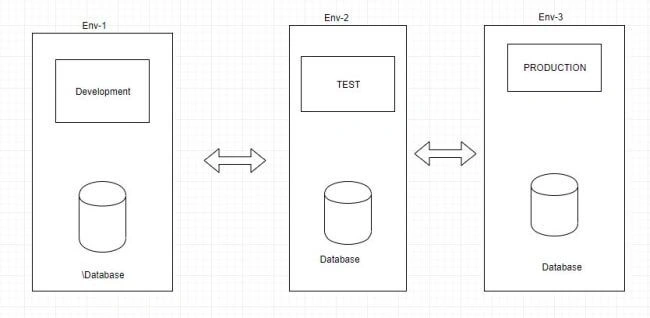
Normally, in an application development lifecycle, the code goes through several phases before it is finally pushed into production, such as,
Normally, in an application development lifecycle, the code goes through several phases before it is finally pushed into production, such as,
- Development
- Test
- Production
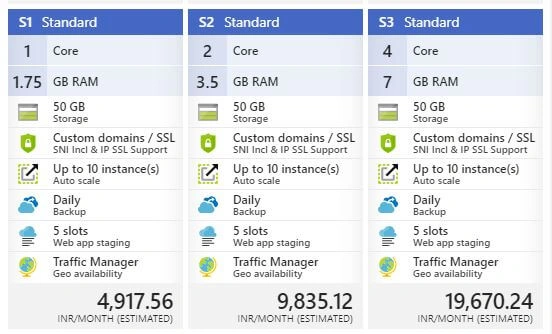
To work with Slot, we need to upgrade our pricing tier to Standard or Premium.These features are not available in Basic tier.
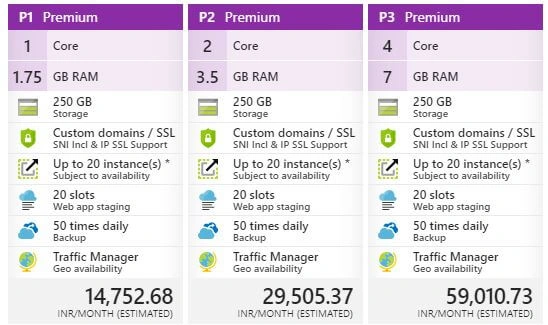
And here is the Premium which boosts functionality with Slot.
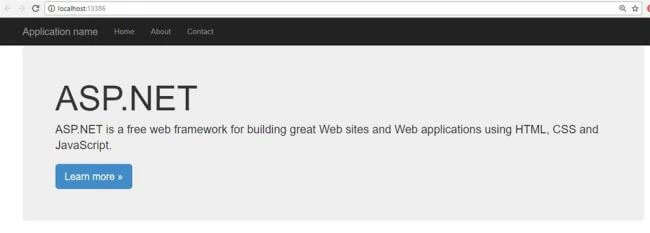
Now, I have a ready-made MVC application on my local.
Now, I have a ready-made MVC application on my local.
Let me create a web app with Standard pricing tier to deploy my application, as shown below.
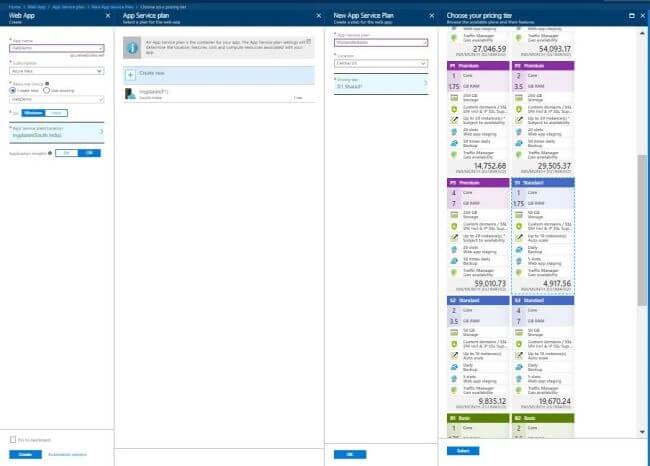
Finally, it will create a Web App with DebDemo name. Here are the details of this web app.
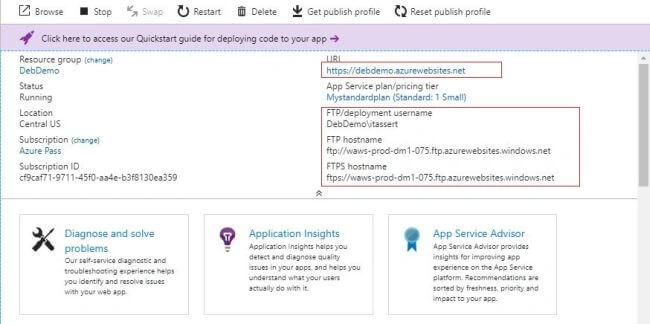
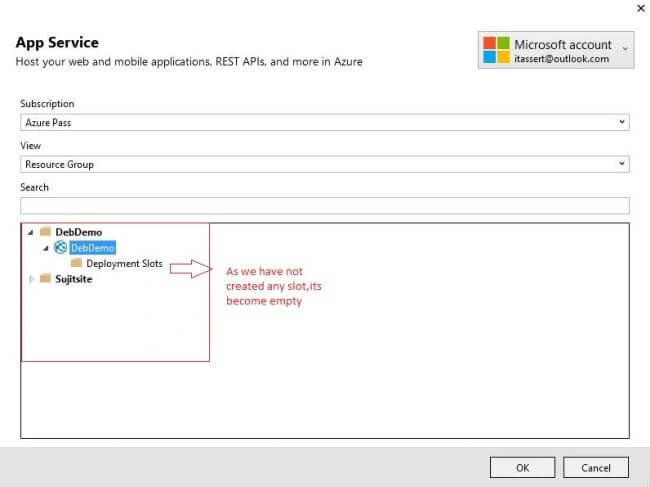
Now, let's point to this web app and publish by creating a New Profile.
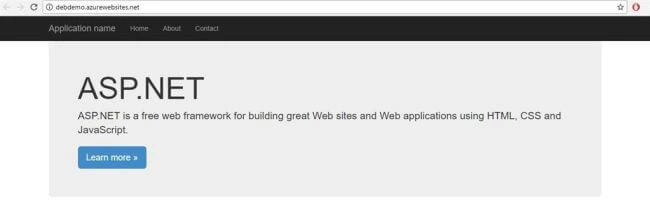
Once the deployment is complete, the site is ready and you can see by the url.
Now, we will create a slot and deploy the application with changed logic.
To add a slot, please check the below image and start your work as per the instructions.
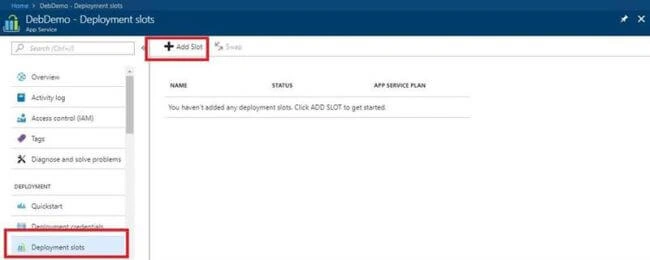
Now, add the slot as follows by giving a slot name.
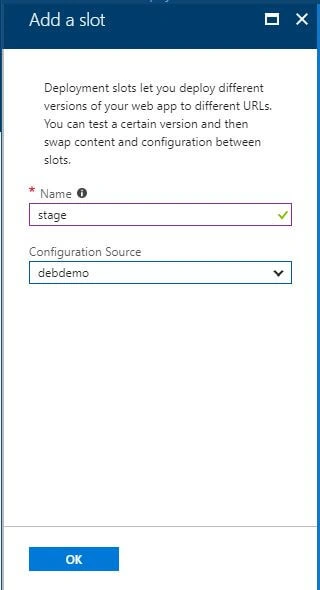
Now, add the slot as follows by giving a slot name.
Once the slot is added, you will get the following info of the slot by clicking on it.
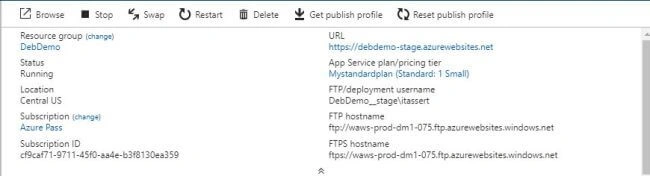
What are these deployment slots?
Deployment slots or Azure slots are actually instances of Azure Web Apps which are tied to that website. A deployment slot will carry the name of the Azure Web App + SlotName.
For example, if my Azure Web App is called DebDemo and I create a slot called staging, then my slot will be an Azure Web App with the name DebDemo(staging) and its url will be,
- http://DebDemo-staging.azurewebsites.net
These slots contain all the features and properties that a normal Web App contains. Now, I will make some changes to my development code and this time, I will publish to local, then in a slot. Here is the change made for local.
- public class HomeController : Controller
- {
- public ActionResult Index()
- {
- string x = WebConfigurationManager.AppSettings["Key1"];
- ViewBag.name = x;
- return View();
- }
- @{
- ViewBag.Title = "Home Page";
- }
- <div class="jumbotron">
- <h2>welcome:@ViewBag.name</h2>
- <p class="lead">ASP.NET is a free web framework for building great Web sites and Web applications using HTML, CSS and JavaScript.</p>
- <p><a href="https://asp.net" class="btn btn-primary btn-lg">Learn more »</a></p>
- </div>
- <appSettings>
- <add key="webpages:Version" value="3.0.0.0" />
- <add key="webpages:Enabled" value="false" />
- <add key="ClientValidationEnabled" value="true" />
- <add key="UnobtrusiveJavaScriptEnabled" value="true" />
- <add key ="Key1" value="Debendra Dash from Local"/>
- </appSettings>
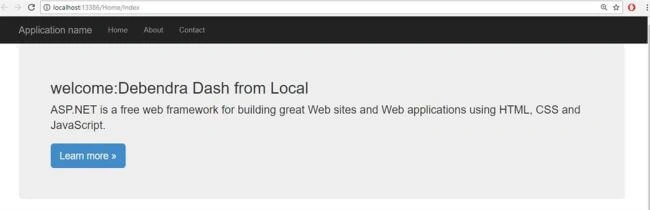
Now make some change in Web.Realese.config to reflect the exact value in Production.
- <appSettings>
- <add key="Key1" value="Debendra Dash from Production"
- xdt:Transform="SetAttributes"
- xdt:Locator="Match(key)"
- />
- </appSettings>
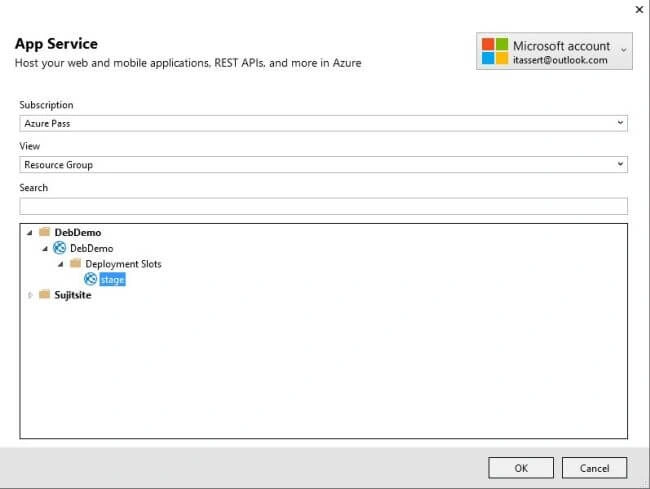
Now once the Publish is completed,y ou can check the staging site by the above url.
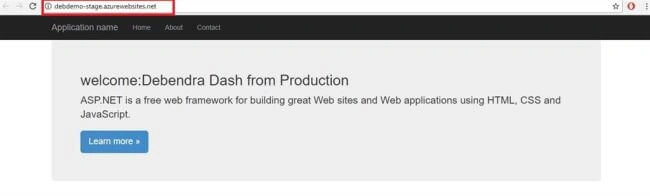
Note
So far there is no effect on the production site,vthe production site is running on a different url.
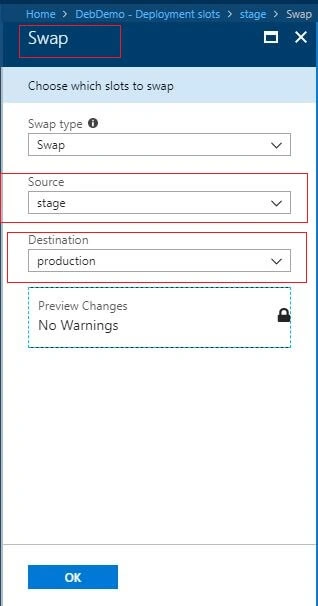
Now if we are really happy with the site testing and want to move this to production we need to choose the swap option as shown below.
Now if we are really happy with the site testing and want to move this to production we need to choose the swap option as shown below.
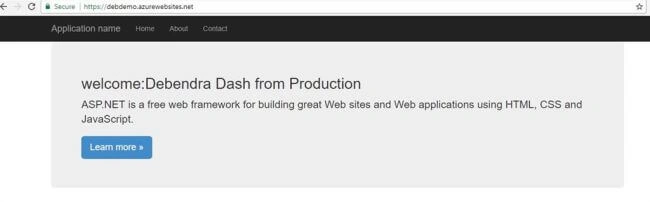
Once you are finished with the swap all your new changes are available in Production and you can see all the changes using the production url.
This is how the swapping works. These are the following settings which become swapped along with your original files.
This is how the swapping works. These are the following settings which become swapped along with your original files.
Settings that are swapped,
- General settings - such as framework version, 32/64-bit, Web sockets
- App settings (can be configured to stick to a slot)
- Connection strings (can be configured to stick to a slot).
- WebJobs content
If any errors are identified in production after a slot swap, roll the slots back to their pre-swap states by swapping the same two slots immediately.
Conclusion
In this way, we can see how the swapping works between slots and within no downtime the site get pushed to the production environment.
In my next tutorial, we will discuss about the swapping of general settings and connection strings between slots.
Conclusion
In this way, we can see how the swapping works between slots and within no downtime the site get pushed to the production environment.
In my next tutorial, we will discuss about the swapping of general settings and connection strings between slots.


saroj kumarPosted Nov 17, 2018, 8:14 PM EST
Awasome Article....my doubt is cleared...thanks sir
KrishnaManju DuddelaPosted Jun 23, 2018, 9:56 PM EDT
I have created a slot and published .net MVC app to slt using visual studio publish option. Slot is redirecting to production url instead of slot url. Can you help me with this issue
KrishnaManju DuddelaPosted Jun 23, 2018, 9:53 PM EDT
Thanks for the article. Do we need to create new key for deployment slot?
Khaja MoizuddinPosted May 2, 2018, 12:25 PM EDT
Nice one Debendra.......