
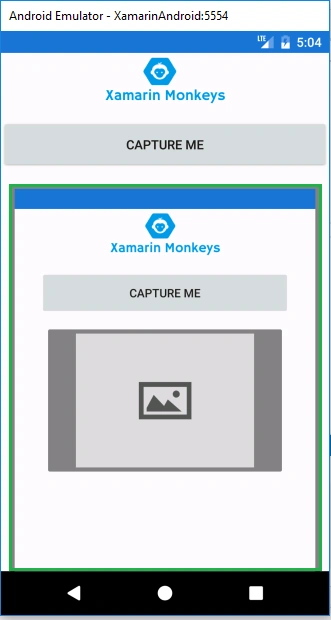
DependencyService
DependencyService allows apps to call into platform-specific functionality from shared code. This functionality enables Xamarin.Forms apps to do anything that a native app can do.
DependencyService is a dependency resolver. In practice, an interface is defined and DependencyService finds the correct implementation of that interface from the various platform projects.
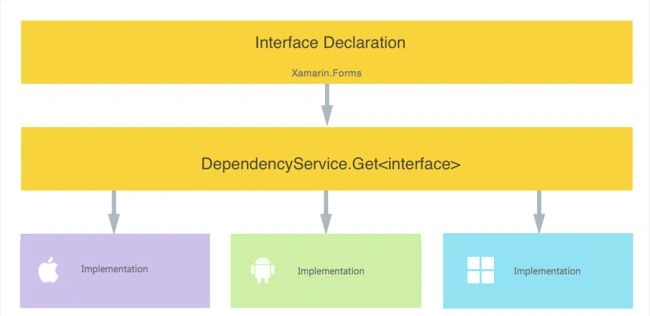
- Interface
The required functionality is defined by an interface in shared code. - Implementation Per Platform
Classes that implement the interface must be added to each platform project. - Registration
Each implementing class must be registered with DependencyService via a metadata attribute. Registration enables DependencyService to find the implementing class and supply it in place of the interface at runtime. - Call to DependencyService
Shared code needs to explicitly call DependencyService to ask for implementations of the interface.
- Visual Studio 2017(Windows or Mac)
Start by creating a new Xamarin.Forms project. You’ll learn more by going through the steps yourself.
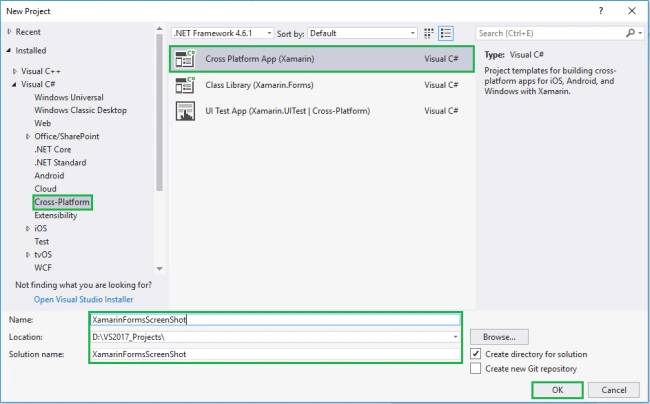
Choose the Cross-platform App project under Visual C#-->Cross-platform in the New Project dialog.
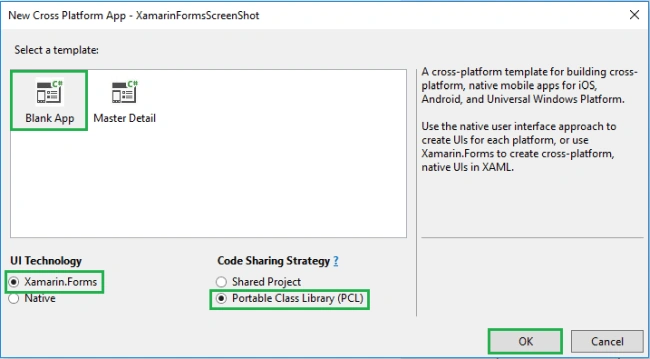
Now Select the Blank App and Choose Portable Class Library(PCL).
You now have a basic Xamarin.Forms app. Click the Play button to try it out.
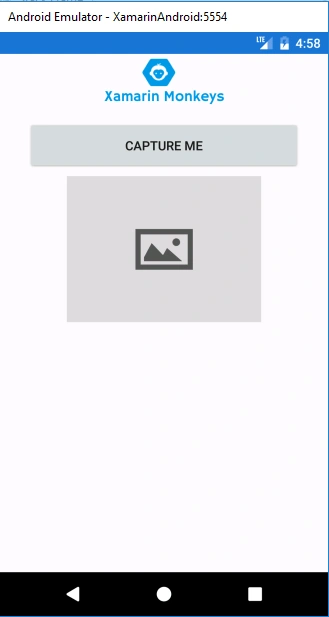
Setting up the User Interface
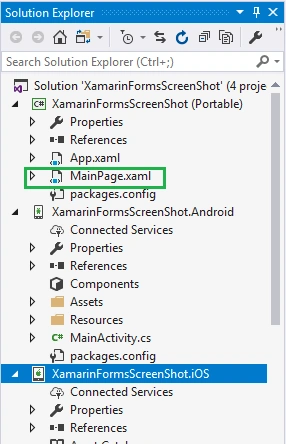
Go to MainPage.Xaml and write the following code.
Go to MainPage.Xaml and write the following code.
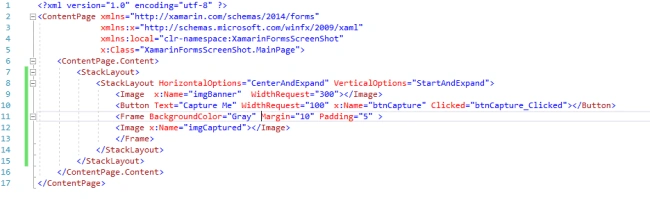
- <?xml version="1.0" encoding="utf-8" ?>
- <ContentPage xmlns="http://xamarin.com/schemas/2014/forms" xmlns:x="http://schemas.microsoft.com/winfx/2009/xaml" xmlns:local="clr-namespace:XamarinFormsScreenShot" x:Class="XamarinFormsScreenShot.MainPage">
- <ContentPage.Content>
- <StackLayout>
- <StackLayout HorizontalOptions="CenterAndExpand" VerticalOptions="StartAndExpand">
- <Image x:Name="imgBanner" WidthRequest="300"></Image>
- <Button Text="Capture Me" WidthRequest="100" x:Name="btnCapture" Clicked="btnCapture_Clicked"></Button>
- <Frame BackgroundColor="Gray" Margin="10" Padding="5">
- <Image x:Name="imgCaptured"></Image>
- </Frame>
- </StackLayout>
- </StackLayout>
- </ContentPage.Content>
- </ContentPage>
Creating Interface
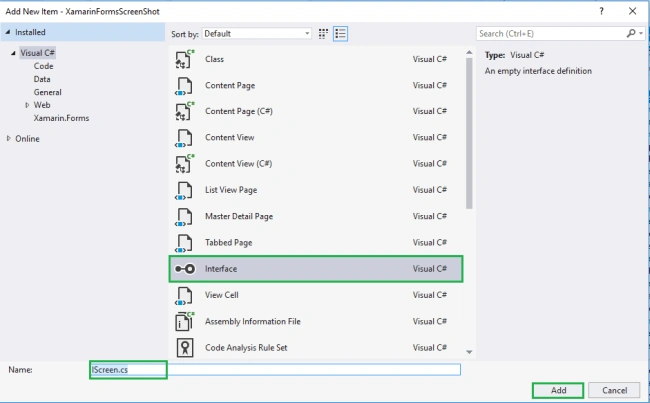
Create - interface in Xamarin.Forms PCL.
Go to Solution—>PCL—>Right click—>New—>Interface—>IScreen.cs.
Create - interface in Xamarin.Forms PCL.
Go to Solution—>PCL—>Right click—>New—>Interface—>IScreen.cs.
Now, write the following code .
IScreen.cs
- using System.Threading.Tasks;
- namespace XamarinFormsScreenShot {
- public interface IScreen {
- Task < byte[] > CaptureScreenAsync();
- }
- }
Go to Solution—>Android —>Right click—>New—>Class—> ScreenHelper.cs
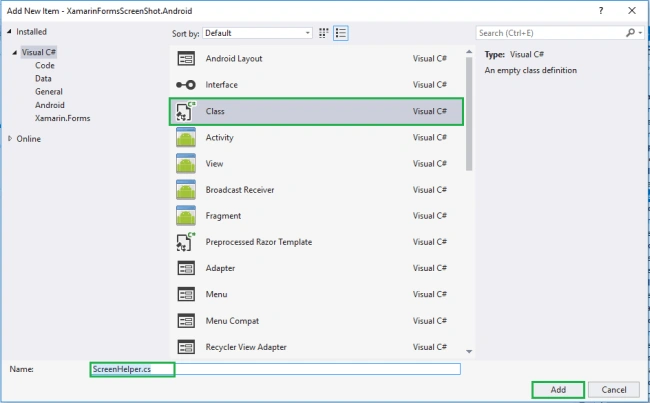
Now, write the following code for Capture Current Screen.
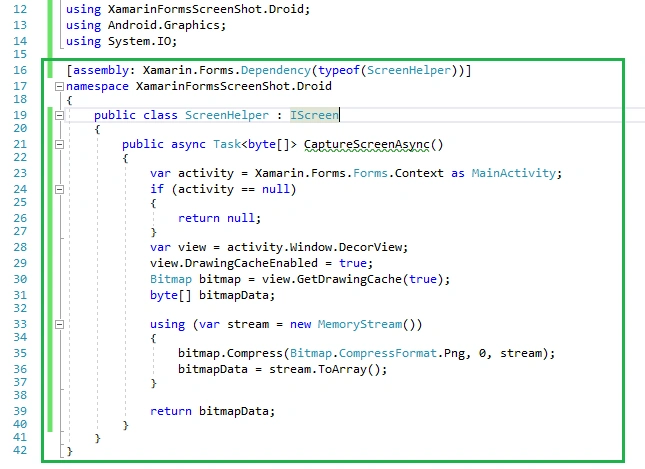
ScreenHelper.cs
- using XamarinFormsScreenShot.Droid;
- using Android.Graphics;
- using System.IO;
- [assembly: Xamarin.Forms.Dependency(typeof(ScreenHelper))]
- namespace XamarinFormsScreenShot.Droid {
- public class ScreenHelper: IScreen {
- public async Task < byte[] > CaptureScreenAsync() {
- var activity = Xamarin.Forms.Forms.Context as MainActivity;
- if (activity == null) {
- return null;
- }
- var view = activity.Window.DecorView;
- view.DrawingCacheEnabled = true;
- Bitmap bitmap = view.GetDrawingCache(true);
- byte[] bitmapData;
- using(var stream = new MemoryStream()) {
- bitmap.Compress(Bitmap.CompressFormat.Png, 0, stream);
- bitmapData = stream.ToArray();
- }
- return bitmapData;
- }
- }
- }
In this step, call the DependencyService for your PCL.
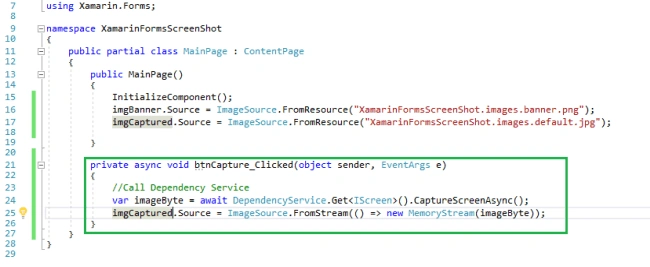
- using Xamarin.Forms;
- namespace XamarinFormsScreenShot {
- public partial class MainPage: ContentPage {
- public MainPage() {
- InitializeComponent();
- imgBanner.Source = ImageSource.FromResource("XamarinFormsScreenShot.images.banner.png");
- imgCaptured.Source = ImageSource.FromResource("XamarinFormsScreenShot.images.default.jpg");
- }
- private async void btnCapture_Clicked(object sender, EventArgs e) {
- //Call Dependency Service
- var imageByte = await DependencyService.Get < IScreen > ().CaptureScreenAsync();
- imgCaptured.Source = ImageSource.FromStream(() => new MemoryStream(imageByte));
- }
- }
- }

I hope you have understood how to Capture ScreenShot Using DependencyService.
Thanks for reading. Please share comments and feedback.


Fyko van der MolenPosted Jun 11, 2020, 10:52 PM EDT
Thank you. This works very well, except for one problem which I have: All subsequent images captured after the first one contain the image of the first one, even though the screen changes after the first screenshot is captured. Only by executing OnPause() and OnResume() is it possible to update the bitmap content. I've tried all the obvious remedies.
Vishal MakamPosted Oct 30, 2018, 9:50 PM EDT
Hello, Please Make an article for Screen Recording