
Introduction
In this blog, we will look at how to set up Allure report in our Playwright Test Automation project.
Reports are an important part of Test Automation. It helps us analyze and depict the results of test run in a pictorial manner so that it is easy to comprehend for the QA Leads/Managers.
Let's go ahead and configure the allure report
Prerequisite
Playwright Project Setup needs to be done.
Steps to configure Allure report
Step 1
Open the Terminal in the Visual studio code
Step 2
Install allure playwright package from npm by running the below command
npm i -D @playwright/test allure-playwrightStep 3
Now install the Allure command line
npm i allure-commandlinestep 4
Now add the below allure reports settings at the reporters section of the playwright.conf.js file
reporters: ['html',['allure-playwright']],Note
HTML reporter will already be present while installation, just put comma and add these allure report settings.
Step 5
Now run any tests from your tests folder.
After running you will see the allure-results folder created inside your project.
Step 6
Now with the help of allure commandline and allure-results folder we can generate allure results by running the below command
npx allure generate allure-results && npx allure openThe above command will access the allure modules which gets installed in your node modules and generates the report by reading the contents in allure-results folder.
npx allure open will open the report in your browser.
You will see an allure report folder generated in your project once you run this command
Every time you run the test and generate report using command you need to clean the contents of the allure-results folder to generate the report
So just add the flag --clean while generating allure report
npx allure generate --clean allure-results && npx allure open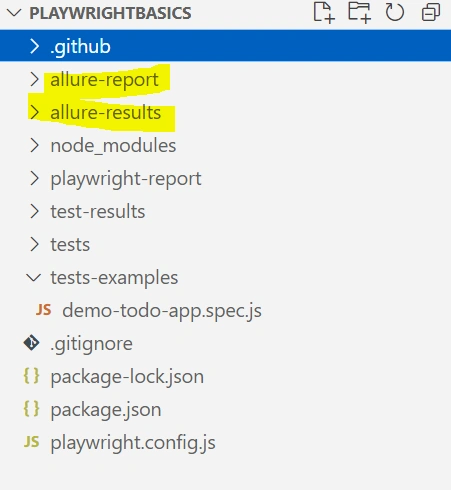
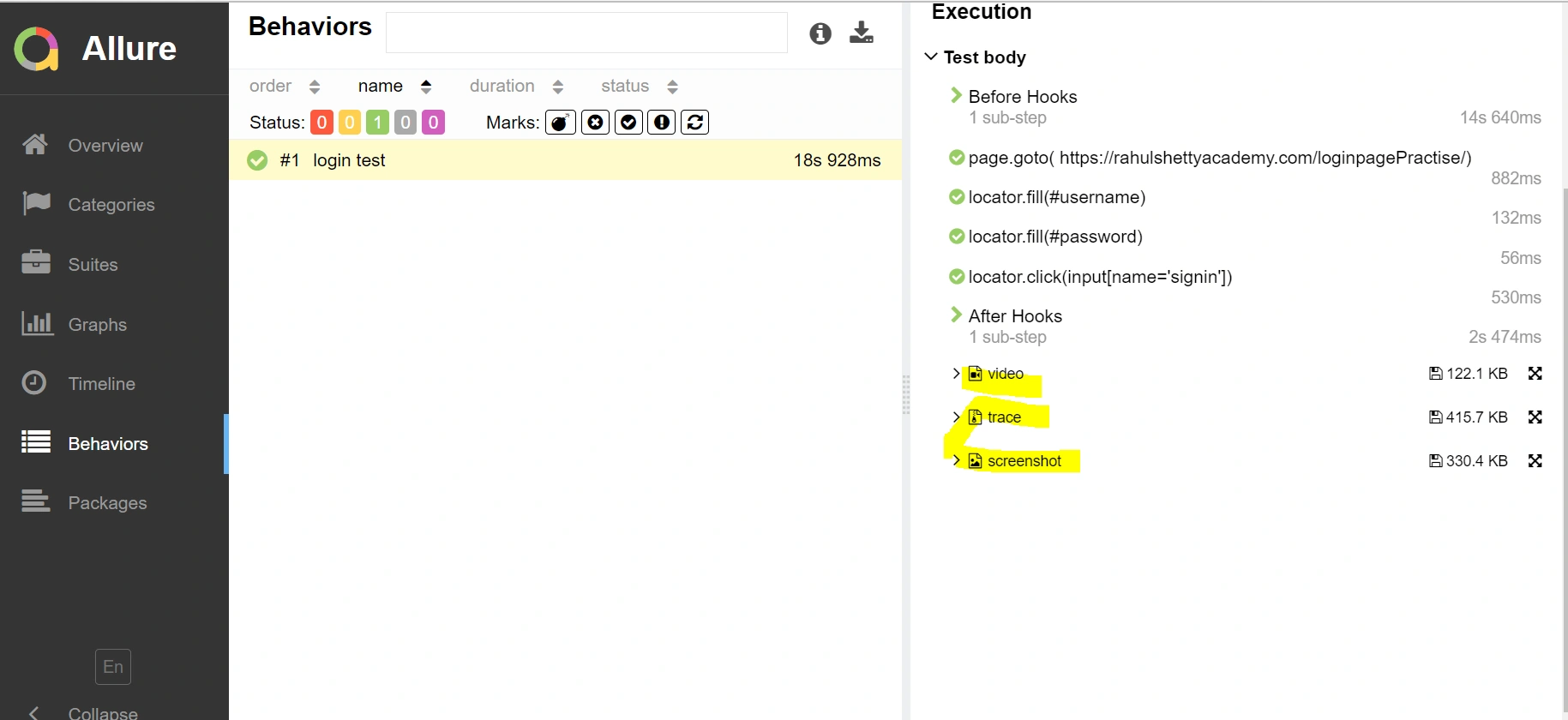
If Screenshots, videos, and trace configurations are set in playwright configurations file, then the screenshot, video, trace will get attached to the allure report automatically.
Summary
Hope this blog will be helpful for generating and setting up allure reports in Playwright Test Automation Project.
Thanks..........
Happy learning..........


Busra KarsliogluPosted May 31, 2023, 2:31 PM EDT
Ok found it, now should i copy paste "reporters: ['html',['allure-playwright']]," between <playwright>...</playwright> in run settings? Thank you so much for the response
Busra KarsliogluPosted May 22, 2023, 2:01 PM EDT
Hi, I am using Csharp playwright framework, I did whatever you listed but step 4 reporters, I don't know where it is located, I can't find it. Can you please help? Thank you
SammyPosted May 7, 2023, 9:38 PM EDT
Why is my test body coming empty over showing the test steps which I can see in your screenshot. Could you please help? Thanks
SammyPosted May 4, 2023, 9:19 PM EDT
Also my test body doesnt show all the steps that were executed as what your screenshot shows above.
SammyPosted May 4, 2023, 8:23 PM EDT
I cannot see the allure-results folder getting generated inside my project.
SammyPosted Apr 26, 2023, 7:08 PM EDT
Hi How can I set up the environment variable on allure reporting using playwright? Could you please help?