
Step 1: Select Visual Studio from Start Menu.
Step 2: Click New Project and select Console Application. Give the Application name and click OK.
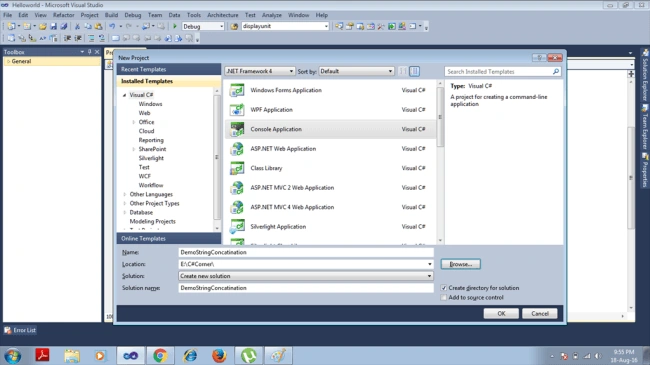
Step 2: Click New Project and select Console Application. Give the Application name and click OK.
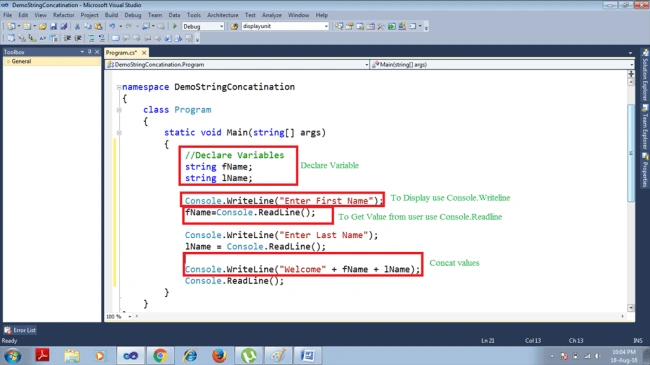
Step 3: Write the code for concatenation program.
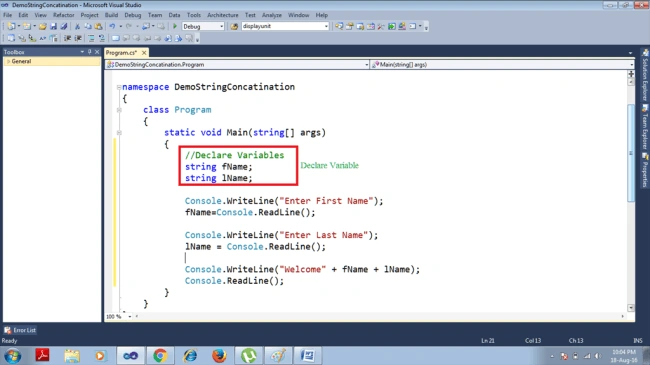
To display, use console.Writeline.
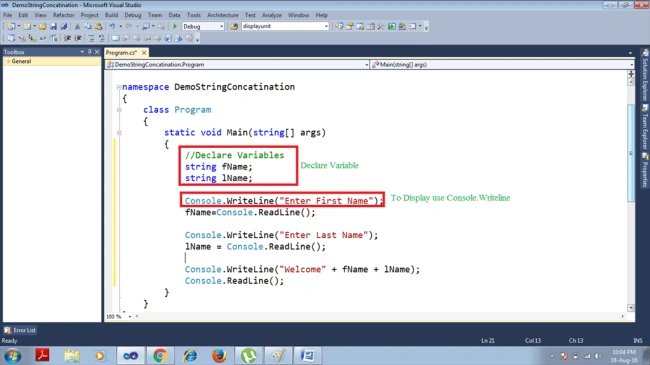
To get the value from the user, use consoleReadline ().
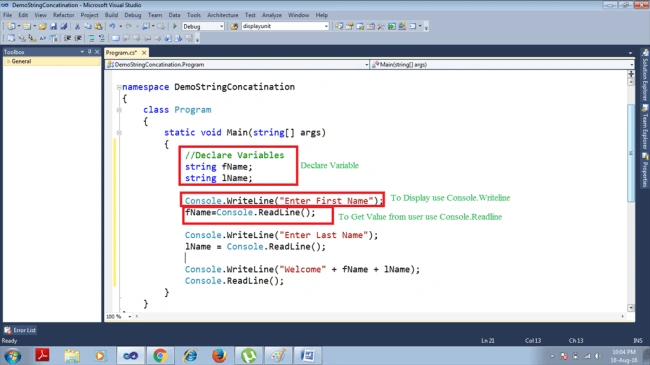
+ operator is used to concatenate two strings.
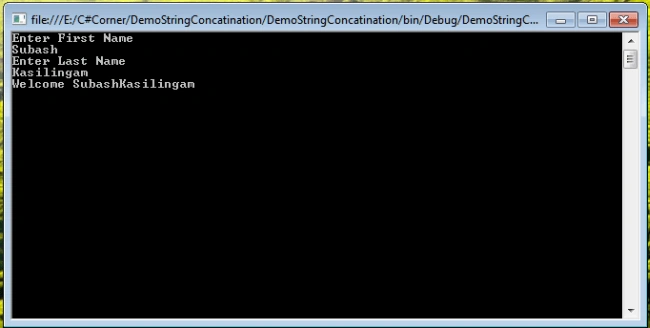
Step 4: Output of the program is given below:


Bhanu KorremulaPosted Sep 22, 2016, 5:43 AM EDT
Good screenshots and directions
Satish Kumar VadlavalliPosted Sep 19, 2016, 2:01 AM EDT
Nice yar, keep up the good work
Manav PandyaPosted Sep 17, 2016, 11:02 PM EDT
Great sir ..
Vivek KumarPosted Aug 21, 2016, 12:42 PM EDT
Nice one
SubashPosted Aug 20, 2016, 12:19 AM EDT
Thank You sir
Anu VPosted Aug 19, 2016, 9:59 PM EDT
Good article for beginners..