
It is My First AngularJs Application. In this blog you will learn how to bind dropdownlist using AngularJS step by step.
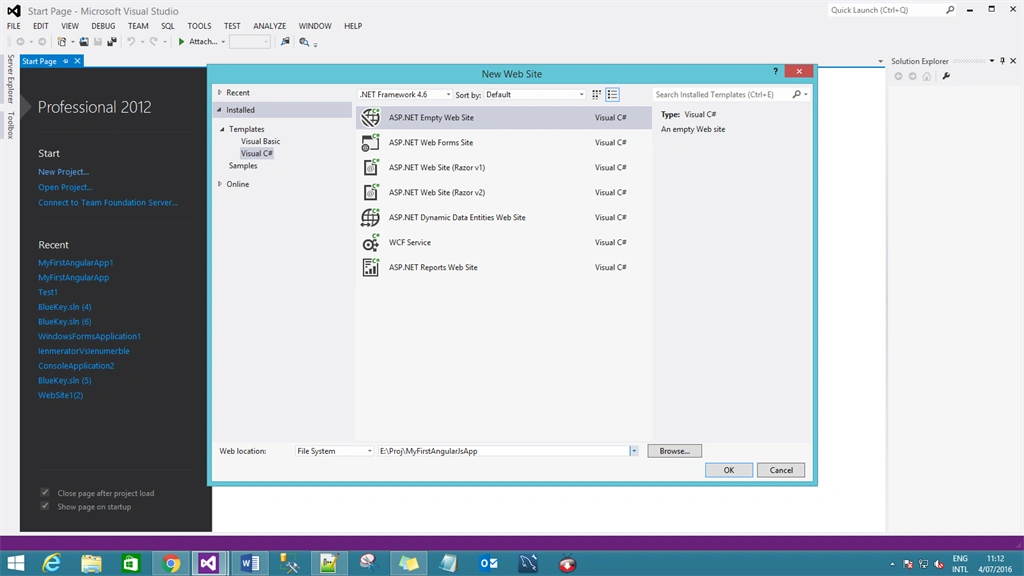
Create a new website.
Create a new website.
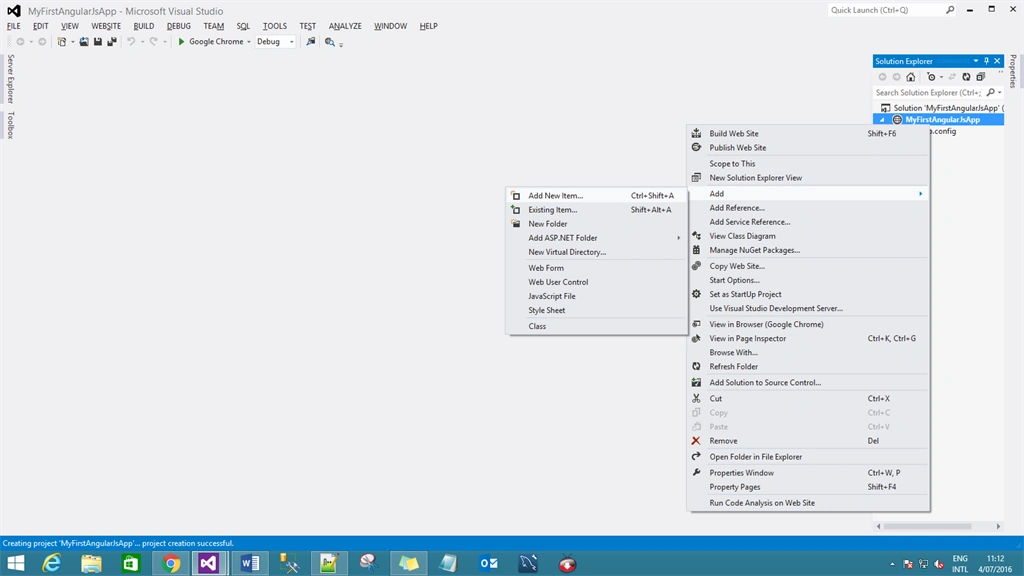
After that Add a web page.
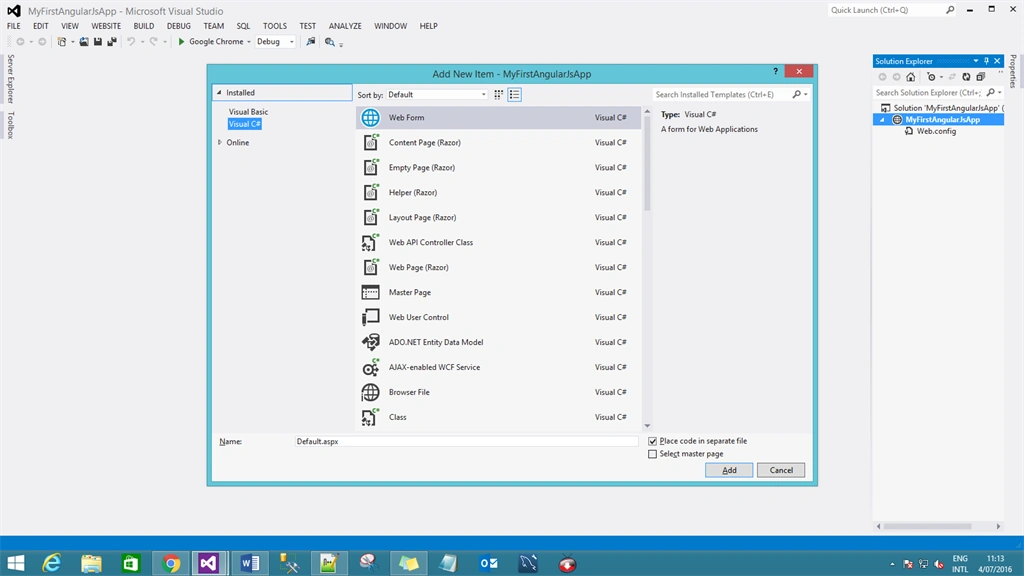
Select web form.
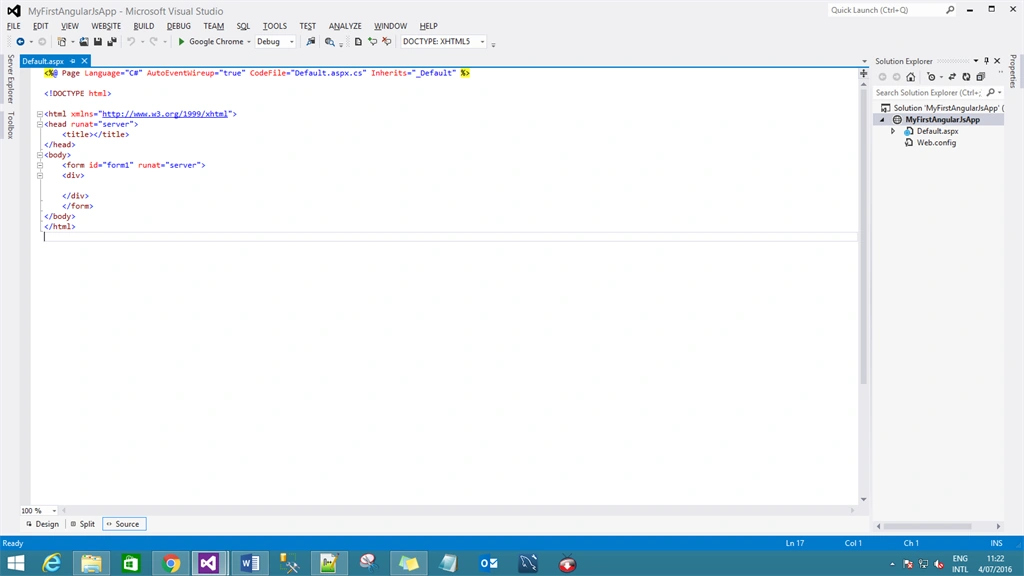
Default.aspx shows like.
We add here a angularjs script file like it is downloaded.
- <script src="script/angular.min.js"></script>
- <script src="https://ajax.googleapis.com/ajax/libs/angularjs/1.3.9/angular.min.js"></script>
- var app = angular.module('MyFirstApp', [])
- app.controller('FruiteNameBindcontrol', function($scope)
- {
- $scope.Color = [
- {
- id: '1',
- name: 'Apple'
- }, {
- id: '2',
- name: 'Guava'
- }, {
- id: '3',
- name: 'Papaya'
- }, {
- id: '4',
- name: 'Orange'
- }, {
- id: '5',
- name: 'Strawberry'
- }, {
- id: '6',
- name: 'Watermelon'
- }];
- });
Then finally script is generated like:
- <%--<script src="https://ajax.googleapis.com/ajax/libs/angularjs/1.3.9/angular.min.js"></script> --%>
- <script src="script/angular.min.js"></script>
- <script type="text/javascript">
- var app = angular.module('MyFirstApp', [])
- app.controller('FruiteNameBindcontrol', function($scope)
- {
- $scope.Color = [
- {
- id: '1',
- name: 'Apple'
- }, {
- id: '2',
- name: 'Guava'
- }, {
- id: '3',
- name: 'Papaya'
- }, {
- id: '4',
- name: 'Orange'
- }, {
- id: '5',
- name: 'Strawberry'
- }, {
- id: '6',
- name: 'Watermelon'
- }];
- });
- </script>
After that I have declare controller in body tag like:
Method 1:
Now one more point here, I can also define data-ng-app="MyFirstApp" within html tag. After that I have bind color name in dropdownlist like.
Here I have used data-ng-repeat for iterating values for bind in dropdownlist.
- <body data-ng-app="MyFirstApp" data-ng-controller="ColorNamecontrol">
- <option data-ng-repeat="t in Color" value="{{t.id}}">{{t.name}}
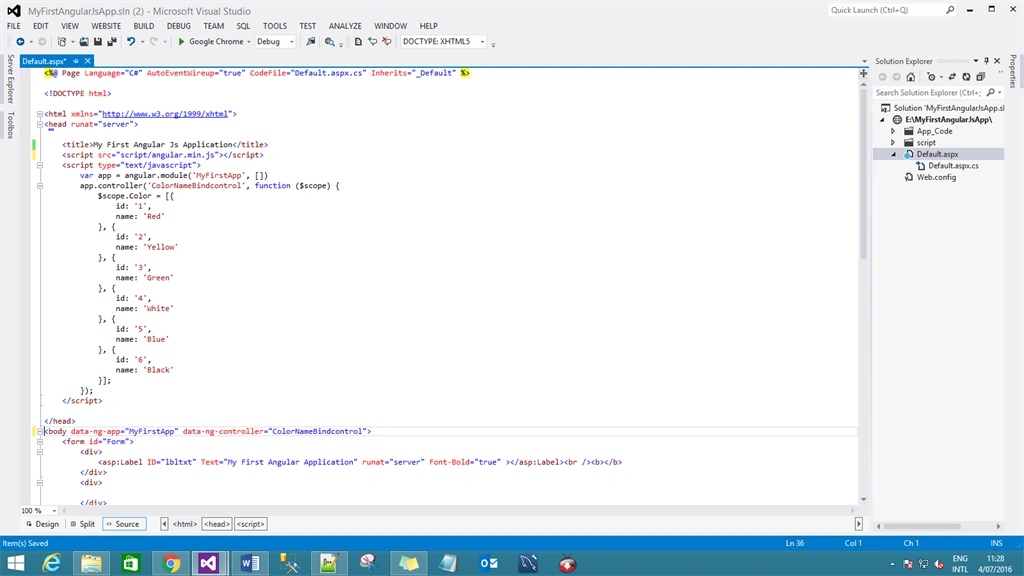
All body code is given below.
- <body data-ng-controller="ColorNameBindcontrol">
- <form id="Form">
- Select Color:
- <select>
- <option data-ng-repeat="t in Color" value="{{t.id}}">{{t.name}}</option>
- </select>
- </form>
- </body>
Method 2:
I can also bind same dropdownlist using given below statement.
- <select data-ng-options="s.id as s.name for s in Color" data-ng-model="col">
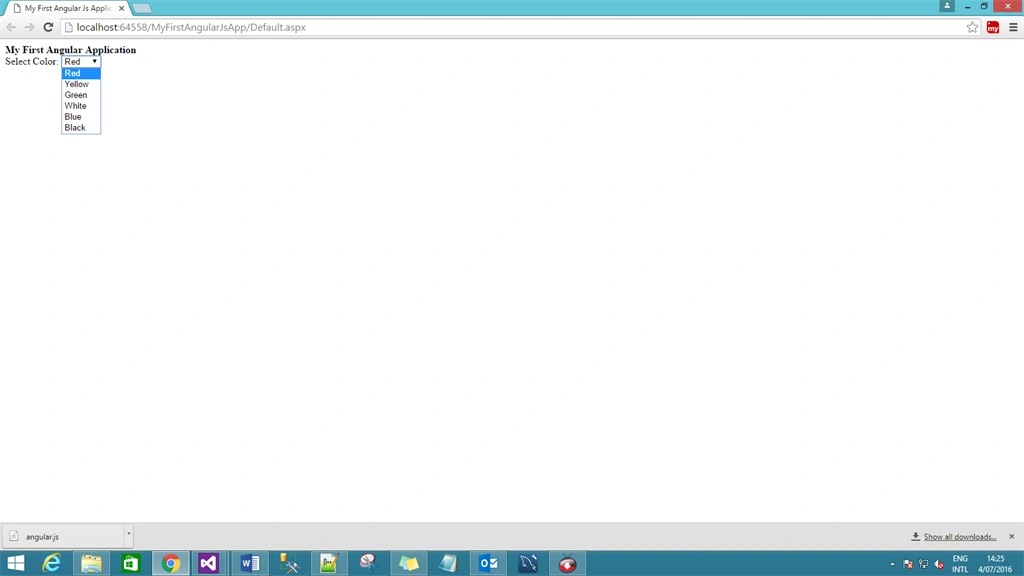
Output:


nitin gudalePosted Oct 28, 2020, 11:45 PM EDT
How can i get only unique value to dropdown list
Dharmendra Kumar PanditPosted May 11, 2020, 10:00 AM EDT
Thank you. working well......
Tridip BhattacharjeePosted May 14, 2018, 12:07 AM EDT
Nice article but this code is not clear <select data-ng-options="s.id as s.name for s in Color" data-ng-model="col"> how drowdown will understand what to show as value and what to show as text?
Amit KumarPosted Oct 5, 2017, 2:06 AM EDT
For more help go through http://www.c-sharpcorner.com/article/how-to-fetch-data-from-the-database-using-angularjs-in-web-api2/
Amit KumarPosted Oct 5, 2017, 2:05 AM EDT
Hi, Ruhul, you will have to create a service and send the request through it and get data and bind it.
Ruhul AminPosted Sep 27, 2017, 8:14 PM EDT
I need data from oracle server in select dropdown list , but how ?
Amit KumarPosted Apr 12, 2016, 1:25 AM EDT
Thanks
Gowtham RajamanickamTOP 100Posted Apr 11, 2016, 10:22 PM EDT
great..