
Introduction
This blog is based on creating a Solid Stage for a player using “Gdevelop." It's an open source Software and the games can be exported with GDevelop, since it is based on the native HTML5 platform. Gdevelop is also a Cross platform game engine.
Prerequisites
“Gdevelop” IDE version 4.0 (Free).
Overview
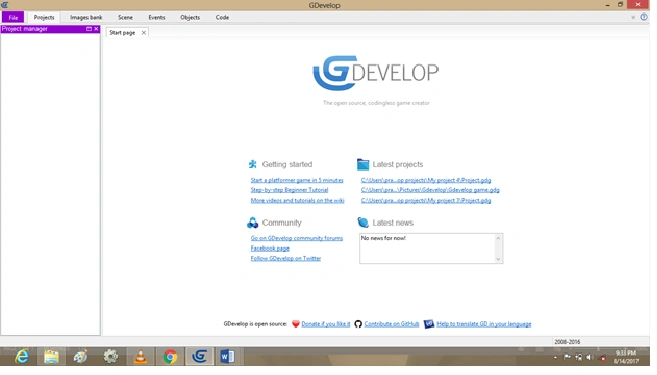
First, you have to open the “Gdeveop” Software project.
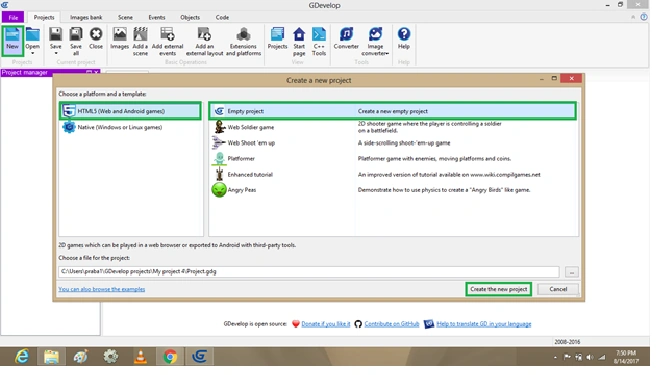
Create project
Click Project-> New, Select->HTML 5 Platform.
Open->Empty Project and then Create the new project. We can see from the given following template,
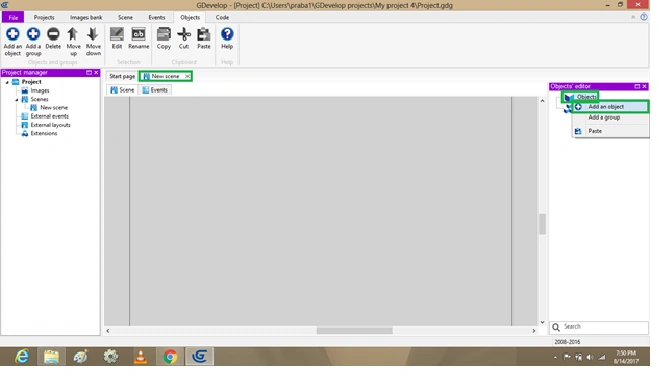
Condition
Now, for opening a new scene, we need to open and set the following conditions,
Default set conditions,
- Scene
- Events.
Right hand side, Object editor.
Click on-> object bar and then Open->Add an Object.
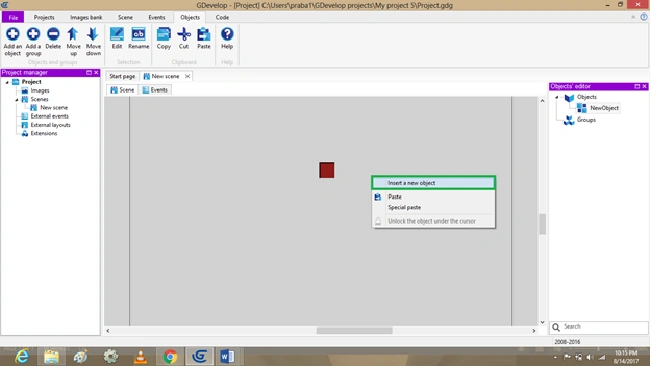
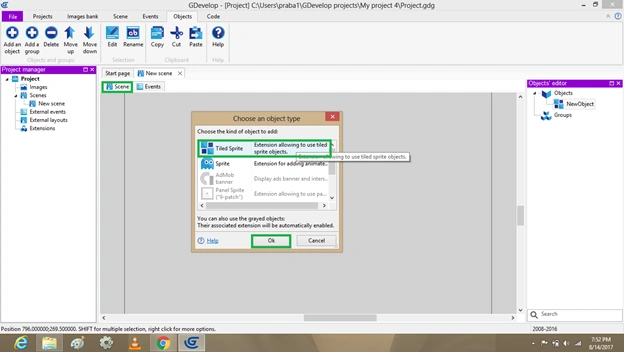
Inserting Tiled Sprite
We need to add the tiled object, Right click->in Scene layout and->insert a new object,
Output
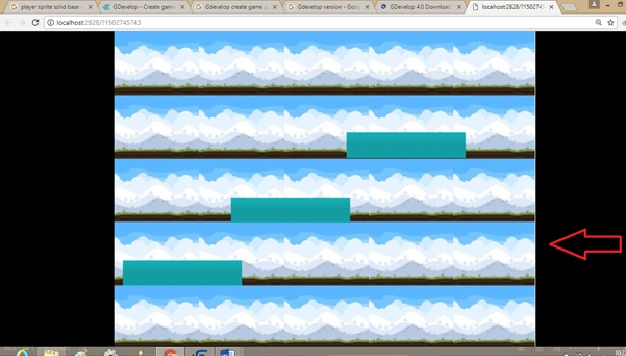
Go back to Scene “Gdevelop”, select-> Preview to Open Browser, the following template will be displayed in output continuously .
Summary
I hope you understood this blog. We have created a solid stage using Gdevelop IDE. Thanks for reading.


Hadshana KamalanathanTOP 100Posted Jul 22, 2018, 12:16 AM EDT
Thanks for sharing...
Sagar Pandurang KapPosted Dec 11, 2017, 8:50 PM EST
Nice dude. Keep Sharing........
Vidyadharran GPosted Aug 23, 2017, 8:23 AM EDT
Nice blog praba...thanks for sharing\
Nandhini SPosted Aug 23, 2017, 7:59 AM EDT
Nice blog.... Thanks for Sharing
Abubackkar ShithikPosted Aug 23, 2017, 1:02 AM EDT
Nice keep it up....