
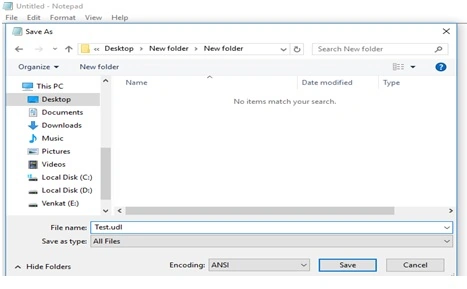
Step 1: Open Notepad and click File-Save As-Test.Udl. Try to save the file format as UDL
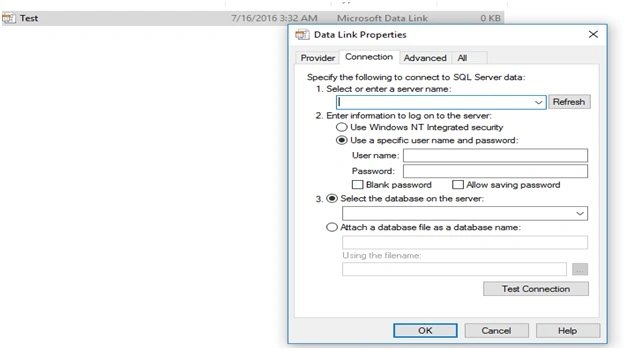
Step 2: Open the file and select SQL Server, followed by a username and a password. Once Authentication is done we have to select the database we want:
Step 3: Click the Test Connection and subsequently click OK: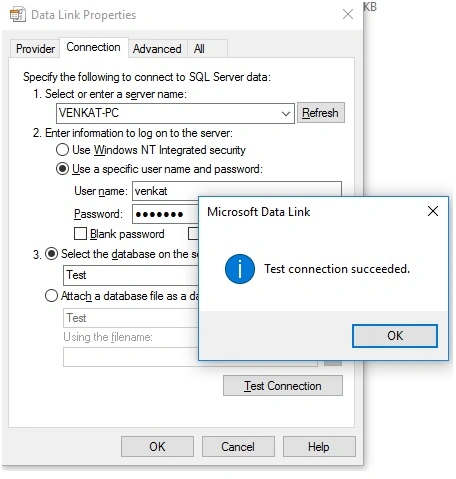
Step 4: Open the file as a text file (use right click and choose open with Notepad).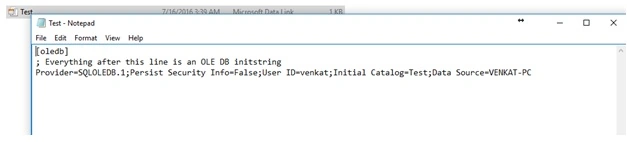
Create Connection String Outside VS
In this blog, you will learn how to create a connection string outside VS.


kalu singh raoPosted Jul 17, 2016, 10:05 PM EDT
Nice...