
I have created a custom list named “K2 Workflow Tutorials” in which K2 workflow will be created to delete document set. Document set will be deleted from “K2 Workflow Documents” library.
Go to K2 designer, drag and drop Delete Document Set step from the Document Sets workflow steps in the ribbon interface.
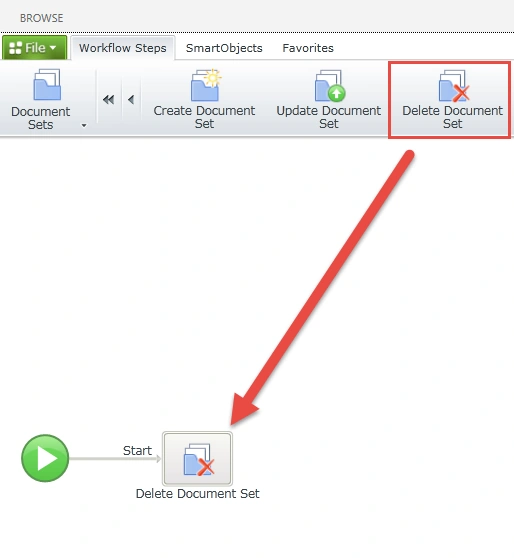
Figure 1: Delete Document Set
Browse to the library containing document set and then click on Next button.
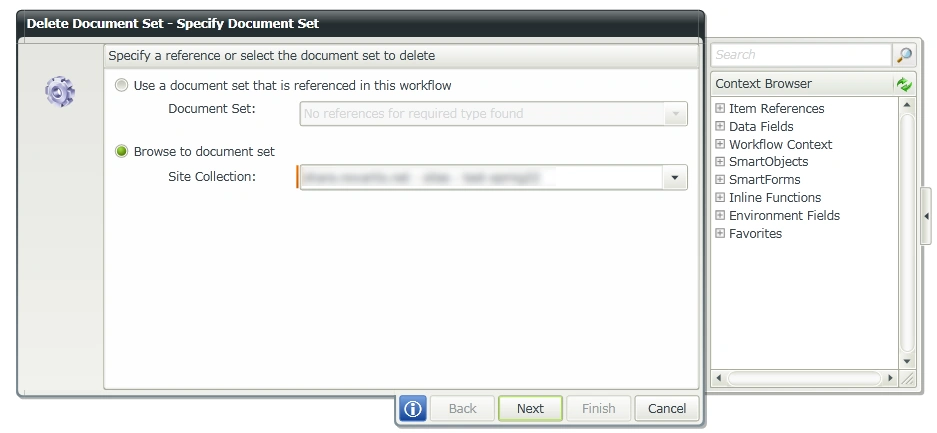
Figure 2: Next button
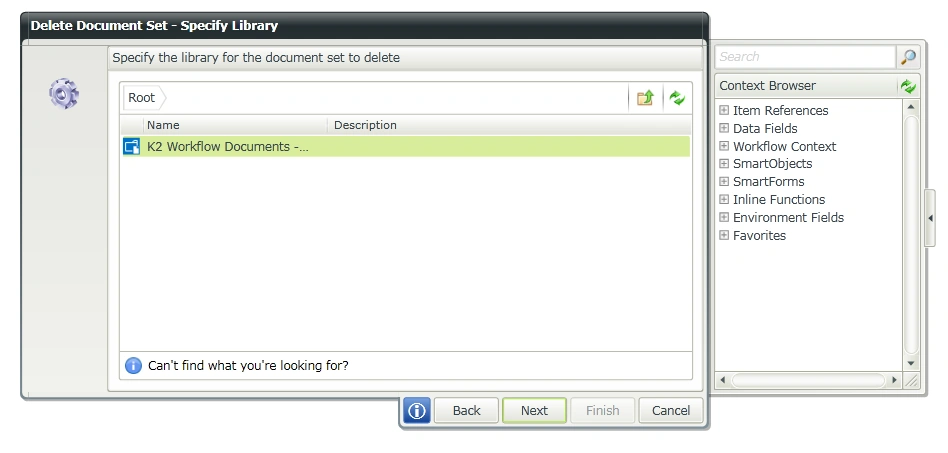
Figure 3: K2 WorkFlow Document
Specify the filters for the new document set to delete and then click on Next button.
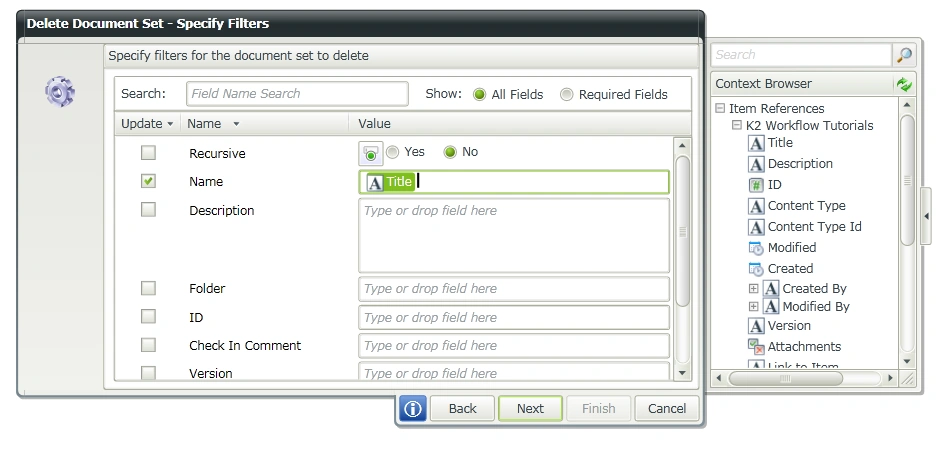
Figure 4: Click next
Specify whether to use recycle bin and then click on Finish button.
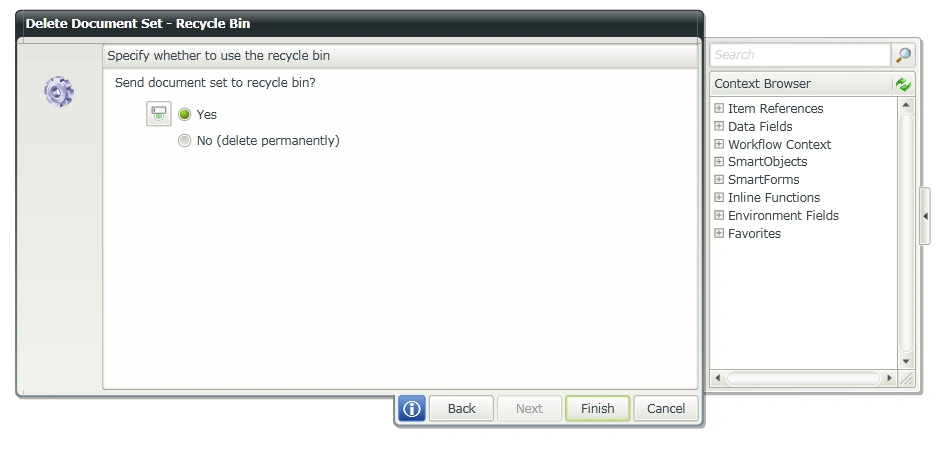
Figure 5: Finish
Deploy the workflow. Run the workflow for the list item whose title field value is “Test”. After few minutes the workflow will be completed and the document set with the name as “Test” will be deleted from “K2 Workflow Documents” library.


RakeshPosted Sep 2, 2015, 2:47 AM EDT
Good one
Sibeesh VenuTOP 100Posted Sep 1, 2015, 3:29 AM EDT
Nice Share
Ankit BansalPosted Aug 31, 2015, 12:26 AM EDT
thanks for share..
Hashim ShafiqPosted Aug 30, 2015, 5:39 PM EDT
nice
Sibeesh VenuTOP 100Posted Aug 29, 2015, 9:15 PM EDT
Nice Share