
Before starting lets first create a demo page to work with.
HTML Code for demo page
- <html>
- <head>
- <title>Multi select Drop Down List Box</title>
- </head>
- <body>
- <div align="center">
- <p>Which device do you own?</p>
- <p>Please select it using the below dropdown</p>
- <select name="devices">
- <option selected> Please select</option>
- <option value="iphone">iPhone</option>
- <option value="lenovo">Lenovo</option>
- <option value="samsung">Samsung</option>
- <option value="xiaomi">Xiaomi</option>
- <option value="windows">Windows Phone</option>
- </select>
- </div>
- </body>
- </html>
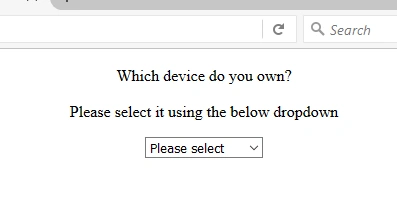
'Select' class provides us some useful methods to interact with dropdowns to select dropdown option using below methods.
- selectByIndex
- selectByValue
- selectByVisibleText
selectByIndex: This method will select the dropdown option based on the dropdown index.
- public class HandleDropDown {
- public void selectByIndexExample(WebDriver driver){
- WebElement element=driver.findElement(By.name("devices"));
- Select se=new Select(element);
- se.selectByIndex(1); //this will select iPhone
- }
- public static void main(String[] args) throws InterruptedException {
- WebDriver driver=new FirefoxDriver();
- driver.get("D:\\dp.html");
- HandleDropDown dp=new HandleDropDown();
- dp.selectByIndexExample(driver);
- }
- }
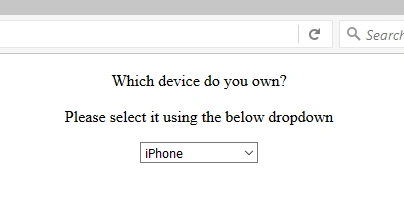
selectByValue: This method will select the dropdown option based on the value matching with the given argument.
- public class HandleDropDown {
- public void selectByValueExample(WebDriver driver){
- WebElement element=driver.findElement(By.name("devices"));
- Select se=new Select(element);
- se.selectByValue("lenovo"); //This will select Lenovo
- }
- public static void main(String[] args) throws InterruptedException {
- WebDriver driver=new FirefoxDriver();
- driver.get("D:\\dp.html");
- HandleDropDown dp=new HandleDropDown();
- dp.selectByValueExample(driver);
- }
- }
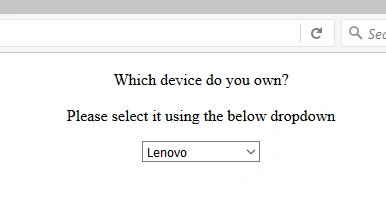
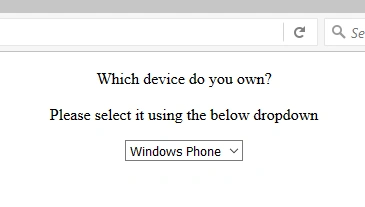
selectByVisibleText: This method will select the dropdown option based on displaying text in the dropdown.
- public class HandleDropDown {
- public void selectByVisibletextExample(WebDriver driver){
- WebElement element=driver.findElement(By.name("devices"));
- Select se=new Select(element);
- se.selectByVisibleText("Windows Phone"); //This will select Windows Phone
- }
- public static void main(String[] args) throws InterruptedException {
- WebDriver driver=new FirefoxDriver();
- driver.get("D:\\dp.html");
- HandleDropDown dp=new HandleDropDown();
- dp.selectByVisibletextExample(driver);
- }
- }


Akki GuptaPosted Jan 26, 2018, 1:48 AM EST
Very helpful blog......................
Amyan SinghPosted Jul 29, 2016, 5:04 AM EDT
nic blog
Kapi ShivharePosted Jul 29, 2016, 3:14 AM EDT
Gud blog