
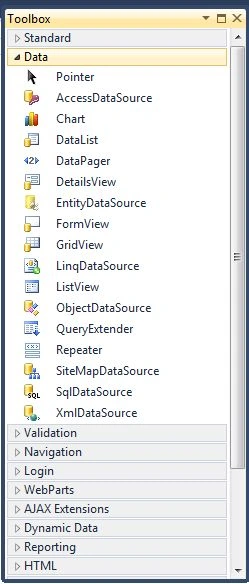
Step 1: DataGrid Control is a .net 1.1
control,so it is not present in the Data Controls.In order to add this control
click on view->ToolBox in asp.net website.Now select the Data Controls from the
Toolbox.
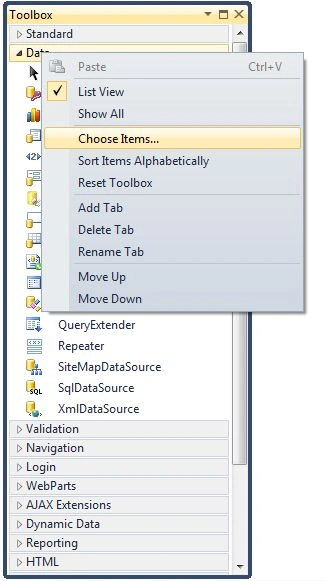
Step 2: Right click on the Data Control click on choose item option.
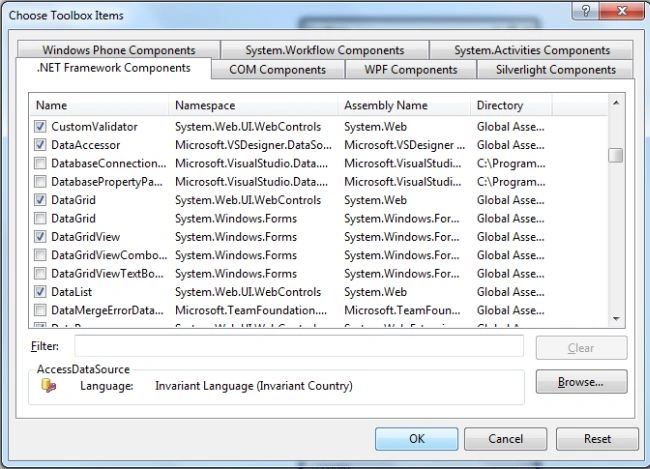
Step 3: A window is appear, in this choose the DataGrid having the namespace
System.Web.UI.WebControls and press OK button.
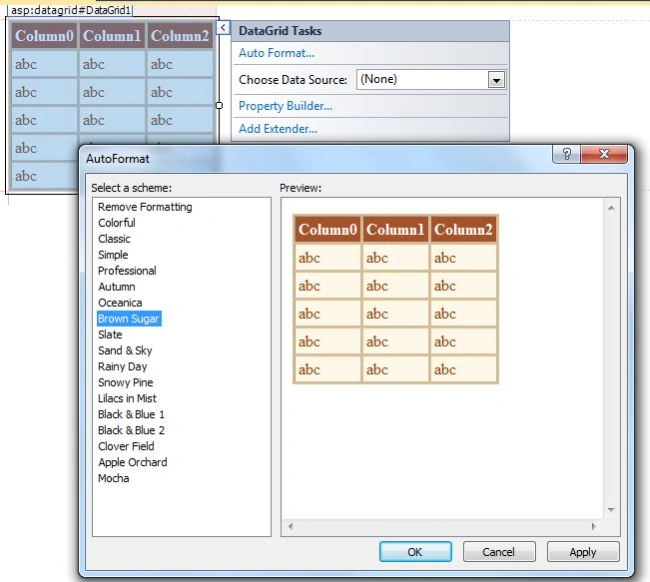
Step 4: Now the DataGrid Control is add to the Data Controls,drag and drop this
control into our web page design part,and change its format by the AutoFormat
Property.
Step 5: Click on the Property Builder option which appear next to the
AutoFormat,after clicking in it the another window is open.In this window click
on the column button,like.
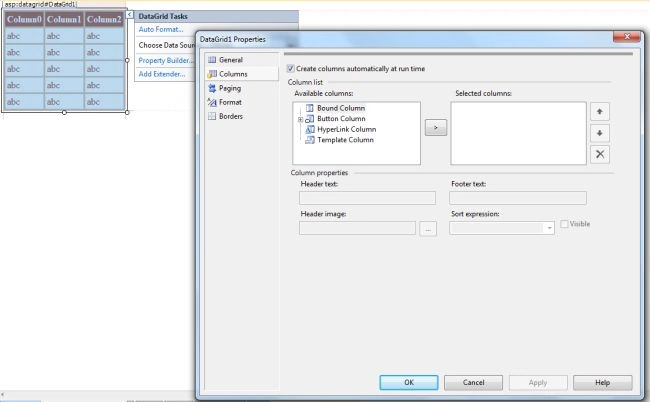
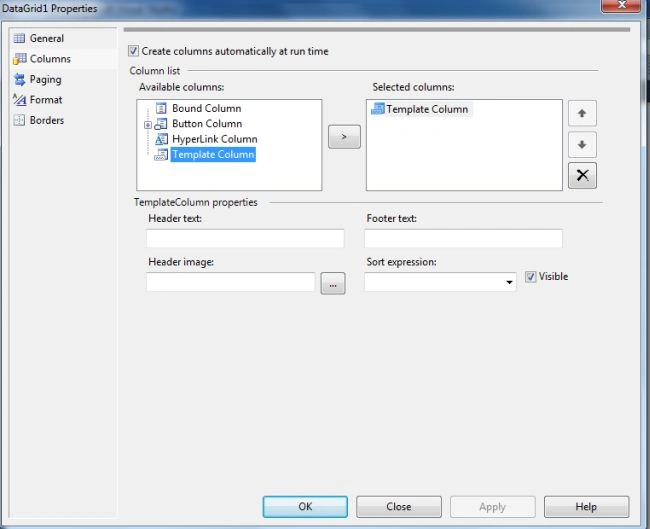
Step 6: Now click on the template column and press > button,by pressing this the
template column add in the selected column list.you can give the Header text for
giving the column header,otherwise leave it blank.then press ok.
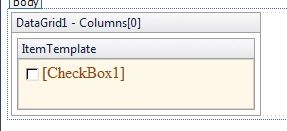
Step 7: Now click on the Edit Template option ,for this a template window is
open,under this add any a checkbox in the item template space.
Step 8: Now go to the end template open,you can see that the checkbox is appear
in every row.
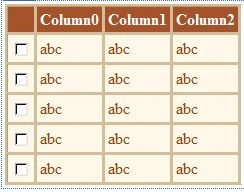
Summary : In the same way you can add many more control in the DataGrid.We can
add the control in any column,In This example the control is added in first
column.For this I use Column[0] in Edit Template option.
How to add your own control in DataGrid Control
This article helps you to add your own control like checkbox,RadioButton etc in DataGrid Control.Which is very helpful when you develop any project.So go through it and try to do this.

Join the conversation! Your thoughts help the community grow.