
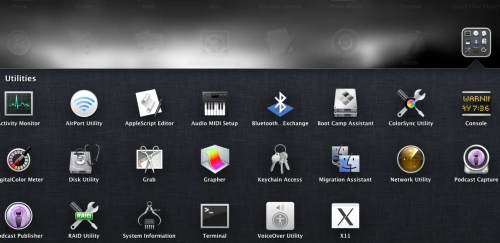
- Go to Launchpad, select Utilities and Click Terminal
- type the following command
rm ~/Library/Preferences/com.apple.doc.plist; killall Dock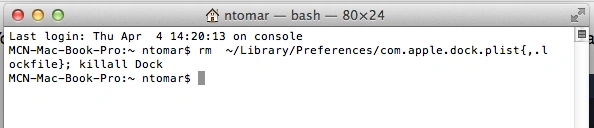
Now you can see the Dock is rest to its original configuration.
You can reset the Dock of your MAC OS using this command in terminal
 DevSocialUpcoming · 3rd editionAI Agents ConferenceDec 1–3, 2026Live onlineFree to attend5days leftRegisterMembers onlyFeatured eBookClaude for AI-Native BuildersDownload now
Write a blog post and earn +250 SHARP when it is approved.
Write a blog
Join the conversation! Your thoughts help the community grow.