
How to start a Camera with an intent in Android?
Procedure
- Start the Eclipse IDE.
- Create a new project.
- Create a MainActivity.java file.
- Create an activity_main.xml file for the layout design.
- Add a button in the xml layout.
- Then look up the button by its id in the MainActivity.java file.
- In the onClick function, start an activity with an intent as the MediaStore.
like this
Intent i=new Intent(MediaStore.ACTION_VIDEO_CAPTURE);
startActivity(i);
Code is given below
MainActivity.java
package com.example.camerawithintent;
import android.app.Activity;
import android.content.Intent;
import android.os.Bundle;
import android.provider.MediaStore;
import android.view.Menu;
import android.view.View;
import android.view.View.OnClickListener;
import android.widget.Button;
public class MainActivity extends Activity {
Button btn;
@Override
protected void onCreate(Bundle savedInstanceState) {
super.onCreate(savedInstanceState);
setContentView(R.layout.activity_main);
btn=(Button)findViewById(R.id.button1);
btn.setOnClickListener(new OnClickListener() {
public void onClick(View v) {
// TODO Auto-generated method stub
Intent i=new Intent(MediaStore.ACTION_VIDEO_CAPTURE);
startActivity(i);
}
});
}
@Override
public boolean onCreateOptionsMenu(Menu menu) {
// Inflate the menu; this adds items to the action bar if it is present.
getMenuInflater().inflate(R.menu.main, menu);
return true;
}
}
activity_main.xml
<RelativeLayout xmlns:android="http://schemas.android.com/apk/res/android"
xmlns:tools="http://schemas.android.com/tools"
android:layout_width="match_parent"
android:layout_height="match_parent"
android:paddingBottom="@dimen/activity_vertical_margin"
android:paddingLeft="@dimen/activity_horizontal_margin"
android:paddingRight="@dimen/activity_horizontal_margin"
android:paddingTop="@dimen/activity_vertical_margin"
tools:context=".MainActivity" >
<Button
android:id="@+id/button1"
android:layout_width="wrap_content"
android:layout_height="wrap_content"
android:layout_alignParentLeft="true"
android:layout_alignParentTop="true"
android:layout_marginLeft="81dp"
android:layout_marginTop="54dp"
android:text="Button" />
</RelativeLayout>
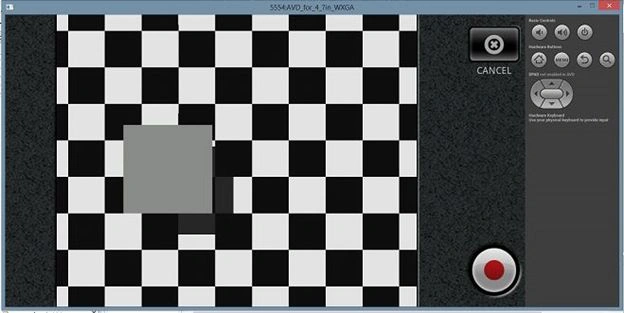
Output

Join the conversation! Your thoughts help the community grow.