
Introuduction
This blog tells you how to implement the Kendo button for Angular 2. For demo purposes I have created a Kendo button for Angular 2 with a simple onclick event.
Before going through this blog I highly recommend you read my previous article to get an idea about how to use/configure Kendo UI components for Angular 2.
Kendo button for Angular 2
To use the Kendo button for Angular 2 we need to install the Kendo button package, and pass the below command to install it.
- npm install -S @progress/kendo-angular-buttons

After installation is completed you will get the Kendo button package folder under node_modules->@progress in our project,
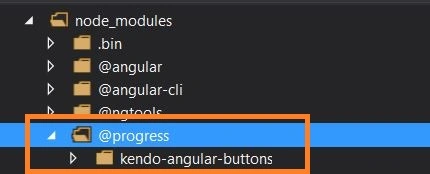
Write the following code in app/app.component.ts
- import { Component } from '@angular/core';
- @Component({
- selector: 'app-root',
- template: `
- <button kendoButton (click)="onButtonClick()" [primary]="true">Click Me</button>
- `
- })
- export class AppComponent {
- onButtonClick() {
- alert("Hi I'm kendo button for angular 2");
- }
- }
- import { NgModule } from '@angular/core';
- import { BrowserModule } from '@angular/platform-browser';
- import { ButtonsModule } from '@progress/kendo-angular-buttons';
- import { HttpModule } from '@angular/http';
- import { AppComponent } from './app.component';
- @NgModule({
- imports: [BrowserModule, ButtonsModule, HttpModule],
- declarations: [AppComponent],
- bootstrap: [AppComponent]
- })
- export class AppModule { }
- <!doctype html>
- <html>
- <head>
- <meta charset="utf-8">
- <title>KendoAngular</title>
- <base href="/">
- <meta name="viewport" content="width=device-width, initial-scale=1">
- <link rel="icon" type="image/x-icon" href="favicon.ico">
- </head>
- <body>
- <app-root>Loading...
- </app-root>
- </body>
- </html>
Result
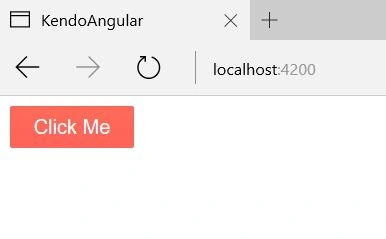
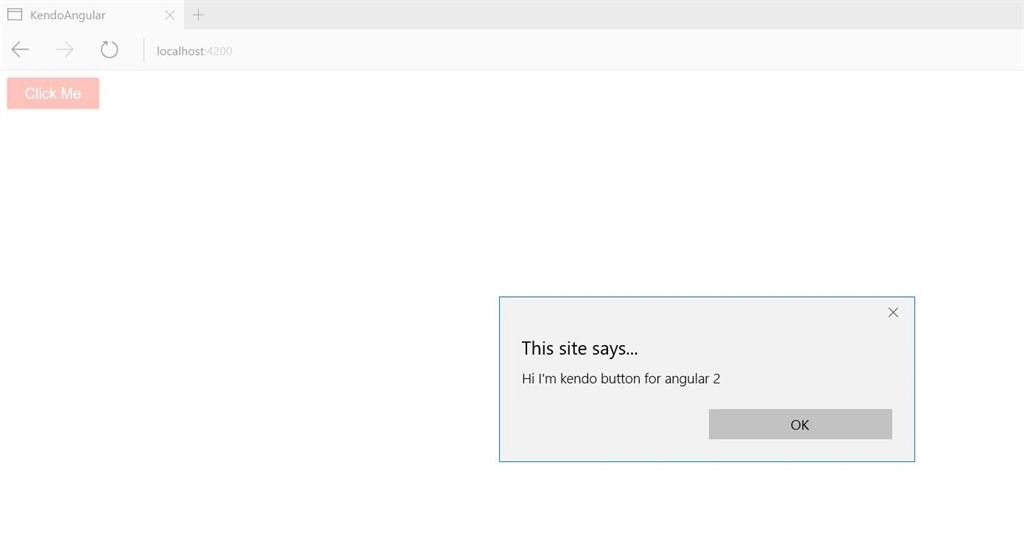
On clicking the button
Get the source code from Github
I hope you have enjoyed this blog. Your valuable feedback, questions, or comments about this blog are always welcome.

Join the conversation! Your thoughts help the community grow.