
Azure Resource group is mandatory for entering & creating any of the following:
- Virtual Machine
- Web App
- SQL Database
- Third Party Service
- Many more
For example, say you are going to deploy your website with SQL Database in the Azure portal so that you can create two resources like Web App & SQL Database. Each resource can exist in one resource group. You can add or remove a resource to a resources group at any time. You can link from any resource to any resource group. A resource can interact with resources in other resource groups.
Create Resource Group
My best suggestion is to always start with Resource Group first, after entering the Azure Portal,

Select Resource Group in Left Slide & Click Add. It will open one more blade.
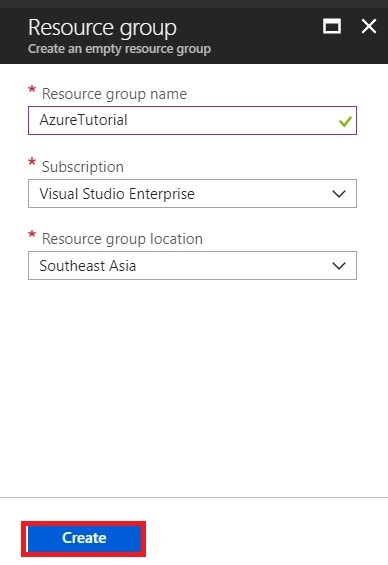
Enter the name of the resource group. After a valid a name you can select subscription & resource group location. A resource group can contain resources that reside in a different region.
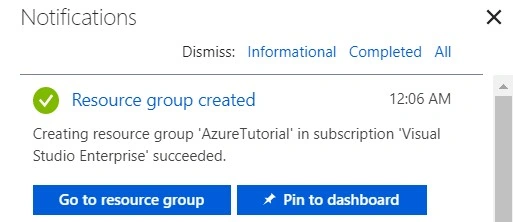
After this notification, you can see all items like below & pin dashboard.
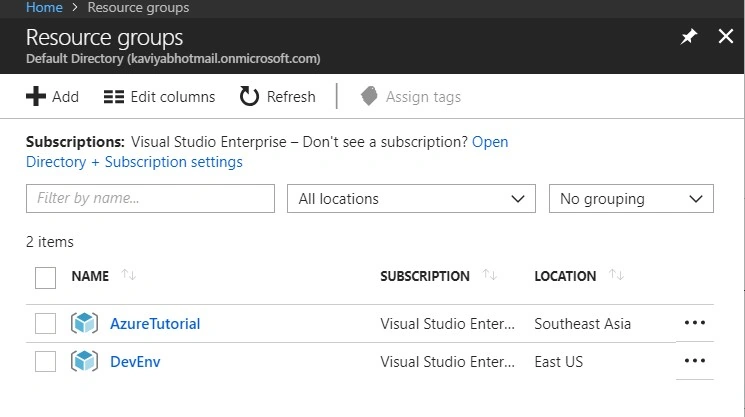
Once resource groups are ready you use them to create any resource.
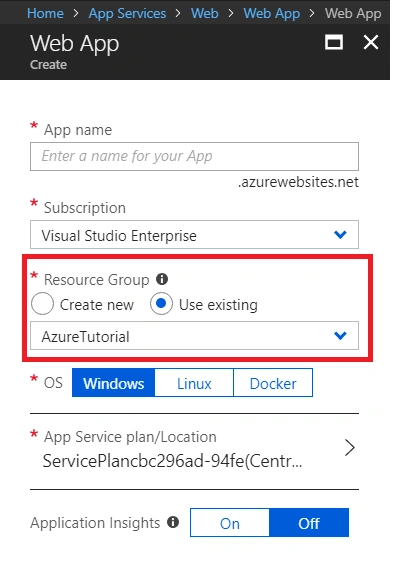
After this notification, you can see all items like below & pin dashboard.
Once resource groups are ready you use them to create any resource.


onclick clickPosted Jan 4, 2019, 1:45 AM EST
Jenkins installation on windows :- https://onclick360.com/jenkins-installation-windows
Viknaraj ManogararajahTOP 100Posted Jul 31, 2018, 9:43 PM EDT
nice article...