
In Windows directory if you try to make a folder name start with dot (.) then you cannot.
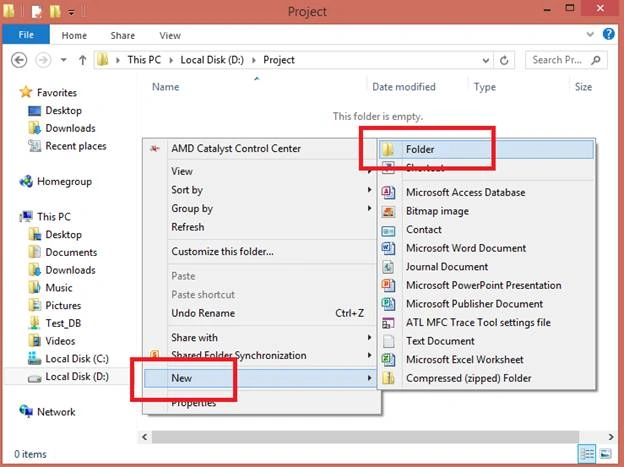
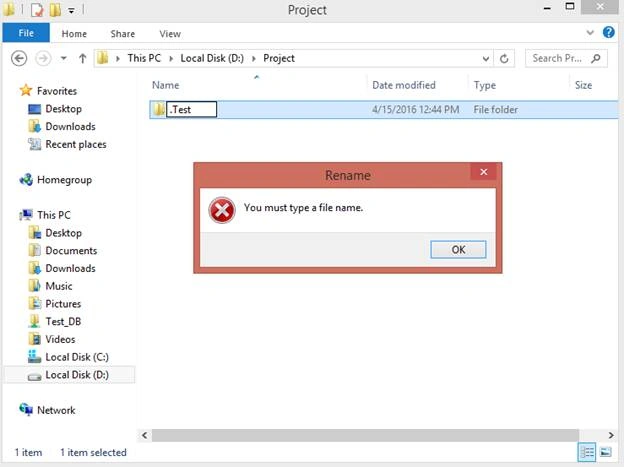
So to make a folder name that starts with dot (.) -> Open command prompt ->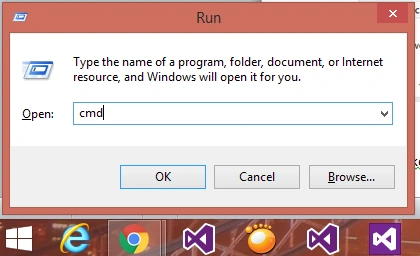
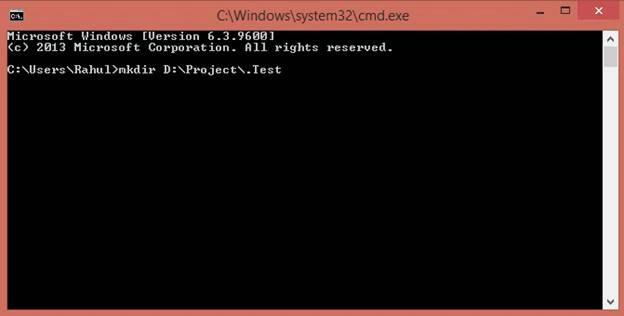
Enter.
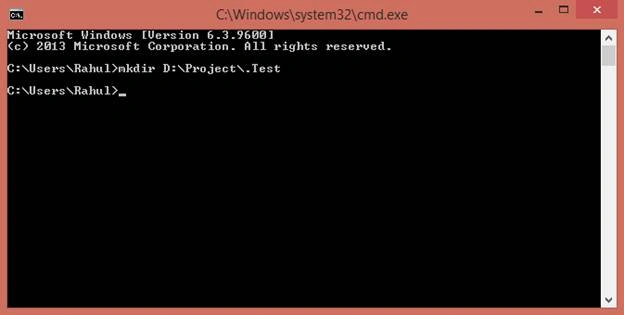
Now check your directory.
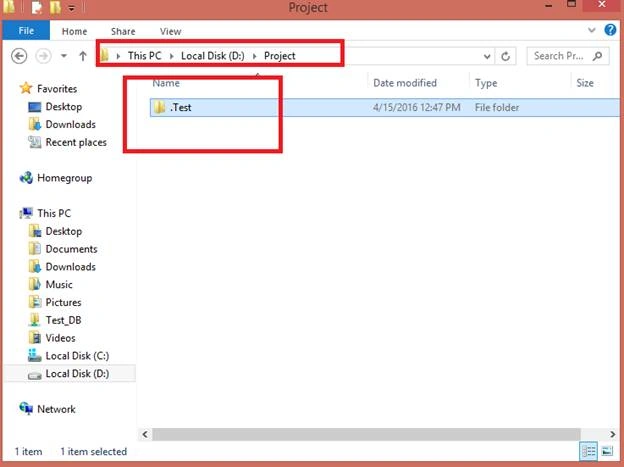
Make a Folder Name that Starts with a . (Dot) in Windows Directory
In this blog you will learn how to make a folder name that starts with . (Dot) in Windows Directory.


Ashish VishwakarmaPosted Jun 9, 2018, 11:01 PM EDT
Nice tip, I always struggle to create .gitignore file, and always end up by copy pasting, now I can create one :)
Dipendra ShekhawatPosted Apr 18, 2016, 1:34 AM EDT
Nice tip to create a folder with a DOT