
If microphone and video are not working in Skype on your Windows 8 machine, you are at the right place.
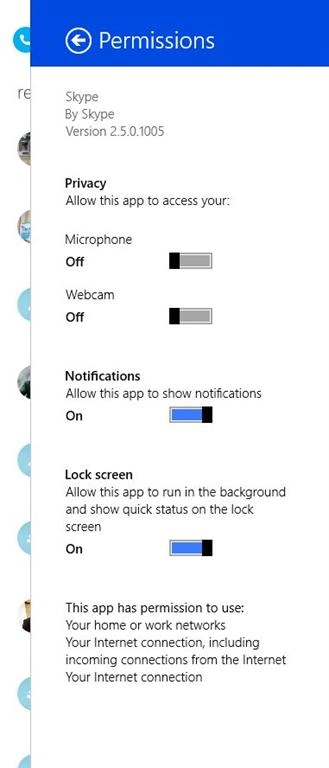
The solution is simple. By default, both Microphone and Webcam are disabled on a Windows 8 machine for Skype.
Go to Skype Permissions and turn On Microphone and Webcam.


Ibrahim ErsoyPosted Mar 2, 2014, 9:42 PM EST
Interesting.They were enabled on my W8 tablet
Biswa Pujarini MohapatraPosted Mar 1, 2014, 9:31 AM EST
Thanks for sharing Mahesh :) this solves my problem