
Is a username and password enough to protect your application?
Not anymore.
In modern web applications, securing user accounts requires more than a single authentication factor. That's where Multi-Factor Authentication (MFA) comes in.
MFA adds an extra layer of security by requiring users to verify their identity using two or more independent factors.
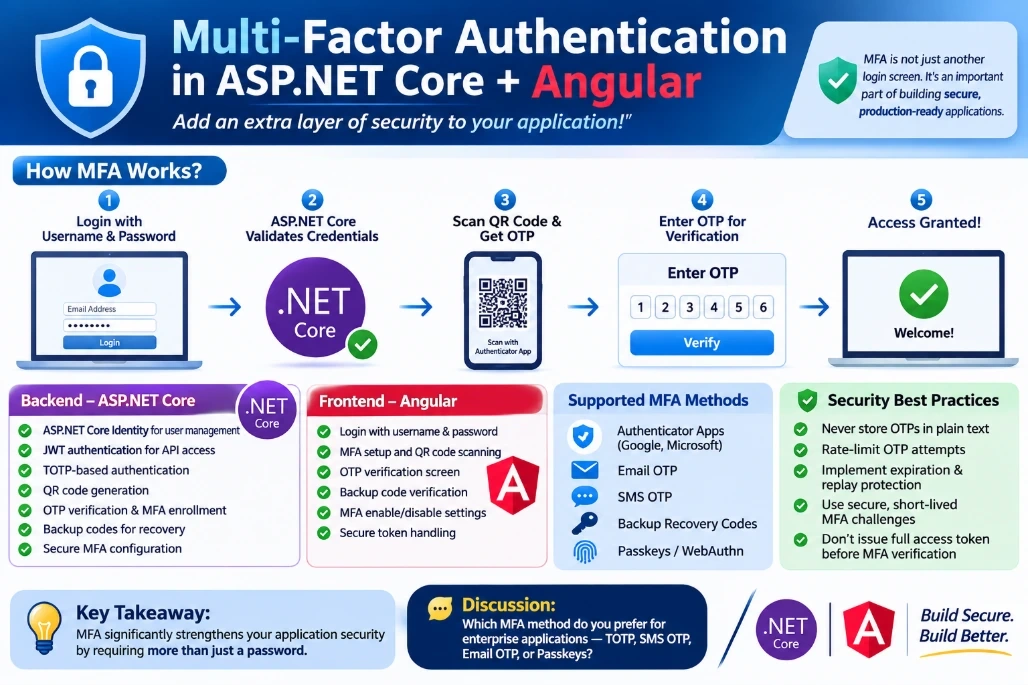
🏗️ How MFA Works with ASP.NET Core + Angular
Backend – ASP.NET Core Web API
- ASP.NET Core Identity for user management.
- JWT authentication for API access.
- TOTP-based authentication using authenticator apps.
- QR code generation for authenticator app setup.
- OTP verification and MFA enrollment.
- Backup codes for account recovery.
- Secure MFA configuration and validation.
Frontend – Angular
- Login with username and password.
- MFA setup and QR code scanning.
- OTP verification screen.
- Backup code verification.
- MFA enable/disable settings.
- Secure token handling.
🔄 Authentication Flow
- User enters email and password.
- ASP.NET Core validates credentials.
- If MFA is enabled, the API requests a second verification factor.
- User enters the OTP from an authenticator app.
- Backend validates the OTP.
- API issues the final access token and refresh token.
🔑 Supported MFA Methods
- Authenticator Apps (Google Authenticator, Microsoft Authenticator).
- Email OTP.
- SMS OTP.
- Backup Recovery Codes.
- Passkeys / WebAuthn.
🛡️ Security Best Practices
- Never store OTPs or recovery codes in plain text.
- Rate-limit OTP verification attempts.
- Implement OTP expiration and replay protection.
- Use secure, short-lived MFA challenges.
- Never issue a full-access JWT before MFA verification.
- Protect MFA enrollment and disable operations with re-authentication.
- Store refresh tokens securely and rotate them.
Remember: MFA is not just another login screen. It's an important part of building secure, production-ready applications.
💬 Discussion: Which MFA method do you prefer for enterprise applications — TOTP, SMS OTP, Email OTP, or Passkeys?
#ASPNETCore #Angular #DotNet #CSharp #MultiFactorAuthentication #MFA #WebSecurity #JWT #CyberSecurity #SoftwareArchitecture #FullStackDevelopment

Join the conversation! Your thoughts help the community grow.