
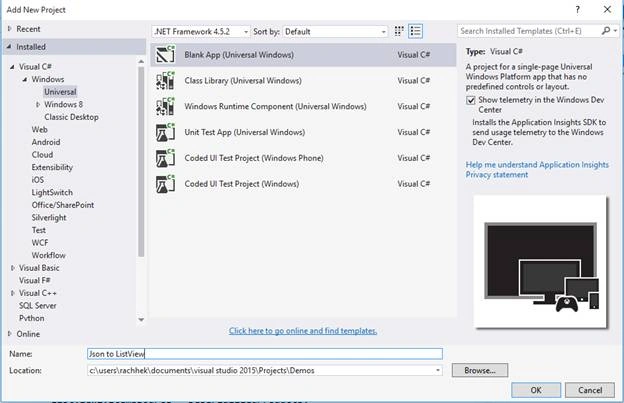
- Create a new UWP project in Visual Studio 2015,
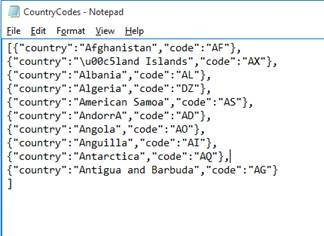
- We have a JSON file in the Documents folder which contains list of 10 countries and their country codes as below. The keys here are “Country” and “Code”.
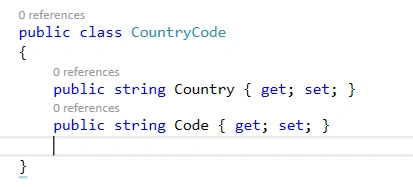
- Create a class inside MainPage.cs with two strings properties as below. This class will provide the blueprint to hold the information from the JSON file
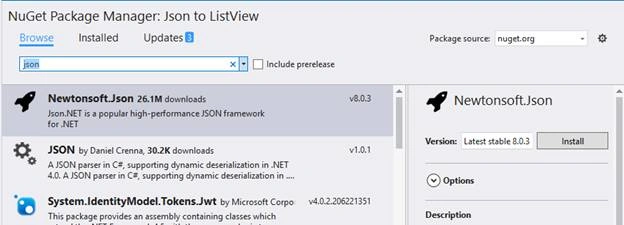
- To read and parse information from the class we need to install a Nuget Package. Here we are installing Newtonsoft.JSON, a popular JSON framework from NUGET package manager.
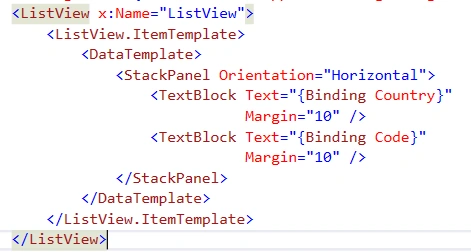
- Create a ListView in the MainPage.xaml to hold the list of items as below,
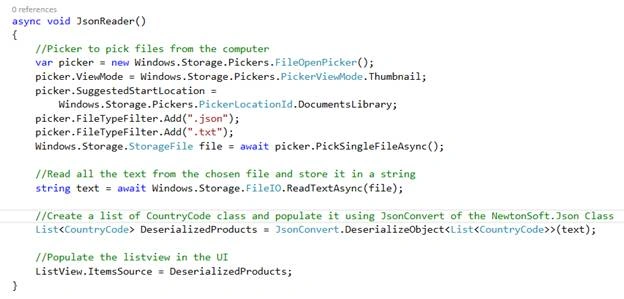
- Create an asynchronous method in the MainPage.cs to read the JSON file, deserialize it and bind it to the ListView,
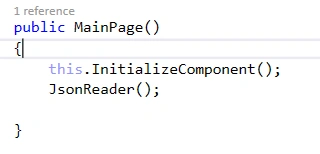
- Call the method in the Main method as below,
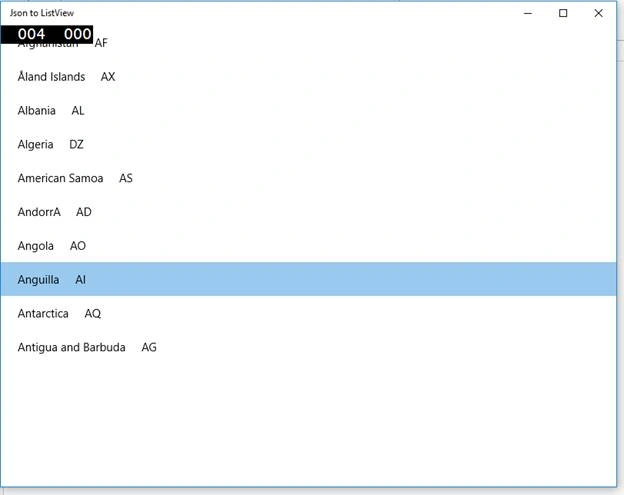
- Run the program, a file picker will open, select the file and the output will be as below.
Parsing a JSON File from a File Picker and Populating the Items in a ListView (UWP App)
In this blog you will learn how to parse a JSON file from a File picker and populate the items in a ListView (UWP App).


Nairisha ShresthaPosted Jun 3, 2017, 5:28 PM EDT
Good one Rachhek Shrestha. Hoping for new ones in future.
Jaygovind ChauhanPosted Mar 30, 2016, 2:58 AM EDT
nice man