
In this blog, we will learn how to disable cut, copy, paste, and drop in a form, using jQuery.
Suppose, we have a contact form as below.
- <div id="contactform">
- <div>
- <span>Name :</span>
- <input type="text" id="txtname" /></div>
- <div>
- <span>Email :</span>
- <input type="text" id="txtemail" /></div>
- <div>
- <span>Mobile :</span>
- <input type="text" id="txtmobile" /></div>
- <div>
- <span>Address :</span>
- <textarea id="txtaddress" rows="5" cols="5"></textarea></div>
- </div>
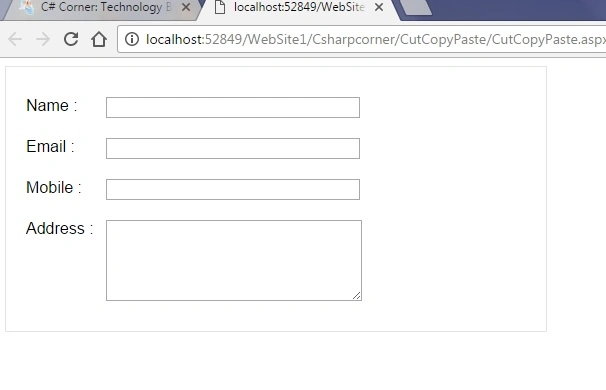
Now we need to disable copying, cutting, pasting, and dropping texts to/from the above form.
We can accomplish that using simple jQuery script, as below.
- <script type="text/javascript">
- $(function () {
- //Selects all inputs inside our form div
- var inputarea = $("#contactform :input");
- inputarea.bind("cut", function () {
- return false;
- });
- inputarea.bind("copy", function () {
- return false;
- });
- inputarea.bind("paste", function () {
- return false;
- });
- inputarea.bind("drop", function () {
- return false;
- });
- });
- </script>
Now, we can try copying, cutting, pasting or dropping texts to the above form. None of them will work.
Hope this will be helpful!


Midhun TpPosted Oct 14, 2016, 4:23 PM EDT
Thanks Manav :)
Manav PandyaPosted Oct 14, 2016, 8:50 AM EDT
Nice share sir ...
Midhun TpPosted Oct 3, 2016, 5:07 PM EDT
Thanks Madhanmohan
Madhanmohan DevarajanPosted Oct 3, 2016, 9:47 AM EDT
Simple and very useful
Midhun TpPosted Sep 28, 2016, 3:36 AM EDT
Thanks Nikhil Sangani
Nikhil SanganiPosted Sep 28, 2016, 3:29 AM EDT
Nice one.