
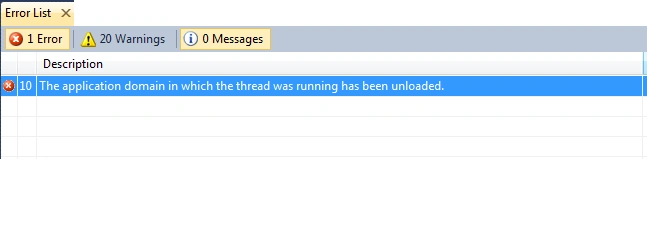
This error occurs when we try to run a web site application which is configured in IIS and the physical path of the web site is either removed or changed.
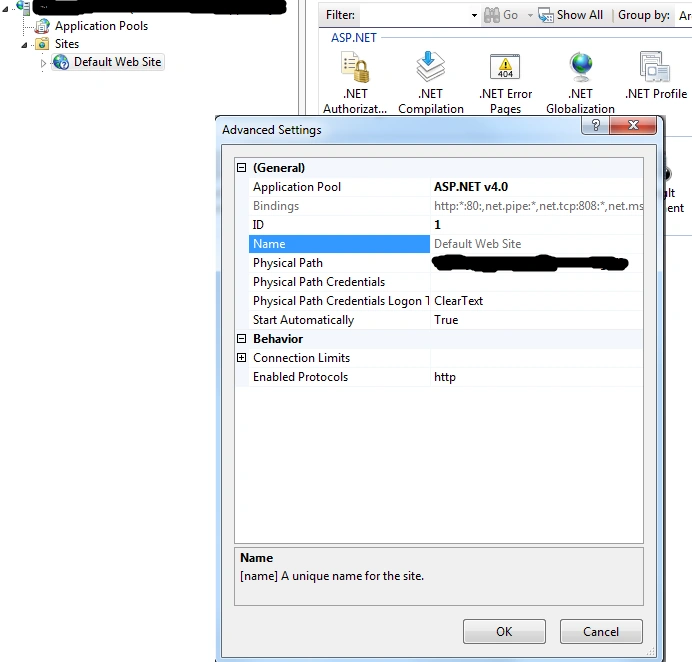
To fix the error, go to IIS Manager-Sites-Default Web Site->Manage Web Site-Advanced Settings. Set the Physical path e.g
d:\Projects\MyProject\MyProject.UI


Jiyaul MustaphaPosted Jul 9, 2019, 1:31 AM EDT
Each time, I can either rebuild, or sometimes I need to shut down VS2015 and re-open the project. For Resolving this error
Amit VermaPosted Jul 29, 2016, 3:50 AM EDT
nice blog
Shantesh KulkarniPosted Jul 3, 2015, 3:16 AM EDT
'
Shantesh KulkarniPosted Jul 3, 2015, 3:16 AM EDT
'
Shantesh KulkarniPosted Jul 3, 2015, 3:16 AM EDT
'
Pradip PandeyPosted Jul 22, 2014, 1:13 AM EDT
If your web application is running on localhost, simply Check physical path of default web site in IIS.
Suhani ModyPosted Jul 21, 2014, 10:26 PM EDT
What if I am getting this error while publishing my web application from visual studio 2012?