
HTML Node Value using XPath
XPath, the XML Path
Language, is a query language for selecting nodes from an XML document. The
given below code illustrates to extract XPath using HtmlAgilityPack and
webclient on the fly.
You need to add the
reference of HtmlAgilityPack, I've used version 1.4.0.1.
You can refer http://htmlagilitypack.codeplex.com/releases/view/44954 to download the
.dll
using System;
using
System.Collections.Generic;
using
System.Linq;
using
System.Text;
using
HtmlAgilityPack;
using
System.Net;
using System.IO;
namespace
DescendantUsingXPath
{
public static class Program
{
static void Main(string[]
args)
{
//WebClient
object
WebClient
x = new WebClient();
//Convert
given url data to bytearray using DownloadData()
byte[]
byteArray = x.DownloadData(new Uri("http://stackoverflow.com/questions/1711421/lazy-stream-for-c-sharp-net?rq=1"));
//Convert
Byte Array into Stram
Stream
stream = new MemoryStream(byteArray);
//Create
new object of HtmlAgilityPack.HtmlDocument
HtmlAgilityPack.HtmlDocument htmlDoc = new
HtmlAgilityPack.HtmlDocument();
//To load
stream into html object
htmlDoc.Load(stream);
//To get
the value from Given XPath
HtmlNode
node = htmlDoc.DocumentNode.SelectSingleNode(@"/html/body/div[4]/div[2]/div/div/h1/a");
string
strValue = node.InnerText;
Output
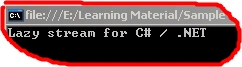
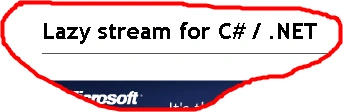
Source: The given below URL is being pass into DownloadData() method
http://stackoverflow.com/questions/1711421/lazy-stream-for-c-sharp-net?rq=1

Join the conversation! Your thoughts help the community grow.