
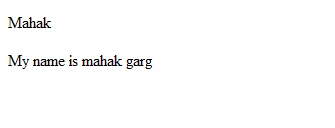
Here we take an example in which we specify the ToolTip in javascript. When we put our mouse over on the paragraph the tooltip will be shown. (Here we take a paragraph as a tooltip.
- <html>
- <head>
- <script type="text/javascript">
- function getmytooltip(x)
- {
- document.getElementById('mytooltip').innerHTML = x;
- }
- function reset()
- {
- document.getElementById('mytooltip').innerHTML = "";
- }
- </script>
- </head>
- <body>
- <p onmouseover="getmytooltip('My name is mahak garg')" onmouseout="reset()">Mahak</p>
- <p id="mytooltip"></p>
- </body>
- </html>
Here mytooltip is the second paragraph which is used as a tooltip.
Output:

Join the conversation! Your thoughts help the community grow.