
Here am explain about how to use SQL Server management studio inside visual studio 2013
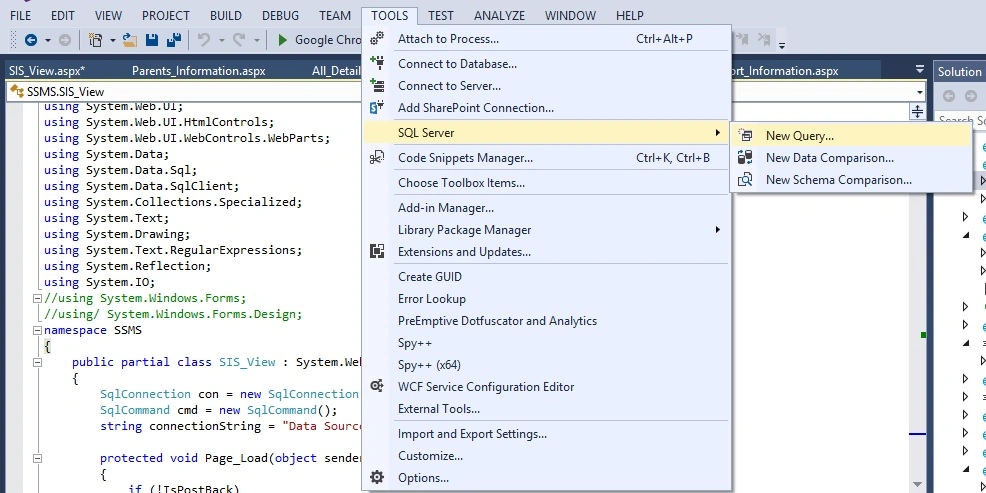
Step1: Click Tools->SQL Sever->New Query
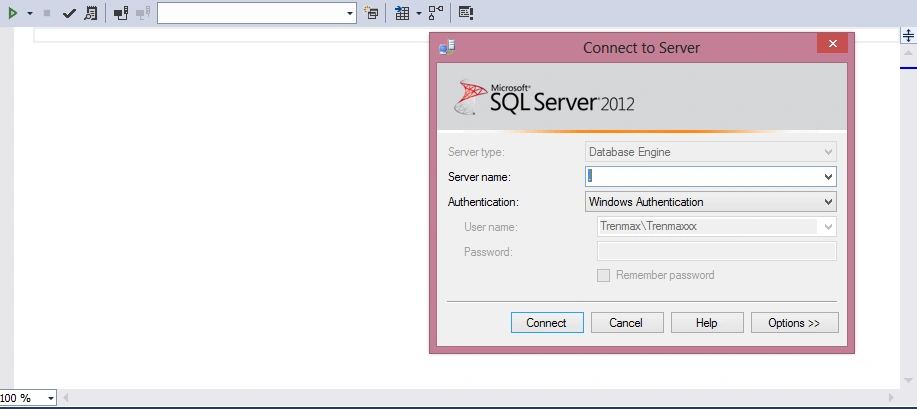
Step2: Click Connect
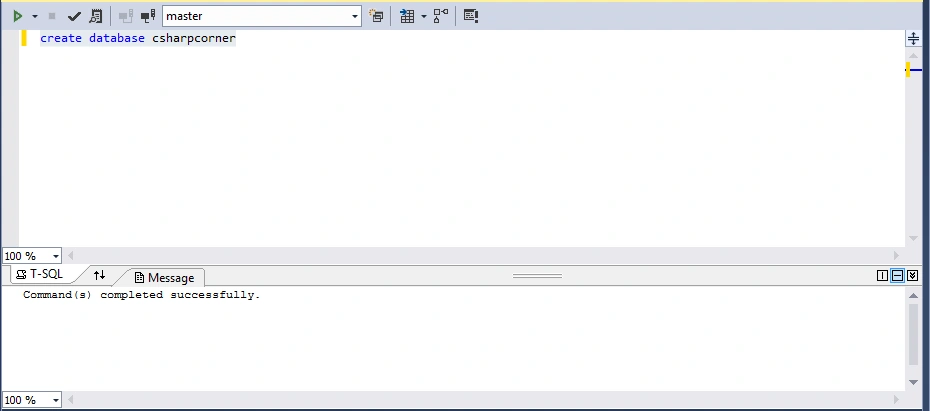
Step3: Create a Database
Step 4: Create Table under database and insert some values
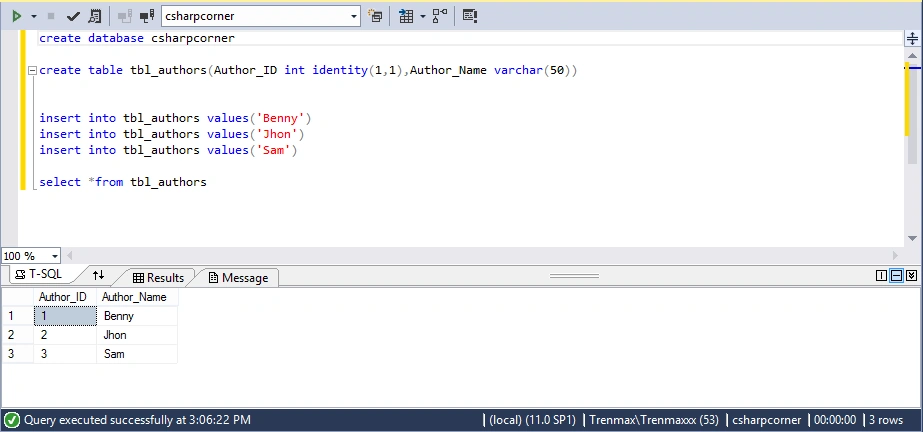
Using SQL Management studio inside visual studio 2013
Join the conversation! Your thoughts help the community grow.

Join to leave a comment
Members earn 10 SHARP for a comment, 10 SHARP for a reaction, and 250 SHARP for every blog they publish.
 DevSocialUpcoming · 3rd editionAI Agents ConferenceDec 1–3, 2026Live onlineFree to attend5days leftRegisterMembers onlyeBook · .NETCQRS Design Pattern with MediaRDownload now
Write a blog post and earn +250 SHARP when it is approved.
Write a blog
ABUBAKAR IZHARPosted Sep 25, 2021, 4:01 AM EDT
I HAVE VISUAL STUDIO 2013 INSTALLED . WILL THE LATEST VERSION OF SQL MANAGEMENT STUDIO WILL WORK WITH IT.
Vinodh NarayananPosted Dec 10, 2014, 2:08 AM EST
Manish Kumar Choudhary thanks bro
Manish Kumar ChoudharyPosted Dec 10, 2014, 1:45 AM EST
Interesting one...