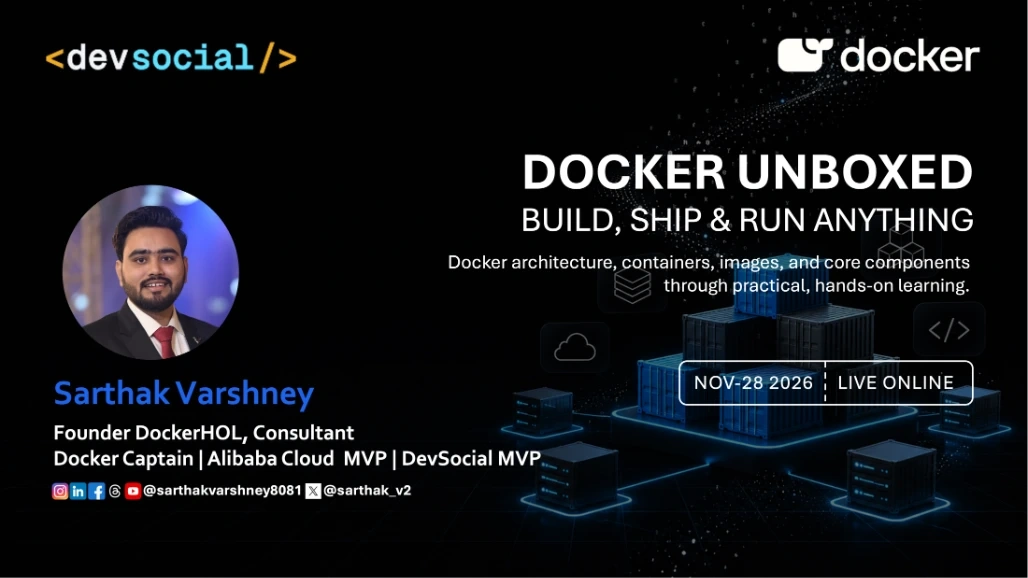
Understanding Containerization from the Ground Up
About This Session
Every modern application needs a reliable and consistent environment to run. But what happens when an application works perfectly on a developer's machine and fails in another environment?
This is where Docker comes in.
In this session, we will explore the fundamentals of Docker and understand how containerization simplifies application development, packaging, distribution, and deployment.
Starting with the basics, we will explore Docker architecture, how containers work, how images are created, and how different Docker components communicate with each other.
What You Will Learn
1. Introduction to Containerization
What is containerization?
Why do we need containers?
Containers vs Virtual Machines.
Benefits of containerization in modern application development.
Real-world use cases of Docker.
2. Understanding Docker Architecture
Introduction to Docker Engine.
Docker Client and Docker Daemon.
Understanding Docker Registry.
How Docker components communicate.
Understanding the Docker architecture workflow.
3. Docker Images and Containers
What is a Docker image?
What is a Docker container?
Understanding image layers.
Container lifecycle and management.
Running multiple containers.
Understanding the relationship between images and containers.
4. Essential Docker Components
Docker Volumes and persistent storage.
Docker Networks and container communication.
Docker Hub and image repositories.
Understanding Dockerfile fundamentals.
Introduction to Docker Compose.
Hands-On Demonstrations
Theory becomes easier when you work with real commands and applications.
During this session, we will perform practical demonstrations:
Install and configure Docker.
Verify Docker Engine installation.
Run your first Hello World container.
Explore running containers using Docker CLI.
Pull images from Docker Hub.
Build a basic custom Docker image.
Start, stop, and remove containers.
Explore container logs and inspect commands.
Create Docker volumes and custom networks.
Essential Docker Commands
Participants will get familiar with commonly used commands, including:
docker versiondocker infodocker pulldocker imagesdocker rundocker psdocker stopdocker rmdocker logsdocker inspect
Who Should Attend?
B.Tech students.
MCA students.
Beginners exploring Docker and containerization.
Software developers.
DevOps and Cloud Computing enthusiasts.
Anyone interested in modern application deployment.
Prerequisites: Basic command-line knowledge and familiarity with Windows, Linux, or macOS.
Expected Learning Outcomes
By the end of this session, participants will understand how Docker works internally, how containers differ from virtual machines, how Docker images and containers are managed, and how to start deploying applications using Docker.
Participants will also gain practical experience with Docker CLI and understand the foundational concepts required for advanced Docker topics.
What's Next?
This session builds the foundation for our next learning segment:
Docker CLI, Images & Containers: Build, Manage and Run Applications.
Let's understand containers, explore Docker architecture, and start building!