Hi
I have installed Angular 17 . But it is not showing App.module.ts. I am following below link
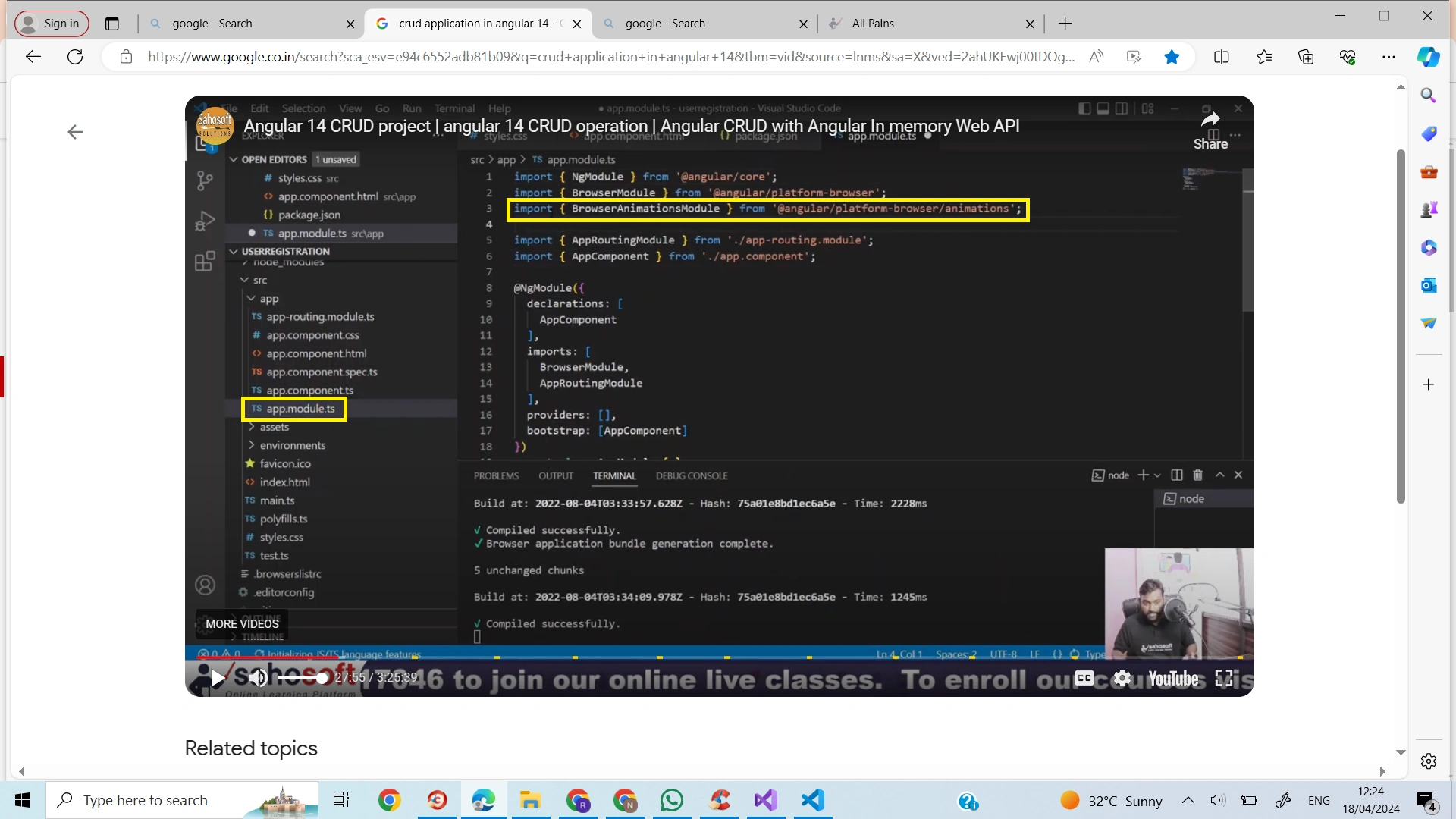
crud application in angular 14 - Google Search
Thanks
Know the answer? Post it. Somebody with the same question will find it here.
Answer a question in the forums and earn +20 SHARP for every answer.
See unanswered questions Arun PottiAnswers in the forums20answers02
 Tahir AnsariAnswers in the forums5answers03
 Kamlesh KumarAnswers in the forums5answers04
 Sam HobbsAnswers in the forums4answers05
 Željko PerićAnswers in the forums3answersFull leaderboard →
 DevSocialUpcoming · 3rd editionAI Agents ConferenceDec 1–3, 2026Live onlineFree to attend5days leftRegister

Naimish MakwanaRank #324 · 7.7K reputationPosted Apr 18, 2024, 3:20 AM EDT
In Angular 17, the Angular CLI defaults to creating projects in standalone mode12. This means that when you create a new project, it won’t have any modules in it, including the
app.module.tsfile12.Here’s how you can manage your files in Angular 17:
BrowserModulefrom@angular/platform-browser, you can import it in all the components that will use it in the component decorator2.import { Component, OnInit, OnDestroy } from '@angular/core'; import { CommonModule } from '@angular/common'; import { MatMenuModule } from '@angular/material/menu'; import { MatTabsModule } from '@angular/material/tabs'; import { MatRadioModule } from '@angular/material/radio'; import { ReactiveFormsModule, FormsModule } from '@angular/forms'; @Component({ selector: 'app-demo', standalone: true, imports: [ CommonModule, MatMenuModule, MatTabsModule, MatRadioModule, ReactiveFormsModule, FormsModule ], templateUrl: './demo.component.html', styleUrls: ['./demo.component.scss'] })environmentsdirectory and your custom environmentsenvironment.ts,environment.prod.ts,environment.staging.ts, etc1. Then, update yourangular.jsonorproject.jsonto dofileReplacementswhere the paths are from the project root to the environment file forreplaceandwith1."configurations": { "production": { ... "fileReplacements": [ { "replace": "src/environments/environment.ts", "with": "src/environments/environment.prod.ts" } ], }, "development": { ... } }, "defaultConfiguration": "production"Thanks
Naimish MakwanaRank #324 · 7.7K reputationPosted Apr 18, 2024, 2:40 AM EDT
Hello,
From Angular 17 onwards, the Angular CLI defaults to creating projects in standalone mode1. This means that when you create a new project, it won’t have any modules in it, including the
app.module.tsfile12.However, it is still possible to create a module-based app by using the
--no-standaloneflag when creating a new project12. Here’s how you can do it:ng new YourProjectName --no-standaloneThis command will create a new Angular project with the
app.module.tsfile12.Thanks
Ramco RamcoRank #462 · 5.4K reputationPosted Apr 18, 2024, 3:00 AM EDT
Hi Naimish
In 2files in Angular 14 it is showing , i have marked yellow . How i should mange it in Angular 17. In Angular 17 there is no app.module.ts
Thanks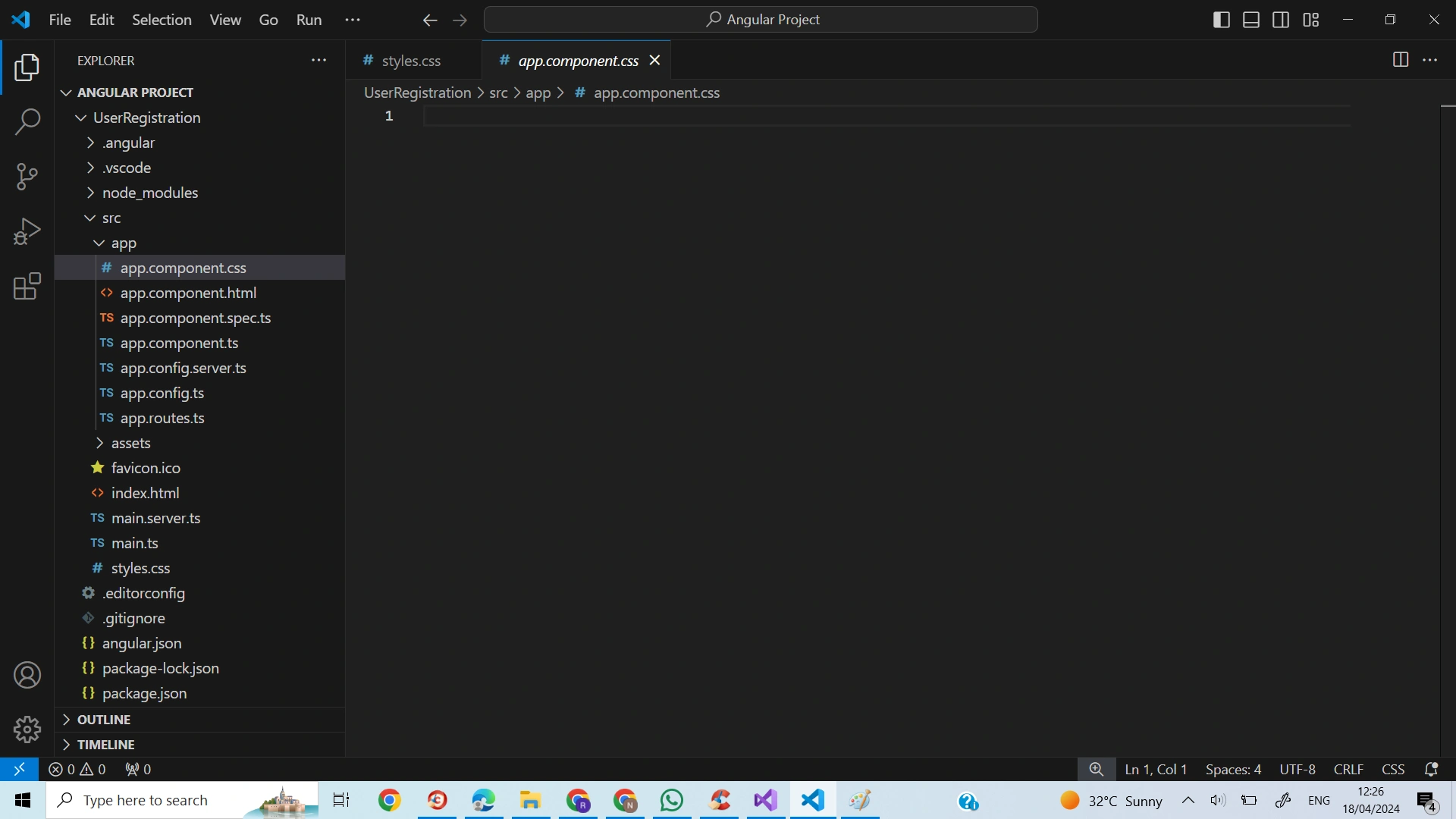
 Thanks