i want to assign two combobox to grid
i am trying and trying assign multiple combobox to grid
i want to assign item_name and item_category combobox to grid
please help
Code
public Form1()
{
InitializeComponent();
using (SqlConnection conn = new SqlConnection("Data Source=0000;Initial Catalog=test;User Id = 0;Password = 0;Integrated Security=false;"))
{
SqlCommand sqlComm = new SqlCommand("get_ItemDataFill", conn);
sqlComm.CommandType = CommandType.StoredProcedure;
SqlDataAdapter da = new SqlDataAdapter();
da.SelectCommand = sqlComm;
DataTable result = new DataTable();
da.Fill(result);
cmbItemName.DataSource = result;
cmbItemName.ValueMember = "ITEM_CODE";
cmbItemName.DisplayMember = "ITEM_NAME";
cmbItemCategory.DataSource = result;
cmbItemCategory.ValueMember = "ITEM_CATEGORY";
cmbItemCategory.DisplayMember = "ITEM_CATEGORY";
//dataGridView1.
//DataGridViewComboBoxColumn dgvChb = new DataGridViewComboBoxColumn();
//dgvChb.HeaderText = "ITEM_CODE";
//dgvChb.Items.Add(result);
//dataGridView1.Columns.Add(dgvChb);
}
}
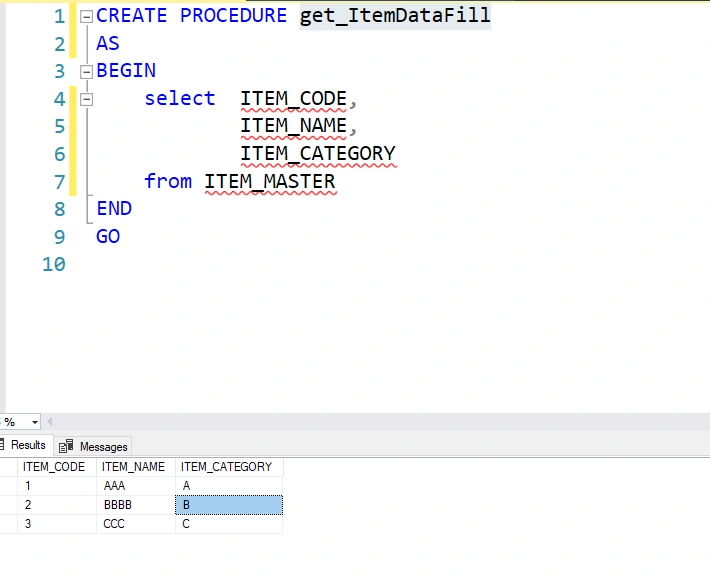
store procedure
CREATE PROCEDURE get_ItemDataFill
AS
BEGIN
select ITEM_CODE,
ITEM_NAME,
ITEM_CATEGORY
from ITEM_MASTER
END
GO
output
ITEM_CODE ITEM_NAME ITEM_CATEGORY
1 AAA A
2 BBBB B
3 CCC C







Ashutosh SinghRank #549 · 4.4K reputationPosted Apr 20, 2024, 11:28 AM EDT
To assign multiple ComboBox controls to a DataGridView, you can use DataGridViewComboBoxColumn for each ComboBox you want to add. Here's how you can modify your code to achieve this:
public Form1()
{
    InitializeComponent();

    using (SqlConnection conn = new SqlConnection("Data Source=0000;Initial Catalog=test;User Id = 0;Password = 0;Integrated Security=false;"))
    {
        SqlCommand sqlComm = new SqlCommand("get_ItemDataFill", conn);
        sqlComm.CommandType = CommandType.StoredProcedure;

        SqlDataAdapter da = new SqlDataAdapter();
        da.SelectCommand = sqlComm;
        DataTable result = new DataTable();
        da.Fill(result);

        // Assigning the data source to the DataGridViewComboBoxColumn
        DataGridViewComboBoxColumn itemNameColumn = new DataGridViewComboBoxColumn();
        itemNameColumn.HeaderText = "Item Name";
        itemNameColumn.DataSource = result;
        itemNameColumn.ValueMember = "ITEM_CODE";
        itemNameColumn.DisplayMember = "ITEM_NAME";
        itemNameColumn.DataPropertyName = "ITEM_CODE"; // This should be bound to the respective data column in your DataGridView's DataSource

        DataGridViewComboBoxColumn itemCategoryColumn = new DataGridViewComboBoxColumn();
        itemCategoryColumn.HeaderText = "Item Category";
        itemCategoryColumn.DataSource = result;
        itemCategoryColumn.ValueMember = "ITEM_CATEGORY";
        itemCategoryColumn.DisplayMember = "ITEM_CATEGORY";
        itemCategoryColumn.DataPropertyName = "ITEM_CATEGORY"; // This should be bound to the respective data column in your DataGridView's DataSource

        dataGridView1.Columns.Add(itemNameColumn);
        dataGridView1.Columns.Add(itemCategoryColumn);
    }
}
This code will create two DataGridViewComboBoxColumns (
itemNameColumnanditemCategoryColumn) and bind them to the same DataTableresult. Ensure thatITEM_CODEandITEM_CATEGORYcolumns are bound correctly in the DataGridView's DataSource. Adjust theDataPropertyNameproperties accordingly if the column names in the DataGridView's DataSource are different.