
Changing lagend text in crystal report
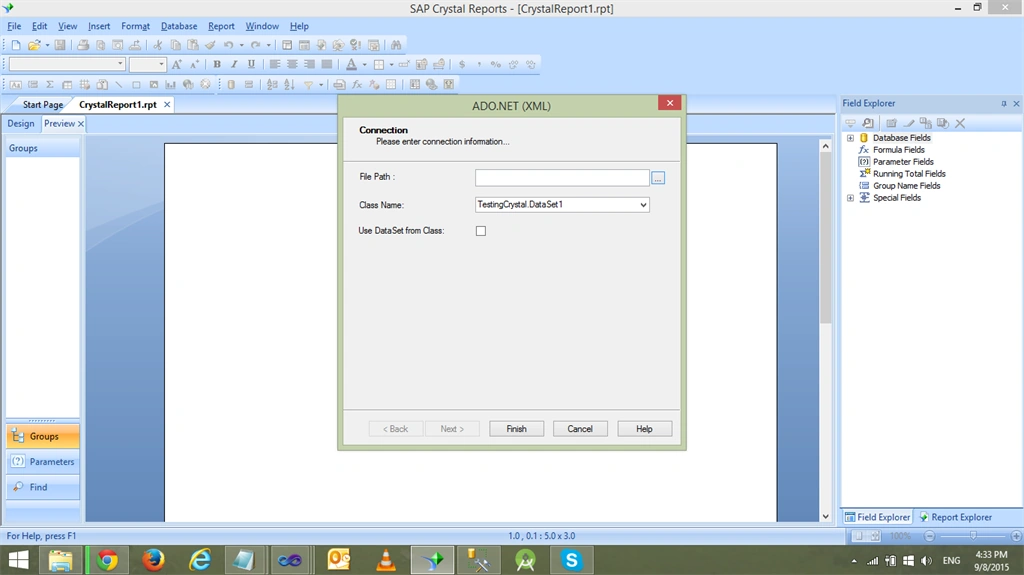
I have a crystal report in my asp.net aspx page i want to change the lagend text i have gone through the procedure from internet it ask first open the report in crystal report 13 and then click the legend right click and edit axis lable but when i go to preview print view then that popups come see the image please assists.
3 Answers
Know the answer? Post it. Somebody with the same question will find it here.







Karthikeyan KRank #554 · 4.4K reputationPosted Sep 8, 2015, 3:39 AM EDT
Open report in Crystal Reports.
Set report to “Preview Mode” by clicking View -> Print Preview
When in “Preview Mode”, select the Legend label you want to change the text of.
Right click on the Legend label and select “Edit Axis Label”
Then, select the chart, right click and select Chart Expert -> Apply to group template.
Save the modified report!
Karthikeyan KRank #554 · 4.4K reputationPosted Sep 8, 2015, 3:41 AM EDT
Danish HabibRank #2,024 · 715 reputationPosted Sep 8, 2015, 3:44 AM EDT