I'm having problems with the image location in listbox. I want to show an image under the text, but the image appears over the text. Can you help me with this?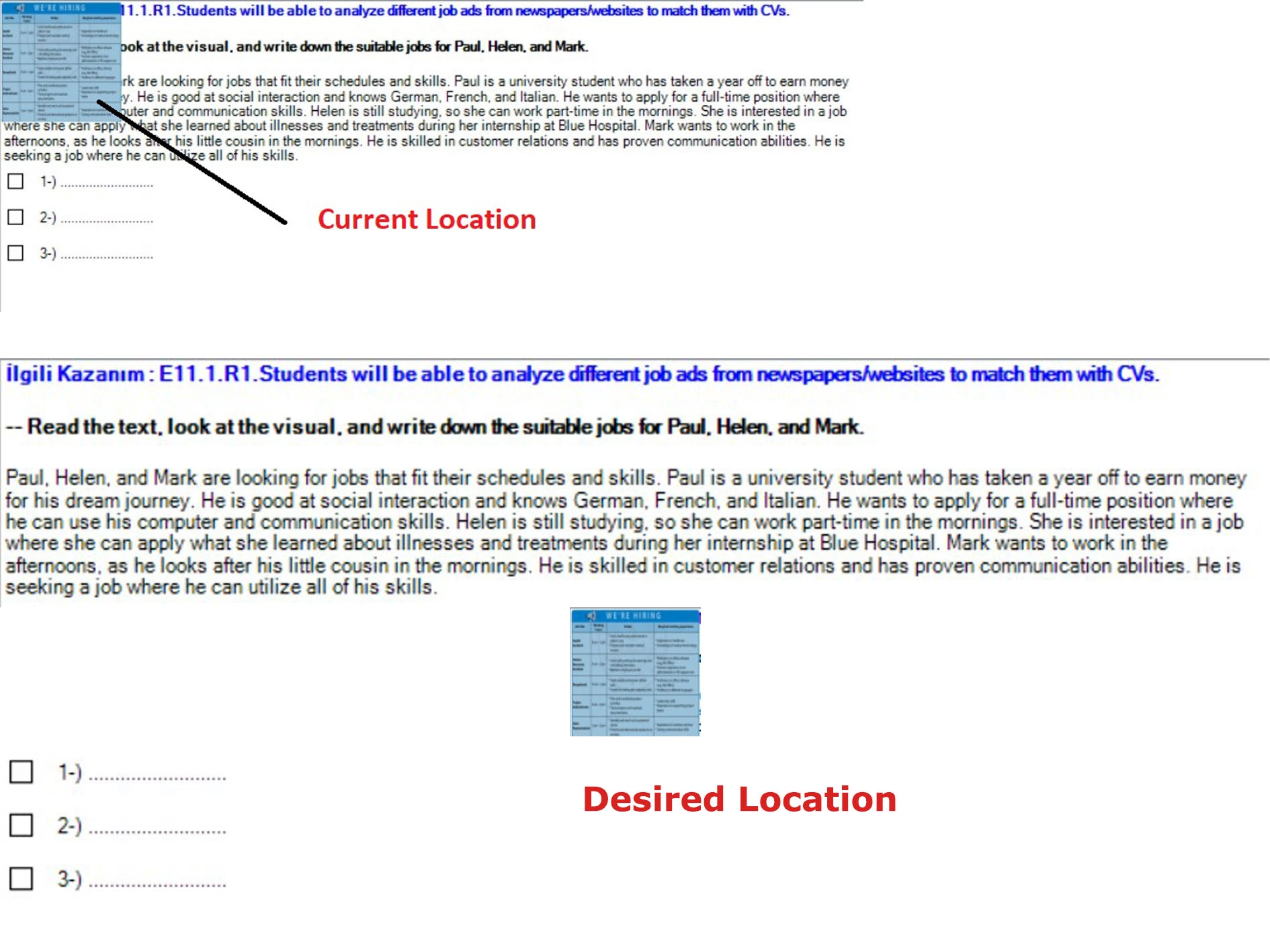
C#
  private void listBoxQuestions_MeasureItem(object sender, MeasureItemEventArgs e)
  {
      ComboBoxItem item = listBoxQuestions.Items[e.Index] as ComboBoxItem;

      if (item != null)
      {
          string questionText = item.Text;

          using (Graphics g = e.Graphics)
          {
              // ListBox'in mevcut genisligine göre metnin sigmasini saglamak için ölçüm yapiyoruz
              int itemWidth = listBoxQuestions.Width - 30; // Kenarlik payi için biraz bosluk birakiyoruz
              SizeF textSize = g.MeasureString(questionText, listBoxQuestions.Font, itemWidth);

              // Yüksekligi, ölçülen metin yüksekligine göre dinamik olarak ayarliyoruz
              e.ItemHeight = (int)Math.Max(30, textSize.Height + 2); // Minimum 30px, metnin boyutuna göre artiriyoruz
          }
      }

  }

  private void listBoxQuestions_DrawItem(object sender, DrawItemEventArgs e)
  {
      if (e.Index  selectedRids)
 {
     // Öncelikle listBoxQuestions içindeki tüm kontrolleri (resimler gibi) temizleyelim
     foreach (Control control in listBoxQuestions.Controls)
     {
         if (control is PictureBox pictureBox)
         {
             listBoxQuestions.Controls.Remove(pictureBox); // Resmi kaldir
             pictureBox.Dispose(); // Bellekten temizle
         }
     }

     listBoxQuestions.Items.Clear(); // Listeyi temizle
     string previousTitle = ""; // Basliklari karsilastirmak için
     string previousAdditionalText = ""; // Ayni açiklama metninin tekrar eklenmesini engellemek için
     string previousKazanimAdi = ""; // Kazanim adinin tekrarlanmamasi için

     using (SQLiteConnection connection = new SQLiteConnection(connectionString))
     {
         connection.Open();

         foreach (int kid in selectedRids)
         {
             SQLiteCommand cmd = new SQLiteCommand(
                 "SELECT sorular.soru, sorutip.baslik, sorumetni.metin, sorumetni.resim_yolu, kazanimlar.kadi FROM sorular " +
                 "LEFT JOIN sorutip ON sorular.tid = sorutip.tid " +
                 "LEFT JOIN sorumetni ON sorular.sid = sorumetni.sid " +
                 "LEFT JOIN kazanimlar ON sorumetni.kid = kazanimlar.kid " +
                 "WHERE sorumetni.kid = @kid ORDER BY sorutip.baslik", connection);

             cmd.Parameters.AddWithValue("@kid", kid);
             SQLiteDataReader reader = cmd.ExecuteReader();

             while (reader.Read())
             {
                 string questionTitle = reader["baslik"].ToString();
                 string additionalText = reader["metin"] != DBNull.Value ? reader["metin"].ToString() : "";
                 string questionText = reader["soru"].ToString();
                 string imagePath = reader["resim_yolu"] != DBNull.Value ? reader["resim_yolu"].ToString() : "";

                 // Kazanim adi kontrolü
                 string kazanimAdi = reader["kadi"] != DBNull.Value ? reader["kadi"].ToString() : "Bilinmiyor"; // Eger "kadi" null ise "Bilinmiyor" yazsin.

                 // Basliklari ekliyoruz, ancak bunlara checkbox eklemiyoruz
                 if (questionTitle != previousTitle)
                 {
                     // Kazanim adi daha önce eklenmediyse ekliyoruz
                     if (kazanimAdi != previousKazanimAdi)
                     {
                         if (!string.IsNullOrEmpty(previousKazanimAdi))
                         {
                             // Önceki kazanim eklenmisse, araya bos satir ekliyoruz
                             listBoxQuestions.Items.Add(new ComboBoxItem
                             {
                                 Text = "", // Bos satir
                                 Value = "",
                                 Selectable = false, // Seçilemez
                                 IsChecked = false    // Checkbox'li degil
                             });
                         }

                         listBoxQuestions.Items.Add(new ComboBoxItem
                         {
                             Text = $"Ilgili Kazanim : {kazanimAdi}", // Kazanim adi
                             Value = "",
                             Selectable = false, // Seçilemez
                             IsChecked = false    // Checkbox'li degil
                         });

                         previousKazanimAdi = kazanimAdi; // Kazanim adini kaydediyoruz
                     }

                     // Baslik metnini ekliyoruz
                     listBoxQuestions.Items.Add(new ComboBoxItem
                     {
                         Text = $"-- {questionTitle}", // Baslik
                         Value = "",
                         Selectable = false, // Basliklar seçilemez
                         IsChecked = false  // Basliklar checkbox'li degil
                     });

                     previousTitle = questionTitle;
                     previousAdditionalText = ""; // Baslik degistiginde açiklamayi sifirla
                 }

                 // Eger açiklama metni varsa ve daha önce eklenmemisse, onu da alt baslik olarak ekliyoruz
                 if (!string.IsNullOrEmpty(additionalText) && additionalText != previousAdditionalText)
                 {
                     listBoxQuestions.Items.Add(new ComboBoxItem
                     {
                         Text = additionalText,
                         Value = additionalText,
                         Selectable = false,  // Açiklamalar seçilemez
                         IsChecked = false    // Checkbox'li degil
                     });
                     previousAdditionalText = additionalText; // Eklenen açiklamayi kaydediyoruz
                 }

                 // Resim ekleme
                 string baseDirectory = AppDomain.CurrentDomain.BaseDirectory; // Dinamik çalisma dizini
                 string imageDirectory = Path.Combine(baseDirectory, "resimler"); // Resim klasörü
                 string imageFileName = reader["resim_yolu"].ToString(); // Veritabanindan gelen dosya adi
                 string resim = Path.Combine(imageDirectory, imageFileName); // Tam dosya yolu olustur

                 if (!string.IsNullOrEmpty(resim) && File.Exists(resim))
                 {
                     // Resim için PictureBox olusturuluyor
                     PictureBox pictureBox = new PictureBox
                     {
                         Image = Image.FromFile(resim),
                         SizeMode = PictureBoxSizeMode.StretchImage,
                         Height = 100,  // Resim yüksekligi
                         Width = 100,   // Resim genisligi
                         Margin = new Padding(5)
                     };

                     // Resmi listeye ekliyoruz (listBox yerine FlowLayoutPanel veya benzeri bir kontrol kullanilabilir)
                     listBoxQuestions.Controls.Add(pictureBox);
                 }
                 else
                 {
                     Console.WriteLine("Resim bulunamadi: " + resim); // Resim bulunamadiginda hata mesaji
                 }

                 // Sorulari checkbox'li ekliyoruz, ancak soru bossa checkbox eklemiyoruz
                 if (!string.IsNullOrEmpty(questionText)) // Eger soru metni bos degilse
                 {
                     listBoxQuestions.Items.Add(new ComboBoxItem
                     {
                         Text = questionText,
                         Value = questionText,
                         Selectable = true,  // Sorular seçilebilir
                         IsChecked = false   // Baslangiçta checkbox isaretli degil
                     });
                 }
             }
             reader.Close();
         }
     }
 }






Jayraj ChhayaRank #304 · 8.2K reputationPosted Nov 18, 2024, 6:55 AM EST
Hi
In a ListBox, the image location refers to the specific coordinates within an item where the image is displayed. These coordinates are typically relative to the top-left corner of the item's bounding rectangle.
Try below code and check
private void listBox1_DrawItem(object sender, DrawItemEventArgs e)
{
    if (e.Index < 0) return;

    // ... other code to handle item drawing ...

    // Get image properties (assuming you have image data or paths)
    string imagePath = // Your image path or data
    Image img = Image.FromFile(imagePath);

    // Calculate image location based on your desired placement
    int imageWidth = 40;
    int imageHeight = (int)((float)img.Height / img.Width * imageWidth);
    int imageX = e.Bounds.Left + 10; // Indent from left side
    int imageY = e.Bounds.Top + 5; // Indent from top

    // Draw the image
    e.Graphics.DrawImage(img, imageX, imageY, imageWidth, imageHeight);

    // ... other code to draw text and other elements ...
}