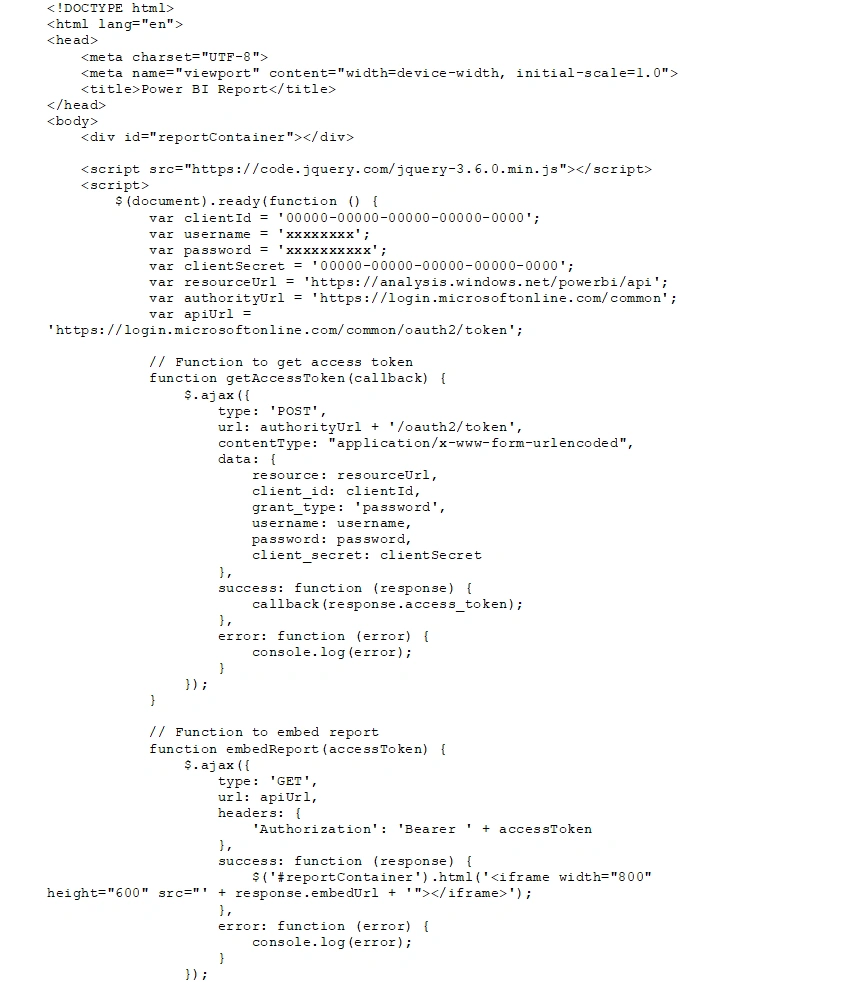
I want to publish a power bi report using an ajax script with HTMl (to get acces token), I wrote this code but when I run it I get an error (token blocked).
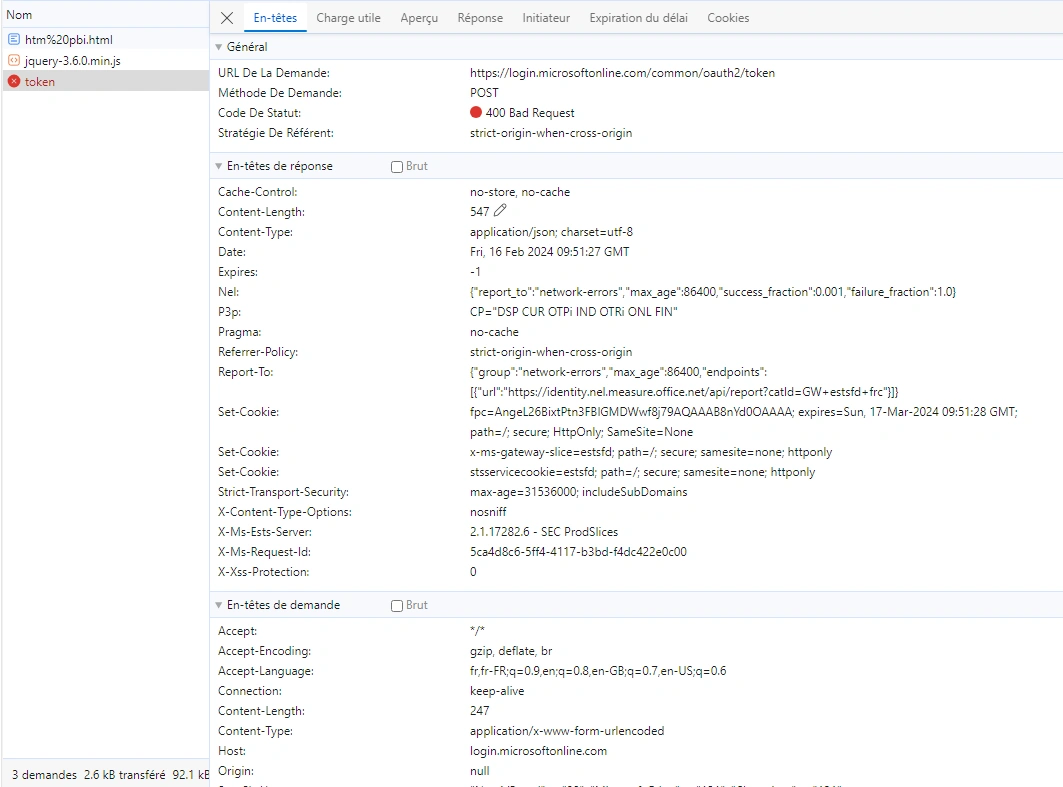
Msg Error :
I want to publish a power bi report using an ajax script with HTMl (to get acces token), I wrote this code but when I run it I get an error (token blocked).
Msg Error :
Know the answer? Post it. Somebody with the same question will find it here.
Answer a question in the forums and earn +20 SHARP for every answer.
See unanswered questions Arun PottiAnswers in the forums20answers02
 Tahir AnsariAnswers in the forums5answers03
 Kamlesh KumarAnswers in the forums5answers04
 Sam HobbsAnswers in the forums4answers05
 Željko PerićAnswers in the forums3answersFull leaderboard →
 DevSocialUpcoming · 3rd editionAI Agents ConferenceDec 1–3, 2026Live onlineFree to attend5days leftRegister

Abhishek YadavRank #217 · 11.3K reputationPosted Feb 19, 2024, 4:47 AM EST
In order to embed a Power BI report using AJAX and HTML, you will need to follow the steps below:
Obtain an embed token and report ID: You will need to obtain an embed token and report ID for your Power BI report. You can do this by generating a token and retrieving the report ID from the Power BI portal.
Insert the Power BI report URL: In your HTML file, insert the Power BI report URL using the following code:
$(document).ready(function(){ var embedUrl = "https://app.powerbi.com/reportEmbed?reportId=&highlight=true"; var embedToken = ""; var reportContainer = $('#reportContainer')[0]; var reportConfig = { type: 'report', tokenType: models.TokenType.Embed, accessToken: embedToken, embedUrl: embedUrl, permissions: models.Permissions.All, settings: { filterPaneEnabled: false, navContentPaneEnabled: true } }; var report = powerbi.embed(reportContainer, reportConfig); });section of your HTML file:If you are still facing the "token blocked" error, it may be due to an issue with the token itself. Make sure to generate a new embed token and try embedding the report again. Additionally, ensure that the report ID and embed URL are correct in your code.
If you continue to experience issues, you may want to check the Power BI documentation or reach out to the Power BI support team for further assistance.