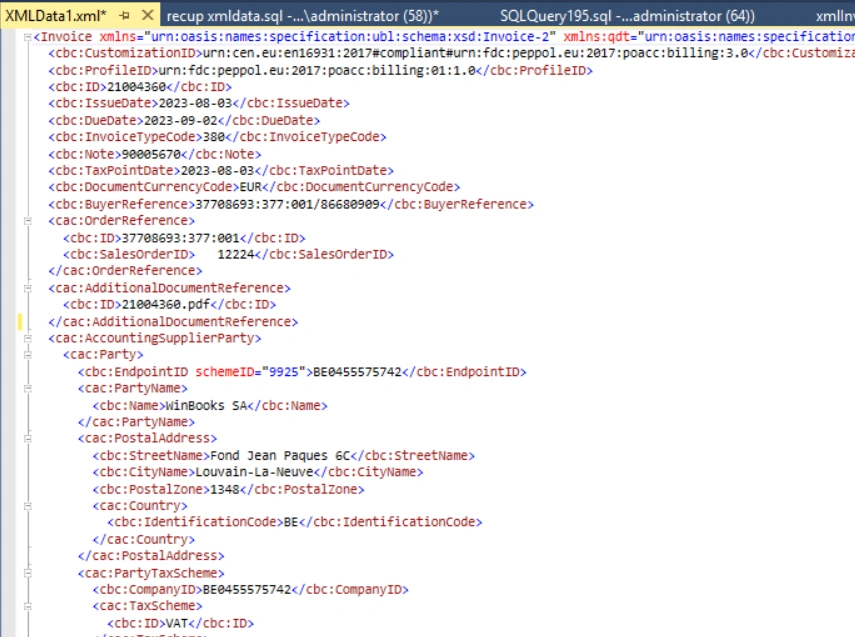
i do this to cretae xmxl data from xml file
CREATE TABLE XMLwithOpenXML(Id INT IDENTITY PRIMARY KEY,XMLData XML,LoadedDateTime DATETIME)
INSERT INTO XMLwithOpenXML(XMLData, LoadedDateTime)
SELECT CONVERT(XML, BulkColumn) AS BulkColumn, GETDATE()
FROM OPENROWSET(BULK 'e:\lgs_MBA\Eff\source\21004360.xml', SINGLE_BLOB) AS x;
SELECT * FROM XMLwithOpenXML
SELECT xmldata.value('(/Invoice/cbc:CustomizationID()', 'VARCHAR(50)') --, @Xml.value('(/value2/text())[1]', 'INT'),
from XMLwithOpenXML
the data is well in the table and i need to extract
each field from a simple xquery







Tuhin PaulRank #7 · 71.9K reputationPosted Aug 4, 2023, 2:39 PM EDT
Assuming your XML data looks something like this:
12345You can use the following query to extract the cbc:CustomizationID value from the XML data:
SELECT Id,
       xmldata.value('(/Invoice/cbc:CustomizationID)[1]', 'VARCHAR(50)') AS CustomizationID,
       LoadedDateTime
FROM XMLwithOpenXML;
In the SELECT statement, the .value() method is used with an XQuery expression (/Invoice/cbc:CustomizationID)[1]. This expression navigates to the cbc:CustomizationID element within the Invoice element and retrieves its value. The [1] is used to ensure that only the first occurrence of the cbc:CustomizationID element is returned (in case there are multiple). The result will be a table containing the Id, CustomizationID, and LoadedDateTime for each record in the XMLwithOpenXML table.