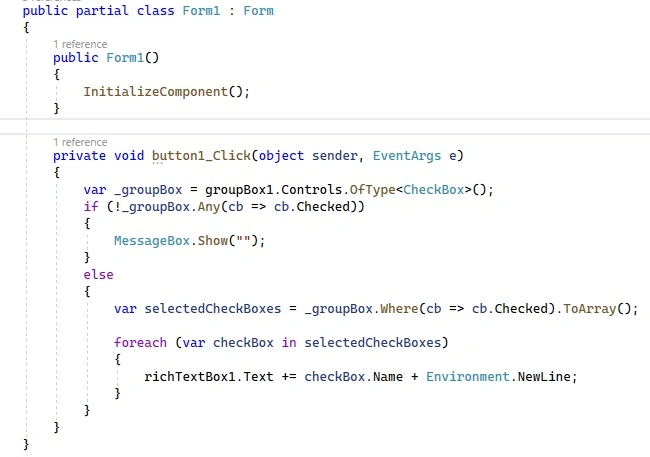
Hello. I get the following result with these codes. When i click "write", it finds out which selected checkboxes have been checked and the result comes out in richtexbox
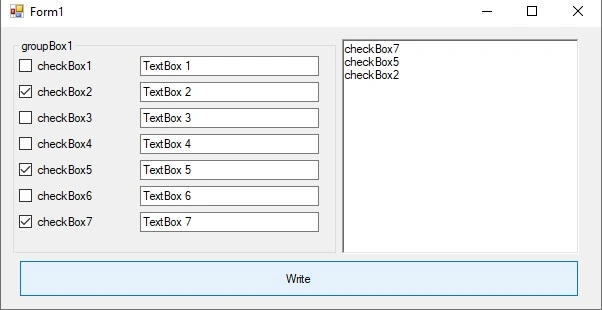
This is what i got with the code i entered
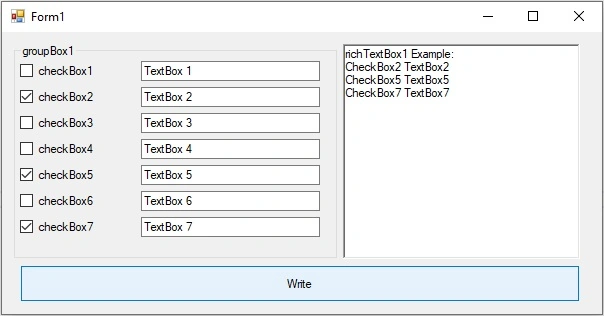
But what i want to do is not only get the checked checkboxes but also write the text in front of them
It is possible to do with "if else", but this route is not only time-consuming but also impractical.
How can i get it as shown in the picture? To get the selected checkboxes and the texts in front of them at the same time?







Naimish MakwanaRank #324 · 7.7K reputationPosted Mar 4, 2023, 6:25 AM EST
Hello Vusal,
One way to achive what you want is, You want to make checkbox and texbox name in similar pattern.
Exmple : If your checkbox name is checkBox1 then your textBox name must be textBox1
Ex: checkBox1 = textBox1, checkBox2 = textBox2, checkBox3 = textBox3....
after changing the naming of above use below code.Modify you code base on your need.
private void button1_Click(object sender, EventArgs e)
{
    // Iterate through all the controls on the form
    foreach (Control control in this.Controls)
    {
        // Check if the control is a checkbox
        if (control is CheckBox)
        {
            CheckBox checkbox = (CheckBox)control;

            // If the checkbox is checked, concatenate its name with the value of the corresponding textbox
            if (checkbox.Checked)
            {
                // Get the name of the corresponding textbox control
                string textboxName = checkbox.Name.Replace("checkBox", "textBox");

                // Find the corresponding textbox control on the form
                Control textboxControl = this.Controls.Find(textboxName, true).FirstOrDefault();

                // Get the text entered in the textbox control
                string textboxValue = textboxControl == null ? "" : textboxControl.Text;

                // Concatenate the checkbox name with the textbox value
                string output = checkbox.Name + " " + textboxValue;

                // Add the output string to the richtext box
                richTextBox1.AppendText(output + "\n");
            }
        }
    }
}
It will give you following output.
Thanks
Naimish Makwana