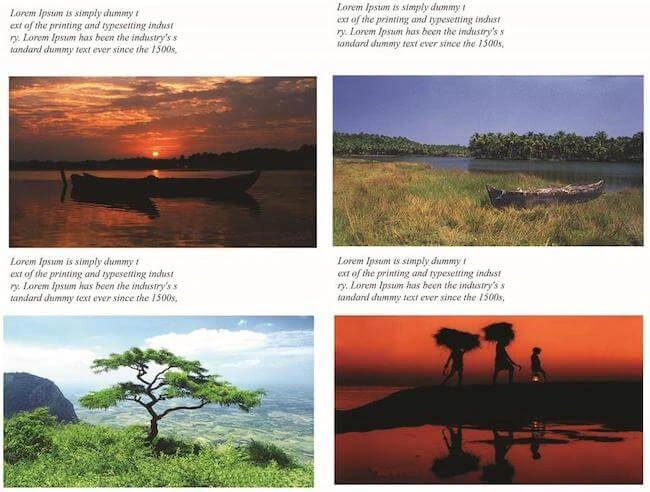
I would like to have four images in 1 page in a pdf file. As well as two and down two. And there will be some writing on every image. Which has been viewed in the image
Know the answer? Post it. Somebody with the same question will find it here.
Answer a question in the forums and earn +20 SHARP for every answer.
See unanswered questions Arun PottiAnswers in the forums20answers02
 Tahir AnsariAnswers in the forums5answers03
 Kamlesh KumarAnswers in the forums5answers04
 Sam HobbsAnswers in the forums4answers05
 Željko PerićAnswers in the forums3answersFull leaderboard →
 DevSocialUpcoming · 3rd editionAI Agents ConferenceDec 1–3, 2026Live onlineFree to attend5days leftRegister

Salman BegRank #284 · 8.8K reputationPosted Mar 13, 2019, 8:03 AM EDT
Gajendra JangidRank #157 · 14.9K reputationPosted Mar 13, 2019, 8:14 AM EDT
hello altaf,
or
https://www.c-sharpcorner.com/blogs/add-image-in-pdf-using-itextsharp1
https://www.aspsnippets.com/Articles/Export-Convert-Image-to-PDF-using-iTextSharp-in-ASPNet-with-C-and-VBNet.aspx
Leon DRank #851 · 2.6K reputationPosted Mar 13, 2019, 4:29 PM EDT
Marvin ReidRank #1,963 · 746 reputationPosted Oct 17, 2022, 12:45 PM EDT
You can use the Document Editor to edit your PDF files so that they will have 4 images in the style you are showing. Here is code you can build on.
addImage = () => {
        //Allows the user to input an image of their choosing for the specific file types allowed at the cursor location
        var input = document.createElement('input');
        input.type = 'file';
        input.style.display = 'none';
        input.accept = '.png, .jpeg, .tif, .jpg, .pdf';
        input.onchange = function (e) {
            var files = input.files;
            if (!files || !files.length)
                return;
            file = files[0];
            var url = URL.createObjectURL(file);
            editor.engine.images.insertImage(url);
        };
        input.click();
    }

    updateStyle = () => {
        //Allows the user to select from 3 different styling for the image they currently have selected
        var value: number = null;
        var input: string = prompt("Which image style would you like? (input the number corresponding to the style, default is Wrap Text)\n\n1. Inline\n2. Break Text\n3. Wrap Text");
        if (input == '1') {
            value = 0;
        } else if (input == '2') {
            value = 1;
        } else {
            value = 2;
        }

        editor.engine.images.updateImageStyle(value);
    }
https://www.leadtools.com/help/sdk/v22/dh/javascript/de/imageengine.html
https://demo.leadtools.com/JavaScript/DocumentEditor/