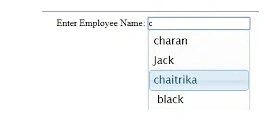
Here is my code but its work only first word..
C#
dbcon.Open();
try
{
    AutoCompleteStringCollection pAuto = new AutoCompleteStringCollection();
    string query = "SELECT DISTINCT FullDescription FROM ProductInfo WHERE FullDescription LIKE '%'+@pattern+'%'";
    SqlCommand cmd = new SqlCommand(query, dbcon);
    cmd.Parameters.AddWithValue("@pattern", '%'+txtProductGroup.Text+'%');
   // dbcon.Open();
    SqlDataReader Contains = cmd.ExecuteReader();
    AutoCompleteStringCollection autoCompleteList = new AutoCompleteStringCollection();
    while (Contains.Read())
    {
        autoCompleteList.Add(Contains["FullDescription"].ToString());
    }
    txtProductGroup.AutoCompleteCustomSource = autoCompleteList;
    Contains.Close();
   // dbcon.Close();
}
catch (Exception ex)
{
    MessageBox.Show(ex.Message);
}
dbcon.Close();






Rajkiran SwainRank #165 · 14.4K reputationPosted May 5, 2023, 12:53 AM EDT
// Set the path to your images directory
string path = @"C:\Images";

// Get all image names from the directory
string[] allImages = Directory.GetFiles(path);

// Filter the image names based on user input
string[] filteredImages = allImages.Where(s => s.Contains(txtProductGroup.Text)).ToArray();

// Set the filtered image names to the AutoCompleteCustomSource property
txtProductGroup.AutoCompleteCustomSource.AddRange(filteredImages);