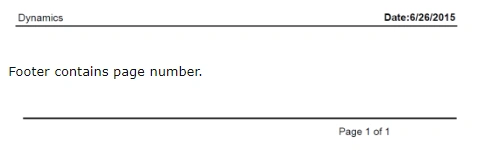
How to draw a line in header using hiqpdf.
Know the answer? Post it. Somebody with the same question will find it here.
Answer a question in the forums and earn +20 SHARP for every answer.
See unanswered questions Arun PottiAnswers in the forums20answers02
 Tahir AnsariAnswers in the forums5answers03
 Kamlesh KumarAnswers in the forums5answers04
 Sam HobbsAnswers in the forums4answers05
 Željko PerićAnswers in the forums3answersFull leaderboard →
 DevSocialUpcoming · 3rd editionAI Agents ConferenceDec 1–3, 2026Live onlineFree to attend5days leftRegister

Lokesh VarmanRank #374 · 6.8K reputationPosted Jan 18, 2023, 10:29 PM EST
1. Create a new instance of the HtmlToPdf class, which is the main class of the HiQPdf library.
HtmlToPdf htmlToPdfConverter = new HtmlToPdf();
2.Create a new instance of the PdfHeader class. This class represents the header of the PDF document.
PdfHeader header = new PdfHeader();
3.Set the HTML code of the header by using the Html property of the PdfHeader class.
header.Html = "
4.Assign the header to the PdfConverter object using the PdfHeader property.
htmlToPdfConverter.PdfHeader = header;
5.Convert your HTML to PDF by calling the ConvertHtmlToMemory() method and passing the HTML string as a parameter.
byte[] pdfBuffer = htmlToPdfConverter.ConvertHtmlToMemory(html, baseUrl);
6.Save the PDF document to a file or stream by using the File.WriteAllBytes() method or the FileStream class.
File.WriteAllBytes("YourFile.pdf", pdfBuffer);
In this example, the HTML code in the header creates a div element, centers it and adds a horizontal rule (hr) with a 1px solid black line. You can modify this HTML code to achieve the desired look of your line.
Please note that you need to have HiQPdf library installed and referenced in your project in order to use the classes and methods mentioned above.
Vishal YelveRank #178 · 13.6K reputationPosted Jan 19, 2023, 2:27 AM EST
https://www.hiqpdf.com/documentation/html/12bf4427-8c30-47ee-8dad-acaca7ff1276.htm