How can I programtically find out the last non-empty row of a particular column (say column 1) using EPPlus & c#?
For testing I've create a test.xlsx file (shown below)
| ID | Name | Address | Status |
| 002 | John | USA | |
So, in this case the last non-empty row of column 1 should be 2. I've tried the below code but it shows me 10 instead of 2 (I think since I've formatted the cells till cell D10 like added some border?)
C#
var myFile = new ExcelPackage(new FileInfo(@"test.xlsx"));

Excelsheet sheet = myFile.Workbook.sheets[0];

MessageBox.Show(sheet.Dimension.End.Row.ToString());
So I tried
C#
var lastRowOfCol1 = sheet.Cells.Where(c=>c.Start.Column == 1 && c.End.Column == 1).GroupBy(x=>x.Value.ToString() !="").Select(p=>p.Last());

MessageBox.Show(lastRowOfCol1.ToString());
Now I'm getting
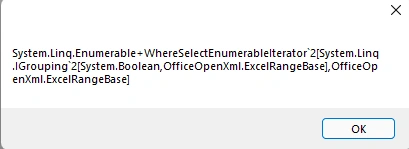
Can anyone help me on this?







Satya KarkiRank #78 · 24.6K reputationPosted Dec 19, 2021, 1:41 AM EST
You can try the below sample code and modify it according to your excel data.
public bool WriteSize(string strPath) { bool retBol = false; try { if ((System.IO.File.Exists(strPath) == true)) { using (ExcelPackage package = new ExcelPackage(new System.IO.FileInfo(strPath), false)) { ExcelWorksheet mainSheet = package.Workbook.Worksheets.First(); for (int i = 2; i <= mainSheet.Dimension.End.Row; i++) { Size SzModel = new Size(); if (mainSheet.Cells["B" + i].Value.ToString() != null) { SzModel.Name = mainSheet.Cells["B" + i].Value.ToString(); } //check if (sizeRepo.CheckSize(SzModel.Name) == false) { sizeRepo.SaveSz(SzModel); retBol = true; HttpContext.Session.SetString(ClientSessionHandler.m_sessionMenuUploadStatus, (i - 1) + "th" + " Sizes uploaded Sussessfully"); } else { HttpContext.Session.SetString(ClientSessionHandler.m_sessionMenuUploadStatus, "This Size already exists"); } } } } } catch (Exception ex) { retBol = false; throw ex; } return retBol; }Yazhini MP128 reputationPosted Dec 20, 2021, 12:40 AM EST
This is the sample example,
You can set a bool in the for loop at row level. Then loop all the cells and change the bool when a cell is not empty.
//loop through rows and columns
for (int row = 1; row <= rowCount; row++)
{
//create a bool
bool RowIsEmpty = true;
for ( int col =1; col <= colCount; col++)
{
//check if the cell is empty or not
if (worksheet.Cells[row, col].Value != null)
{
RowIsEmpty = false;
}
}
//dispaly result
if (RowIsEmpty)
{
Label1.Text += "Row " + row + " is empty.
";
}
}
Leon DRank #851 · 2.6K reputationPosted Dec 20, 2021, 5:14 AM EST