Hello,
In my application, I am printing a razor page and I want to display 2 divs side by side. (Contact and Delivery Information) I want the grid to start from the left and closer to the others.
Here is my sample razor:
PowerShell
@page "/dialogcard/{Order}"
@using IMS.CoreBusiness
@using IMS.UseCases.Interfaces.OrderDetail
@inject IViewOrderDetailsByOrderIdUseCase ViewOrderDetailsByOrderIdUseCase
@inject DialogService DialogService
@inject IJSRuntime JsRuntime


@if (orderDetails != null)
{


                    Order @Order.OrderId Details


                        @{
                            var detailVendorId = 0;
                        }
                        @foreach (var detail in orderDetails)
                        {
                            @if (detailVendorId != detail.VendorId)
                            {


                                                    Contact


                                                            Responsible
@detail.Vendor.MainResponsibleName
                                                            Company
@Order?.CustomerName


                                                    Delivery Information


                                                            Address
@(detail?.ShippingNumber), @(detail?.TrackingNumber)
                                                            Vendor
@detail?.Vendor.Name


                                             x.VendorId == detail.VendorId).Select(x => x.TotalBuyPrice).Sum())}") style="margin-bottom: 5px"/>

 x.VendorId == detail.VendorId)" TItem="OrderDetail" Class="mt-3">


                            }
                            detailVendorId = detail.VendorId;
                        }


}


         DialogService.Close(false))" ButtonStyle="ButtonStyle.Secondary" Text="Close" Style="width: 120px" Class="mr-1"/>

        @*Print*@


@code {
    [Parameter] public ReportViewModel Order { get; set; }
    IEnumerable orderDetails;

    protected override async Task OnInitializedAsync()
    {
        orderDetails = await ViewOrderDetailsByOrderIdUseCase.ExecuteAsync(Order.OrderId);

    }
    private void PrintDocument()
    {
        JsRuntime.InvokeVoidAsync("print");
    }
}
And here is my related CSS:
CSS
@media print {
    body * {
        visibility: hidden;
    }
    #printarea, #printarea1, #printarea *, #printarea1 * {
        visibility: visible;
    }
    #printarea {
        position: absolute;
        left: 0;
        top: 0;

    }
    #printarea1 {
        position: fixed;
        left: 0;
        top: 0;
    }
    @page {
        size: A4 landscape;
    }
    .float-child {
        width: 50%;
        float: left;
        /*padding: 20px;*/

    }
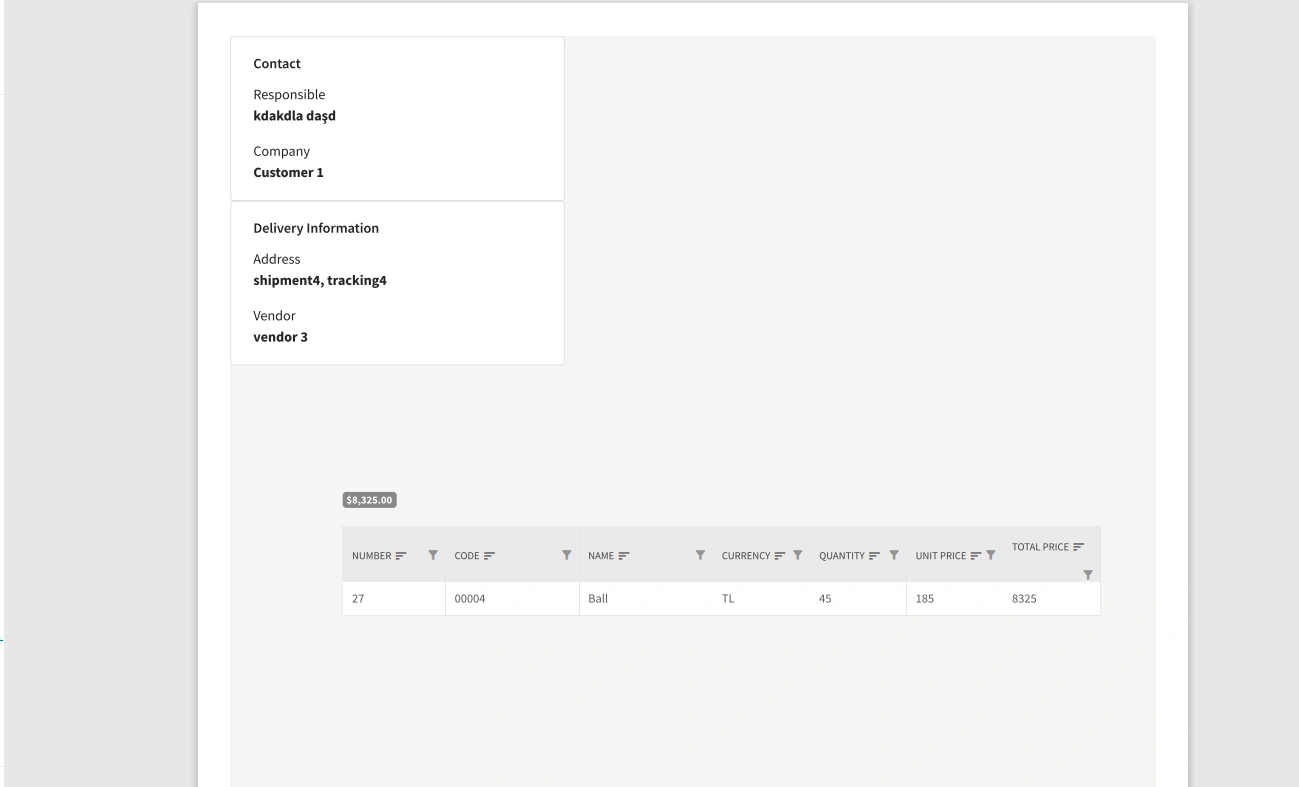
And the result which is not even close what I want:







Abhishek ChadhaRank #402 · 6.2K reputationPosted Sep 4, 2022, 7:06 AM EDT
Chris LoveRank #332 · 7.5K reputationPosted Sep 28, 2022, 9:11 AM EDT
I did not dive deep into your code, but this should answer the question. I do this all the time.
Have a container/wrapper element, I use DIV. That element should be display:flex;. I also set flex-wrap:wrap. I may also justify-content: start or center depending on my needs. align-items:start should make sure all your child elements align to the top.
As for the child elements, if you have 2 you need within the container you can set them to width: 50%, which may need to be adjusted with margin, so use of a calc() method here is often employed. The child elements can be display:block|flex as needed too.
I just left the CSS flexbox :)
Also the position fixed or absolute can be a problem when it comes to layouts. Be very careful using those properties.