Hi Team
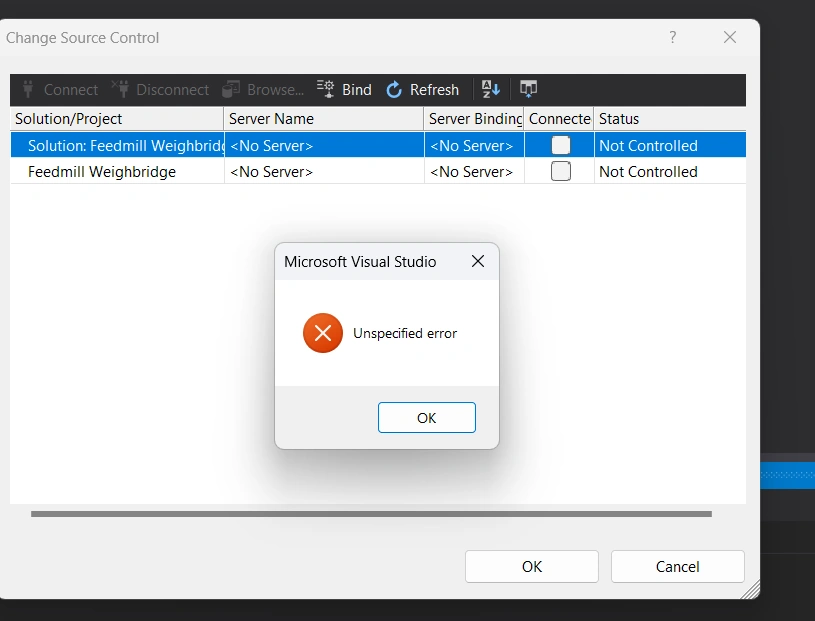
Want my project to point to source control(TFS) but each time its does not want to update and point TFS instead its pointing to Git. How do i resolve this problem?
Hi Team
Want my project to point to source control(TFS) but each time its does not want to update and point TFS instead its pointing to Git. How do i resolve this problem?
Know the answer? Post it. Somebody with the same question will find it here.
Answer a question in the forums and earn +20 SHARP for every answer.
See unanswered questions Arun PottiAnswers in the forums20answers02
 Tahir AnsariAnswers in the forums5answers03
 Kamlesh KumarAnswers in the forums5answers04
 Sam HobbsAnswers in the forums4answers05
 Željko PerićAnswers in the forums3answersFull leaderboard →
 DevSocialUpcoming · 3rd editionAI Agents ConferenceDec 1–3, 2026Live onlineFree to attend5days leftRegister

Naimish MakwanaRank #324 · 7.7K reputationPosted May 13, 2024, 10:46 AM EDT
It seems like your project is currently configured to use Git as the source control system, and you want to switch it to Team Foundation Server (TFS). Here are the steps you can follow:
Unbind the project from Git:
File > Source Control > Advanced > Change Source Control.Unbind.Remove Git related files:
.gitfolder. Make sure to enable viewing hidden files in your file explorer to see this folder..gitignoreand.gitattributesfiles if they exist.Bind the project to TFS:
File > Source Control > Advanced > Change Source Control.Bindto bind your project to TFS.Please make sure to backup your project before making these changes. If you have any commits in Git that you want to preserve, you should push them to a remote repository or create a patch file before unbinding Git.
Thanks