I have a fully built Blazor server Application so I want to add PWA to it so is there any way to do that ?? I am using visual studio 2022.
Loading
Know the answer? Post it. Somebody with the same question will find it here.
Answer a question in the forums and earn +20 SHARP for every answer.
See unanswered questions Arun PottiAnswers in the forums20answers02
 Tahir AnsariAnswers in the forums5answers03
 Kamlesh KumarAnswers in the forums5answers04
 Sam HobbsAnswers in the forums4answers05
 Željko PerićAnswers in the forums3answersFull leaderboard →
 DevSocialUpcoming · 3rd editionAI Agents ConferenceDec 1–3, 2026Live onlineFree to attend5days leftRegister

Amit MohantyRank #112 · 20K reputationPosted Apr 7, 2023, 1:24 AM EDT
Yes, you can add PWA (Progressive Web App) functionality to your existing Blazor Server application.
In Visual Studio 2022, right-click on your Blazor Server project and select "Add" > "New Item".
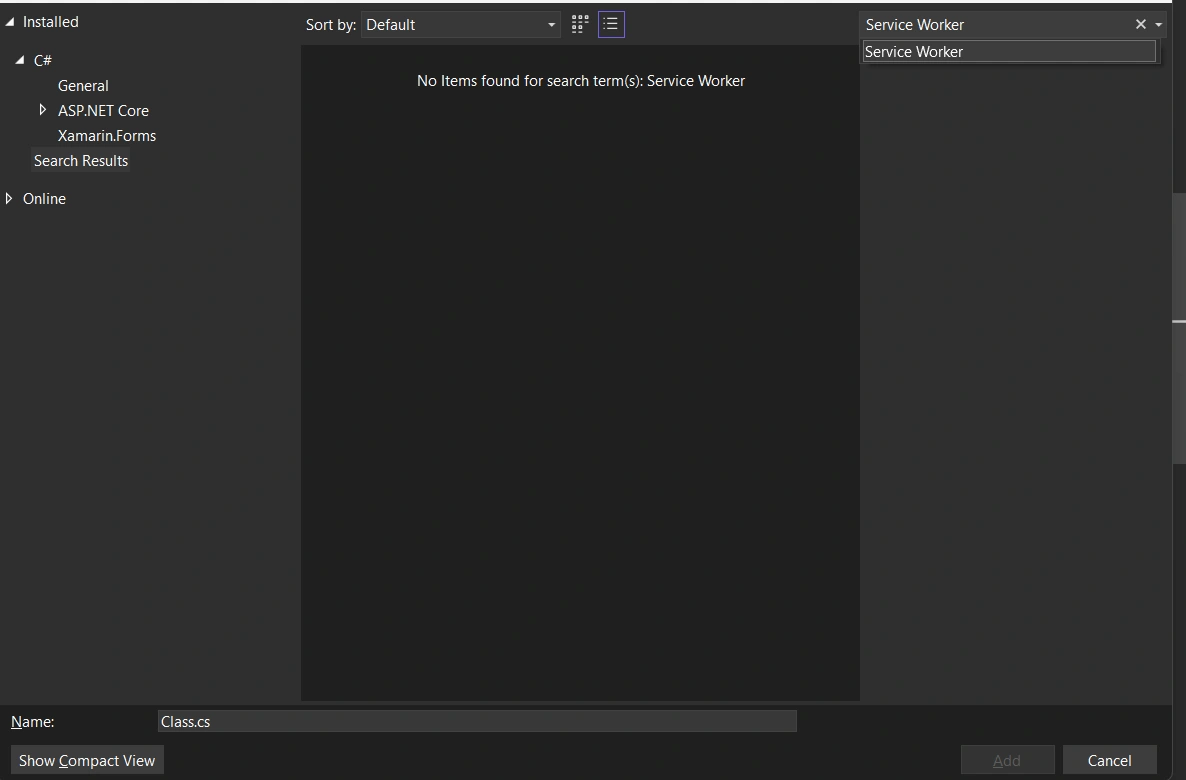
In the "Add New Item" dialog box, search for "Service Worker" and select "Service Worker" from the list of templates.
Name your Service Worker file and click "Add". This will add a new Service Worker file to your project.
Open the newly added Service Worker file and add the following code to it:
const cacheName = 'my-pwa-cache';

self.addEventListener('install', e => {
  e.waitUntil(
    caches.open(cacheName).then(cache => {
      return cache.addAll([
        '/',
        '/index.html',
        '/css/site.css',
        '/js/site.js'
      ]);
    })
  );
});

self.addEventListener('fetch', e => {
  e.respondWith(
    caches.match(e.request).then(response => {
      return response || fetch(e.request);
    })
  );
});
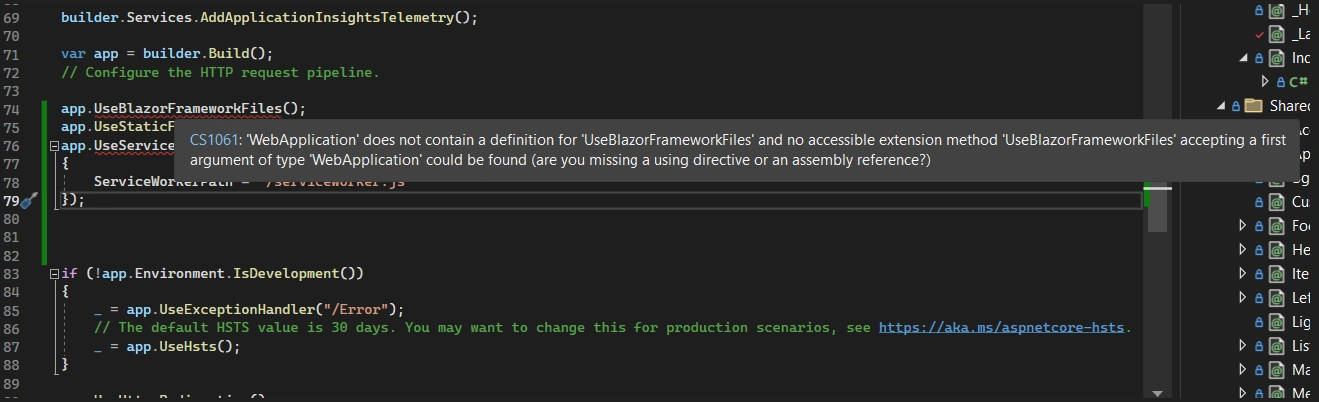
In your Blazor Server application's Startup.cs file, add the following code to the Configure method:
app.UseBlazorFrameworkFiles();
app.UseStaticFiles();
app.UseServiceWorker(new ServiceWorkerOptions
{
    ServiceWorkerPath = "/serviceworker.js"
});
This code adds the Service Worker file to your application's static files and sets the Service Worker path.
Divyansh GuptaRank #701 · 3.4K reputationPosted Apr 7, 2023, 3:25 AM EDT
Sir, there is not any Service Worker in the item
And what about serviceworker.js file?
Amit MohantyRank #112 · 20K reputationPosted Apr 7, 2023, 5:01 AM EDT
You can manually add the files to your Blazor Server application to enable PWA functionality. Here are the steps to follow:
In your Blazor Server application project, create a new folder named "wwwroot".
Inside the "wwwroot" folder, create a new file named "service-worker.js".
Open the "service-worker.js" file and paste the following code:
const CACHE_NAME = "my-pwa-cache";
const urlsToCache = [
  "/",
  "/css/site.css",
  "/_framework/blazor.server.js",
  "/_framework/Microsoft.AspNetCore.Blazor.Browser.js",
  "/_framework/Microsoft.AspNetCore.Blazor.js",
  "/_framework/Microsoft.AspNetCore.Components.dll",
  "/_framework/Microsoft.AspNetCore.Components.Web.dll",
  "/_framework/Microsoft.Extensions.DependencyInjection.dll",
  "/_framework/Microsoft.Extensions.DependencyInjection.Abstractions.dll",
  "/_framework/Microsoft.JSInterop.dll",
  "/_framework/Microsoft.JSInterop.WebAssembly.dll",
  "/_framework/System.Net.Http.dll",
  "/_framework/System.Runtime.CompilerServices.Unsafe.dll",
  "/_framework/System.Text.Encodings.Web.dll",
  "/_framework/System.Text.Json.dll",
  "/_framework/webassembly.js"
];

self.addEventListener("install", function (event) {
  // Perform install steps
  event.waitUntil(
    caches.open(CACHE_NAME).then(function (cache) {
      console.log("Opened cache");
      return cache.addAll(urlsToCache);
    })
  );
});

self.addEventListener("fetch", function (event) {
  event.respondWith(
    caches.match(event.request).then(function (response) {
      // Cache hit - return response
      if (response) {
        return response;
      }
      return fetch(event.request);
    })
  );
});
Save the "service-worker.js" file. In your Blazor Server application project, open the "Pages/_Host.cshtml" file. Add the following line of code inside the
element:if ("serviceWorker" in navigator) { window.addEventListener("load", function () { navigator.serviceWorker.register("/service-worker.js"); }); }Divyansh GuptaRank #701 · 3.4K reputationPosted Apr 7, 2023, 6:16 AM EDT
Getting this error !!