
Is it possible to create azure maps SAS token programmatically?
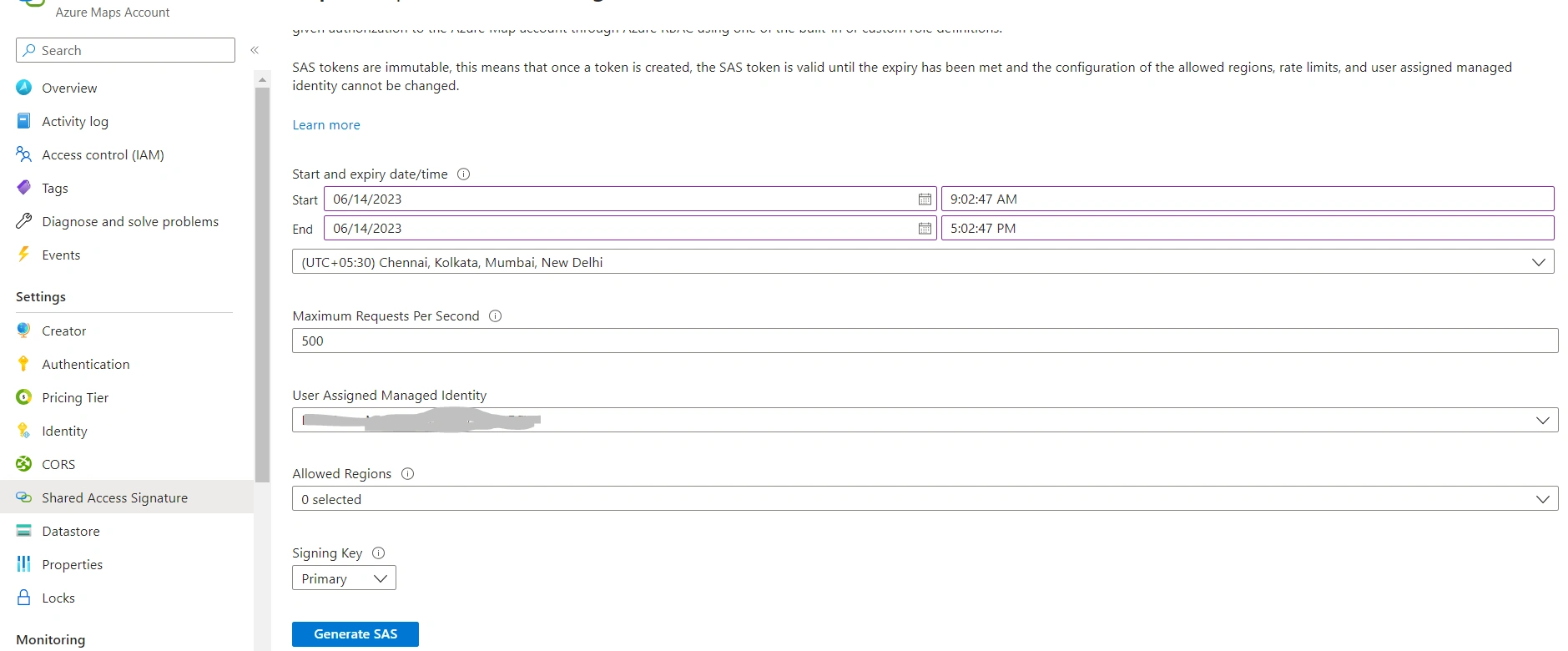
Is it possible to create azure maps SAS token programmatically?
Know the answer? Post it. Somebody with the same question will find it here.
Answer a question in the forums and earn +20 SHARP for every answer.
See unanswered questions Arun PottiAnswers in the forums20answers02
 Tahir AnsariAnswers in the forums5answers03
 Kamlesh KumarAnswers in the forums5answers04
 Sam HobbsAnswers in the forums4answers05
 Željko PerićAnswers in the forums3answersFull leaderboard →
 DevSocialUpcoming · 3rd editionAI Agents ConferenceDec 1–3, 2026Live onlineFree to attend5days leftRegister

Rajkiran SwainRank #165 · 14.4K reputationPosted Jun 14, 2023, 4:29 AM EDT
Yes, it is possible to create Azure Maps SAS (Shared Access Signature) tokens programmatically. Azure Maps provides a REST API that allows you to generate SAS tokens dynamically.
Here is an example of how you can create an Azure Maps SAS token programmatically using C#:
Install the Azure Maps package: Install the
AzureMapsControl.Componentspackage from NuGet in your project. This package provides the necessary classes and methods for working with Azure Maps.Generate the SAS token: Use the
AzureMapsControl.Components.AzureMapsServices.CreateSasTokenmethod to generate the SAS token. This method takes the necessary parameters such as the resource URL, the primary key or secondary key for your Azure Maps account, and the desired expiration time for the token.using AzureMapsControl.Components.AzureMapsServices; // Specify the resource URL for which you want to generate the SAS token string resourceUrl = "https://atlas.microsoft.com"; // Specify the primary key or secondary key for your Azure Maps account string accountKey = "your-account-key"; // Specify the desired expiration time for the token DateTime expirationTime = DateTime.UtcNow.AddMinutes(30); // Generate the SAS token string sasToken = AzureMapsServices.CreateSasToken(resourceUrl, accountKey, expirationTime);The
sasTokenvariable will contain the generated SAS token that can be used to authenticate requests to Azure Maps services.Use the SAS token: Once you have the SAS token, you can include it in your requests to Azure Maps services by appending it as a query parameter. For example:
https://atlas.microsoft.com/search/address/json?api-version=1.0&query=Seattle&subscription-key=your-subscription-key&sas_token=your-sas-tokenReplace
your-sas-tokenwith the generated SAS token.By generating SAS tokens programmatically, you have control over the expiration time and can dynamically generate tokens as needed for your application. Remember to keep the primary or secondary key for your Azure Maps account secure and avoid exposing it in your code or client-side applications.
Saravanan GanesanRank #153 · 15.1K reputationPosted Aug 4, 2023, 4:28 PM EDT
Yes, it is possible to create an Azure Maps Shared Access Signature (SAS) token programmatically. Azure Maps allows you to generate SAS tokens to provide controlled access to your map resources, including data, images, and other assets. SAS tokens are a secure way to grant time-limited access to specific resources without sharing your account keys.
To generate an Azure Maps SAS token programmatically, you can use the Azure Maps REST APIs or one of the Azure Maps SDKs, such as the JavaScript, .NET, or Python SDKs. Below are general steps to create an Azure Maps SAS token programmatically using the .NET SDK:
Install Azure Maps SDK:
Authenticate with Azure Maps:
Create a Shared Access Signature:
SharedKeyCredentialclass from the Azure.Identity namespace to create a SAS token for the specific resource you want to access.Set Token Expiry and Permissions:
Use the SAS Token:
Kindly find the code snippet below :
using Azure.Identity;
using Azure.Maps.MapControl;
using System;
class Program
{
static void Main()
{
// Replace with your Azure Maps subscription key or AAD credentials
string subscriptionKey = "YOUR_AZURE_MAPS_SUBSCRIPTION_KEY_OR_AAD_CREDENTIALS";
// Create a SharedKeyCredential using the subscription key or AAD credentials
var credential = new SharedKeyCredential(subscriptionKey);
// Define the SAS token's expiry time (e.g., 1 hour from now)
DateTimeOffset expiryTime = DateTimeOffset.UtcNow.AddHours(1);
// Specify the permissions for the SAS token { Permissions.Read, Permissions.Write };
var permissions = new List
// Generate the SAS token
string sasToken = credential.GetSASToken(expiryTime, permissions);
Console.WriteLine($"Generated SAS token: {sasToken}");
}
}
Remember to replace
YOUR_AZURE_MAPS_SUBSCRIPTION_KEY_OR_AAD_CREDENTIALSwith your actual Azure Maps subscription key or AAD credentials. The generated SAS token can then be used to access the specified Azure Maps resources within the defined permissions and time window.Saravanan PonnusamyRank #634 · 3.8K reputationPosted Jun 14, 2023, 5:07 AM EDT
Thank You very much for your answer @rajkiran swain. i'll try with development.
Also, could you pls. share the weblink for the below answer for the reference.
Saravanan PonnusamyRank #634 · 3.8K reputationPosted Jun 14, 2023, 6:37 AM EDT
@rajkiran
it doesnt worked for me.
am i missing anything?