
Is it possible to create azure maps SAS token programmatically? .. right now im doing manually and finding a way to do it programmatically.
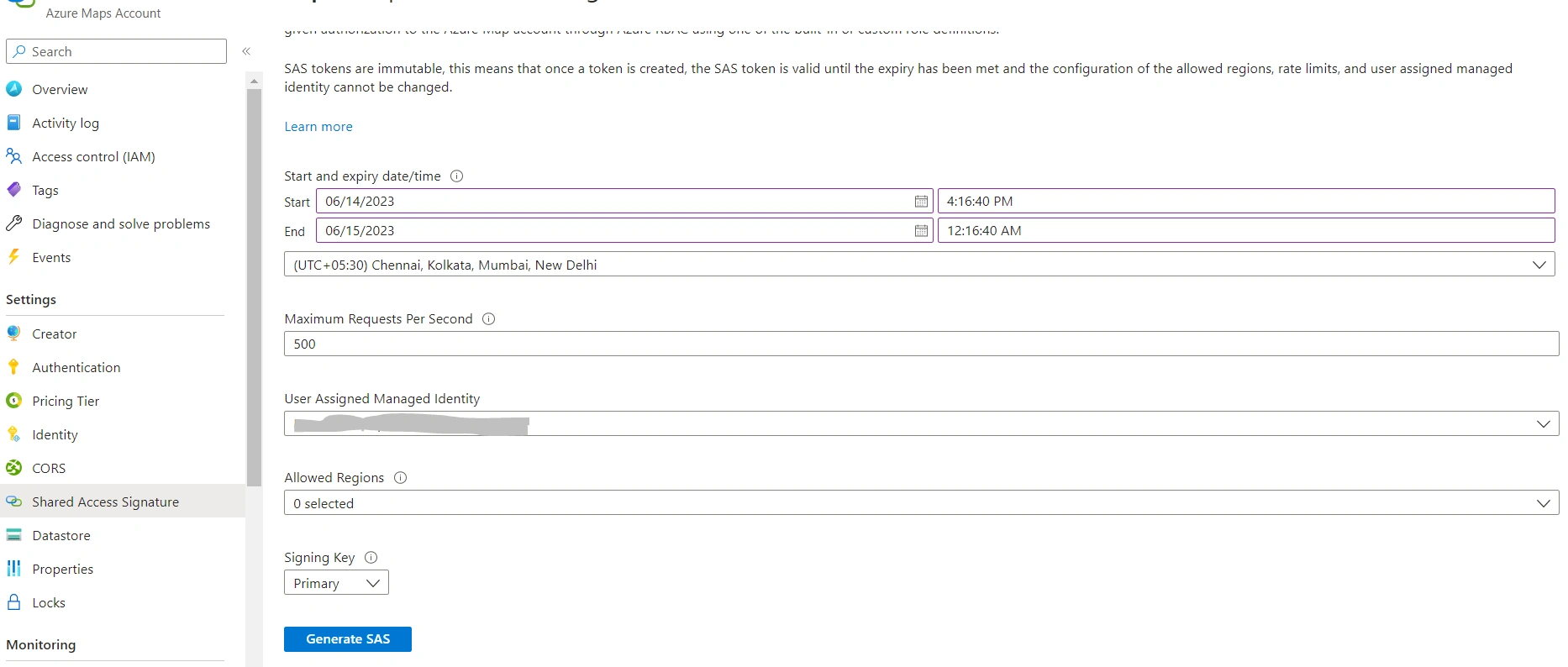
Is it possible to create azure maps SAS token programmatically? .. right now im doing manually and finding a way to do it programmatically.
Know the answer? Post it. Somebody with the same question will find it here.
Answer a question in the forums and earn +20 SHARP for every answer.
See unanswered questions Arun PottiAnswers in the forums20answers02
 Tahir AnsariAnswers in the forums5answers03
 Kamlesh KumarAnswers in the forums5answers04
 Sam HobbsAnswers in the forums4answers05
 Željko PerićAnswers in the forums3answersFull leaderboard →
 DevSocialUpcoming · 3rd editionAI Agents ConferenceDec 1–3, 2026Live onlineFree to attend5days leftRegister

Amit MohantyRank #112 · 20K reputationPosted Jun 15, 2023, 7:46 AM EDT
Try this
using System; using System.Security.Cryptography; using System.Text; class Program { static void Main(string[] args) { string subscriptionKey = "YOUR_AZURE_MAPS_SUBSCRIPTION_KEY"; string resourceUri = "YOUR_AZURE_MAPS_RESOURCE_URI"; TimeSpan tokenExpiration = TimeSpan.FromMinutes(60); // Token expiration time string sasToken = GenerateSasToken(subscriptionKey, resourceUri, tokenExpiration); Console.WriteLine("Azure Maps SAS Token: " + sasToken); } static string GenerateSasToken(string subscriptionKey, string resourceUri, TimeSpan tokenExpiration) { var utcNow = DateTime.UtcNow; var expiryTime = utcNow.Add(tokenExpiration); var encodedResourceUri = Uri.EscapeDataString(resourceUri); var stringToSign = $"{encodedResourceUri}\n{expiryTime:o}"; var hmac = new HMACSHA256(Convert.FromBase64String(subscriptionKey)); var signature = Convert.ToBase64String(hmac.ComputeHash(Encoding.UTF8.GetBytes(stringToSign))); var sasToken = $"se={expiryTime:o}&skn=default&sig={Uri.EscapeDataString(signature)}"; return sasToken; } }Saravanan PonnusamyRank #634 · 3.8K reputationPosted Jun 15, 2023, 7:52 AM EDT
How come this will work? in the last return token will return $"se={expiryTime:o}&skn=default&sig={Uri.EscapeDataString(signature)}"; string.. but im expecting a SAS token something like this "eyJhbGciOiJIUzI1NiIsInR5cCI6IkpXVCJ9.eyJqdGkiOiIxNzAxNDQ4OTQ4NDY2OTE2NDEzIiwibmJmIjoxNjg2NzkxMTkzLCJleHAiOjE2ODY3OTE3OTMsI" ..
is it possiable to get a token like this? pls. suggest
Amit MohantyRank #112 · 20K reputationPosted Jun 15, 2023, 8:26 AM EDT
If you are expecting a SAS token in the JWT format like the one you mentioned, you can modify the code like below:
static string GenerateSasToken(string subscriptionKey, string resourceUri, TimeSpan tokenExpiration) { var utcNow = DateTime.UtcNow; var expiryTime = utcNow.Add(tokenExpiration); var securityKey = new SymmetricSecurityKey(Encoding.UTF8.GetBytes(subscriptionKey)); var signingCredentials = new SigningCredentials(securityKey, SecurityAlgorithms.HmacSha256); var claims = new[] { new Claim("urn:microsoft:azure:maps:signedoid", "YOUR_OBJECT_ID"), new Claim("urn:microsoft:azure:maps:api:version", "1.0") }; var token = new JwtSecurityToken( issuer: string.Empty, audience: resourceUri, claims: claims, expires: expiryTime, signingCredentials: signingCredentials ); var sasToken = new JwtSecurityTokenHandler().WriteToken(token); return sasToken; } }Saravanan PonnusamyRank #634 · 3.8K reputationPosted Jun 15, 2023, 8:52 AM EDT
Hi amit, your answer helped me some what to understand. following is what i tried,
public JwtSecurityToken CreateToken()
{
var now = DateTime.UtcNow;
var securityKey = new SymmetricSecurityKey(Encoding.UTF8.GetBytes("c109cd50-1")); //subscription id
var signingCredentials = new SigningCredentials(securityKey, SecurityAlgorithms.HmacSha256);
var claims = new List() {
new Claim("jti", "ceba6eb9-6e"),
new Claim("oid", "97c06f68-8"), -- objectid
new Claim("maxRatePerSecond","500"),
new Claim("regions","[\"north\"]")};
var token = new JwtSecurityToken(
issuer: Issuer,
audience: Audience,
claims: claims,
expires: now.AddMinutes(10),
signingCredentials: signingCredentials
);
var sasToken = new JwtSecurityTokenHandler().WriteToken(token);
return sasToken;
}
but still im getting error of "TokenSignatureKeyNotFound"
did i missing any claims??
Amit MohantyRank #112 · 20K reputationPosted Jun 15, 2023, 9:08 AM EDT
The value you passed to the SymmetricSecurityKey constructor should be a complete subscription key, typically a 32-character string. Make sure you are using the correct subscription key for your Azure Maps service.
Saravanan PonnusamyRank #634 · 3.8K reputationPosted Jun 15, 2023, 9:12 AM EDT
Hi amit,that is full 32 character string, dont want to disclose the subscription id here. subscriptionid, jti and oid(objectid) all are 32 character string(GUID). still the error is there.
Amit MohantyRank #112 · 20K reputationPosted Jun 15, 2023, 9:18 AM EDT
Make sure the Issuer and Audience properties you're providing are valid values for these properties. The issuer represents the token issuer, typically the Azure Maps service, and the audience is the intended recipient of the token (e.g., your application or Azure Maps service endpoint).
Tuhin PaulRank #7 · 71.9K reputationPosted Jun 15, 2023, 10:14 PM EDT
The issuer is responsible for generating and signing the tokens. The "audience" represents the intended recipient of the token. It specifies the entity or service that the token is intended for. For example, if you are using Azure Maps service and requesting a token, the audience would be the Azure Maps service endpoint where you want to authenticate and authorize your requests. The purpose of including the issuer and audience in a token is to ensure the security and validity of the token. The recipient (audience) can verify the token by checking if the issuer is trusted and if it matches the expected audience for the token. This helps prevent unauthorized use of the token and ensures that it is only accepted by the intended recipients.
Saravanan PonnusamyRank #634 · 3.8K reputationPosted Jun 16, 2023, 1:38 AM EDT
Hi Tuhin, amit .. thanks for your usefull informations.
here i was using issuer as - clientid (9eda2f01-sdd......)
and audience as - "/subscriptions/{subscriptionkey}/resourceGroups/Dev/providers/Microsoft.Maps/accounts/{MapsAccountName}"
still im getting "tokensignatureismkeynotfound" .. am i missing anything in code wise or any azure permissions side?
Saravanan PonnusamyRank #634 · 3.8K reputationPosted Jun 21, 2023, 4:04 AM EDT
Hi Tuhin and Amit,
Thanks for your time and answers.
I have raised the same question with microsoft support team. i got a answer, that as of now there is no option for generate the azure maps SAS token programmatically. they'll include this feature in upcoming release.
FYR: https://learn.microsoft.com/en-us/answers/questions/1305191/is-it-possible-to-create-azure-maps-sas-token-prog?source=docs