I have an ASP.Net web page - a sign in page.
It has a drop down on ' user name' that appears when clicked on. These values were pre-saved by the browser and it populates it with them.
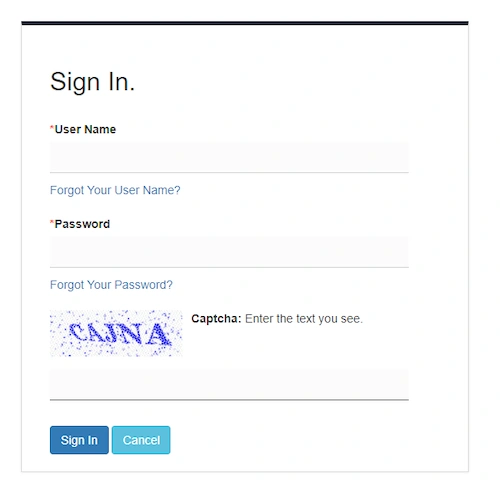
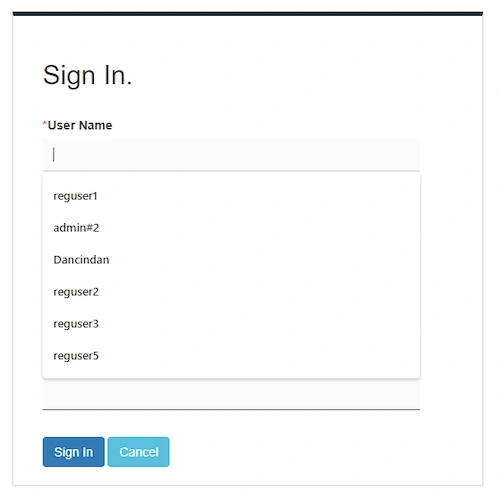
While testing for being responsive, when I make the page smaller in my browser (Chrome) to simulate the size of a smart phone, it no longer allows me to click on the 'user name' box and a blue line appears on the right side.
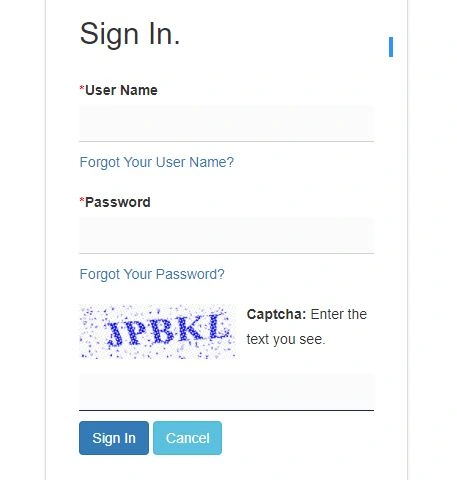
I right click on the input for the user name and select 'inspect' and it it puts me on the Sign In button.
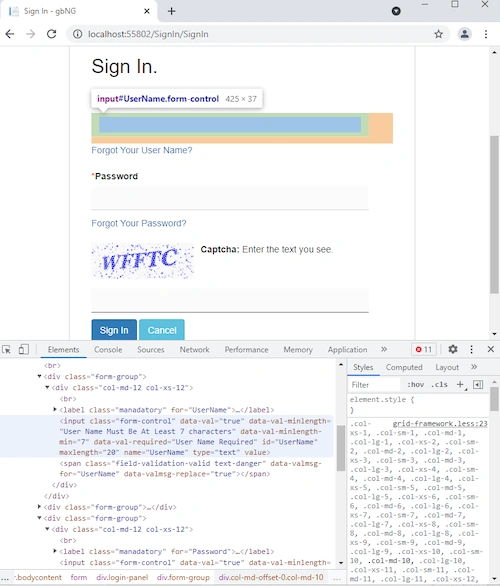
If increase the size of the browser and right click on the input for the user name, it now places me on the correct element.
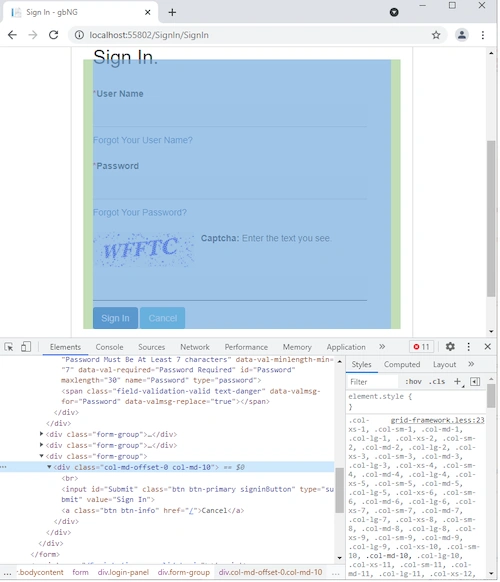
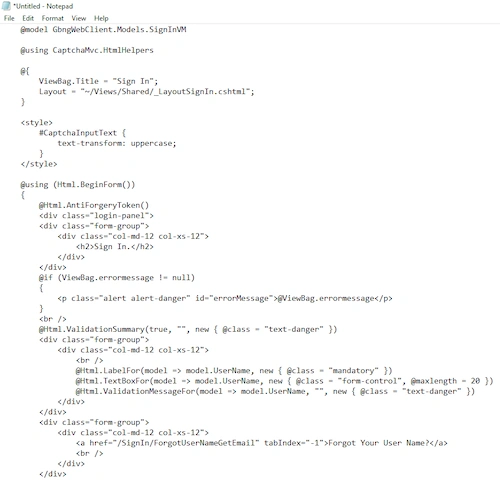
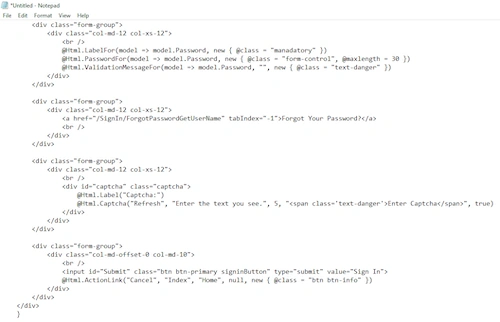
Here is the page code. (Note it would not allow me ti insert code snippet so I had to upload screen shots):







Srinivasan RamamoorthiRank #877 · 2.5K reputationPosted Oct 18, 2021, 3:05 PM EDT
First LastRank #2,033 · 713 reputationPosted Oct 18, 2021, 3:10 PM EDT
Srinivasan - I am just using the Bootstrap CSS as well as custom CSS for the sign in. See the code snippets.
Srinivasan RamamoorthiRank #877 · 2.5K reputationPosted Oct 18, 2021, 3:20 PM EDT
First LastRank #2,033 · 713 reputationPosted Oct 18, 2021, 3:25 PM EDT
No, I am not. It is ok until the screen width drops below 975 pixels wide.
Srinivasan RamamoorthiRank #877 · 2.5K reputationPosted Oct 18, 2021, 3:48 PM EDT
Try setting viewport meta tag in the html file
First LastRank #2,033 · 713 reputationPosted Oct 18, 2021, 3:55 PM EDT
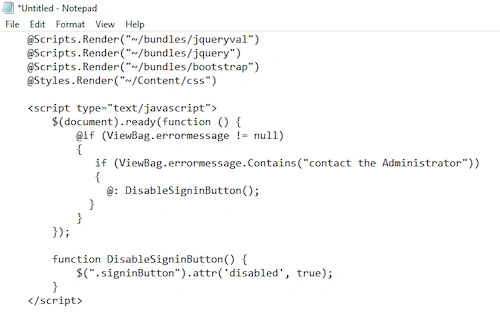
My sign in page that I have shown above includes a partial page (_LayoutSignIn.cshtml) that contains the 'viewport' and brings in a custom SignIn.css file. This is that _LayoutSignIn.cshtml code:
First LastRank #2,033 · 713 reputationPosted Oct 18, 2021, 4:00 PM EDT
Here is the SignIn.css. (Note: the SignIn.chstml references the login-panel CSS class).
.mybrand {
font-size: x-large;
font-weight: bold;
color: blue;
}
* {
border: 0;
text-decoration: none;
padding: 0;
margin: 0px;
}
.login-panel {
margin: 5em auto 0;
width: 80%;
max-width: 530px;
background: #ffffff;
overflow: hidden;
padding: 30px 18px 20px;
border: 1px solid #ddd;
border-top: 5px solid #1C2B36;
box-shadow: 0 0 3px rgba(0, 0, 0, 0.1);
}
.login-panel input[type="text"], .login-panel input[type="password"] {
height: 37px;
color: #333;
background-color: #fbfbfb;
background-image: none;
border: 0;
border-bottom: 1px solid #fff;
border-radius: 0;
margin-bottom: 10px;
width: 100%;
padding: 6px 12px;
font-size: 14px;
line-height: 1.42857143;
-webkit-box-shadow: inset 0 1px 1px rgba(0,0,0,.075);
box-shadow: inset 0 1px 1px rgba(0,0,0,.075);
-webkit-transition: border-color ease-in-out .15s,-webkit-box-shadow ease-in-out .15s;
-o-transition: border-color ease-in-out .15s,box-shadow ease-in-out .15s;
box-shadow: none;
transition: border-color ease-in-out .15s,box-shadow ease-in-out .15s;
border-bottom: 1px solid #d2d2d2
}
.login-panel .captcha input[type="text"] {
height: 37px;
color: #333;
background-color: #fbfbfb;
background-image: none;
border: 0;
border-bottom: 1px solid #fff;
border-radius: 0;
margin-bottom: 10px;
width: 100%;
padding: 6px 12px;
font-size: 14px;
line-height: 1.42857143;
-webkit-box-shadow: inset 0 1px 1px rgba(0,0,0,.075);
box-shadow: inset 0 1px 1px rgba(0,0,0,.075);
-webkit-transition: border-color ease-in-out .15s,-webkit-box-shadow ease-in-out .15s;
-o-transition: border-color ease-in-out .15s,box-shadow ease-in-out .15s;
box-shadow: none;
transition: border-color ease-in-out .15s,box-shadow ease-in-out .15s;
border-bottom: 1px solid #1C2B36
}
.login-panel .captcha img {
float: left;
margin-right: 10px;
margin-bottom: 15px;
max-height: 55px;
}
.login-panel .captcha a {
display: block;
color: #f1643f;
}
.login-panel .captcha {
font-weight: 500;
color: #333;
}
.login-panel .captcha br {
display: none
}
.captcha input[type="text"] {
background: #fff none repeat scroll 0 0;
border: 1px solid #D2DEE8;
border-radius: 0 !important;
box-shadow: 0 0;
font-size: 0.96em;
color: #286AA4;
display: block;
width: 100%;
height: 34px;
padding: 6px 12px;
}
Srinivasan RamamoorthiRank #877 · 2.5K reputationPosted Oct 18, 2021, 4:02 PM EDT
ok, then let's check if the second step (Use CSS Media Queries) mentioned in the article has been taken care
First LastRank #2,033 · 713 reputationPosted Oct 18, 2021, 5:18 PM EDT
I added these media queries. Thye work but no change to the problem.
@media only screen and (min-width : 768px) and (max-width : 980px) {
.login-panel {
width: 70%;
}
.login-panel input[type="text"], .login-panel input[type="password"] {
width: 60%;
}
.login-panel .captcha input[type="text"] {
width: 60%;
}
}
@media only screen and (min-width : 569px) and (max-width : 767px) {
.login-panel {
width: 50%;
}
.login-panel input[type="text"], .login-panel input[type="password"] {
width: 40%;
}
.login-panel .captcha input[type="text"] {
width: 40%;
}
}
@media only screen and (min-width : 240px) and (max-width : 568px) {
.login-panel {
width: 40%;
}
.login-panel input[type="text"], .login-panel input[type="password"] {
width: 30%;
}
.login-panel .captcha input[type="text"] {
width: 30%;
}
}
Srinivasan RamamoorthiRank #877 · 2.5K reputationPosted Oct 18, 2021, 11:43 PM EDT
Sachin SinghRank #66 · 26.2K reputationPosted Oct 19, 2021, 12:35 AM EDT
First LastRank #2,033 · 713 reputationPosted Oct 22, 2021, 4:17 PM EDT