Skip to content
Loading
  • +3

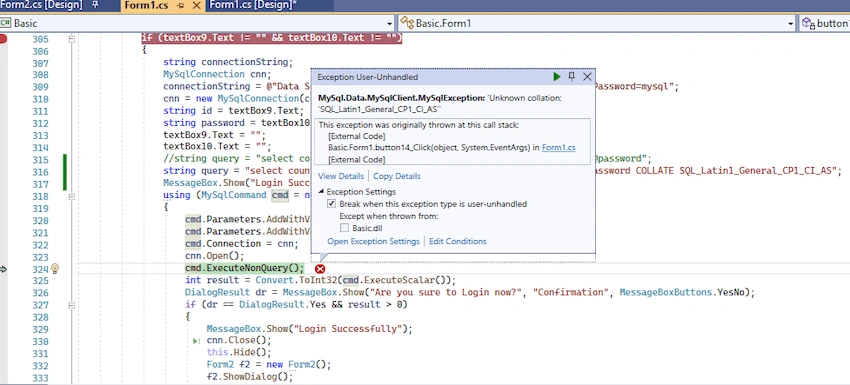
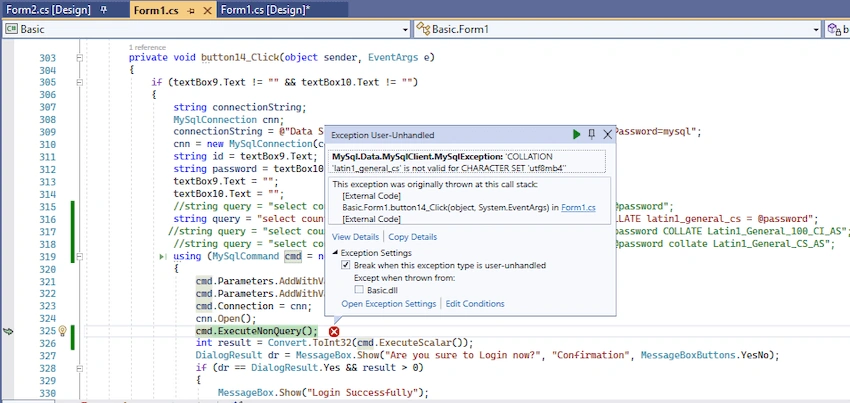
    I received the error message like;


    +3
  • Sachin Singh
    +3
    yes, remove the quote
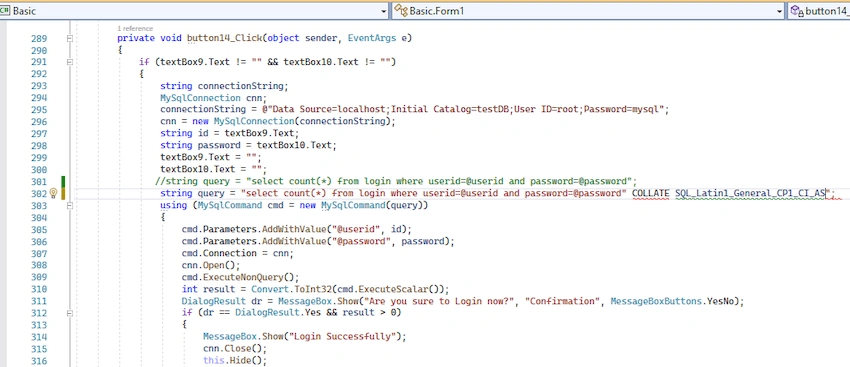
    1. string query = "select count(*) from login where userid=@userid and password=@password COLLATE SQL_Latin1_General_CP1_CI_AS";    
     
    +3
  • +3

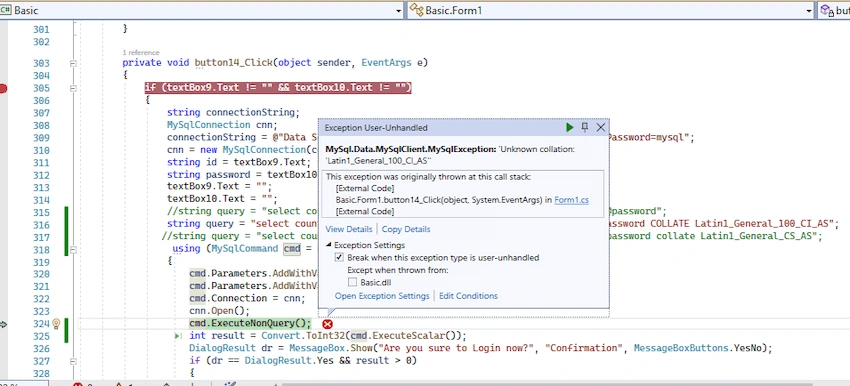
    Sir, It shows Error 


    +3
  • Sachin Singh
    +3
    use this 
    SQL
    string query = "select count(*) from login where userid=@userid and password=@password COLLATE Latin1_General_100_CI_AS";
        
    +3
  • +3

    Still same error sir; I am using mysql query, your query belongs to sql or mysql?


    +3
  • Sachin Singh
    +3
    it was for sql server.
    for MySQL use this 
    SQL
    string query = "select count(*) from login where userid=@userid and password  
    COLLATE latin1_general_cs  
    =@password ;
     
    +3
  • Sachin Singh
    +3
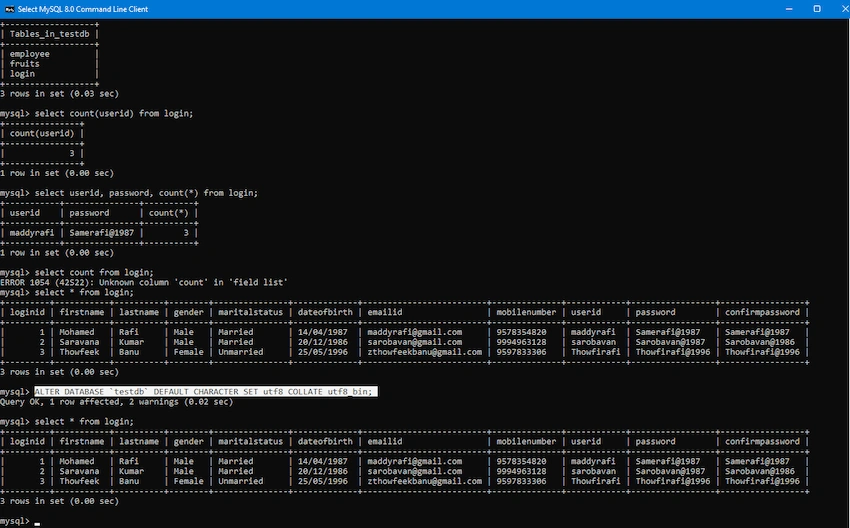
    Ok then change the settings 
    1. ALTER DATABASE `databasename` DEFAULT CHARACTER SET utf8 COLLATE utf8_bin;  
    2.   
    3. -- or change table collation  
    4. ALTER TABLE `tablename` CONVERT TO CHARACTER SET utf8 COLLATE utf8_bin;  
    5.   
    6. -- or change column collation  
    7. ALTER TABLE `table` CHANGE `Value`   
    8.     `Value` VARCHAR(255) CHARACTER SET utf8 COLLATE utf8_bin;  
     
    +3
  • +3

    Ok sir still same error

    MySql.Data.MySqlClient.MySqlException: 'COLLATION 'latin1_general_cs' is not valid for CHARACTER SET 'utf8mb4''

    +3
  • Sachin Singh
    +3
    after applying setting you don't need anything in your query now database became case insensitive.
     now below query will work fine
    1. string query = "select count(*) from login where userid=@userid and password=@password";    
    +3
  • Rijwan Ansari
    +3

    Hi 

    Your code seems okay.

    However, Please check collation in database.

    Comparisons are case-insensitive if the column uses a collation which ends with _ci (such as the default latin1_general_ci collation) and they are case-sensitive when the column uses a collation which ends with _cs or _bin (such as the utf8_unicode_cs and utf8_bin collations).

    By Default, they are case-sensitive. To check, you can use below query.

    1. SELECT table_schema, table_name, table_collation   
    2.         FROM information_schema.tables WHERE table_name = `mytable`;  

    Additionally, you can update collation as shown below:

    1. -- Change database collation  
    2. ALTER DATABASE `databasename` DEFAULT CHARACTER SET utf8 COLLATE utf8_bin;  
    3.      
    4. -- or change table collation  
    5. ALTER TABLE `table` CONVERT TO CHARACTER SET utf8 COLLATE utf8_bin;  
    6.      
    7. -- or change column collation  
    8. ALTER TABLE `table` CHANGE `Value`   
    9.     `Value` VARCHAR(255) CHARACTER SET utf8 COLLATE utf8_bin;  
    +3
  • Sachin Singh
    +2
    Modify your query as 
    1. string query = "select count(*) from login where userid=@userid and password=@password" COLLATE SQL_Latin1_General_CP1_CI_AS";  

    ;
     
    +2
  • +1

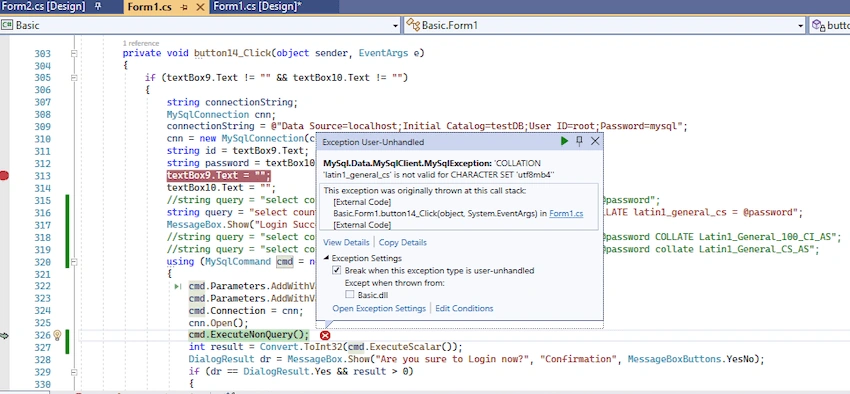
    MySql.Data.MySqlClient.MySqlException: 'COLLATION 'latin1_general_cs' is not valid for CHARACTER SET 'utf8mb4''

    +1