Hello.
I want to create a form with a scrollable picture. I use visual studio 2010. The vscrollbar and hscrollbar have to be not at the edge of the form, but near the picture (not at the edge of the picture). Can somebody help me.
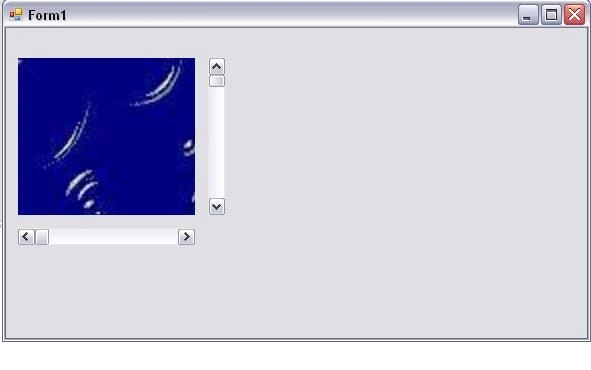
Hello.
I want to create a form with a scrollable picture. I use visual studio 2010. The vscrollbar and hscrollbar have to be not at the edge of the form, but near the picture (not at the edge of the picture). Can somebody help me.
Know the answer? Post it. Somebody with the same question will find it here.
Answer a question in the forums and earn +20 SHARP for every answer.
See unanswered questions Arun PottiAnswers in the forums20answers02
 Tahir AnsariAnswers in the forums5answers03
 Kamlesh KumarAnswers in the forums5answers04
 Sam HobbsAnswers in the forums4answers05
 Željko PerićAnswers in the forums3answersFull leaderboard →
 DevSocialUpcoming · 3rd editionAI Agents ConferenceDec 1–3, 2026Live onlineFree to attend5days leftRegister

Jayraj ChhayaRank #304 · 8.2K reputationPosted Apr 25, 2024, 5:32 AM EDT
To achieve a scrollable picture form with custom scrollbar positioning in Visual Studio 2010, you can use a Panel control to host the picture and scrollbars.
using System.Windows.Forms;

namespace ScrollablePictureForm
{
    public partial class Form1 : Form
    {
        public Form1()
        {
            InitializeComponent();

            Panel panel = new Panel();
            panel.AutoScroll = true;
            panel.Location = new System.Drawing.Point(50, 50); // Adjust position as needed

            PictureBox pictureBox = new PictureBox();
            pictureBox.Image = Properties.Resources.yourImage; // Load your image
            pictureBox.SizeMode = PictureBoxSizeMode.AutoSize;

            panel.Controls.Add(pictureBox);
            this.Controls.Add(panel);
        }
    }
}
we create a Panel control, position it where desired, add a PictureBox with your image, and set it to autoscroll within the panel. Adjust the location values to place the scrollbars near the picture as needed.