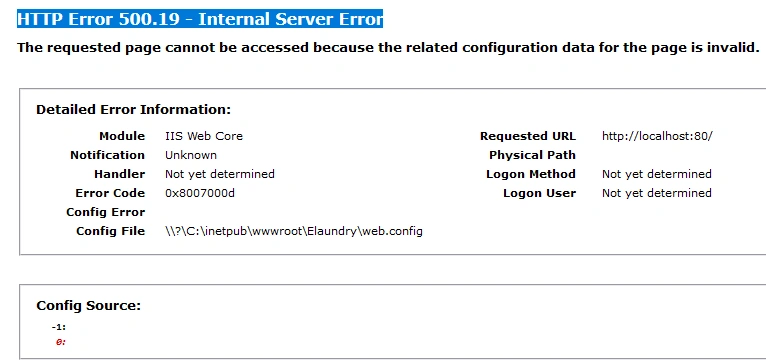
Please help me for Resolve, HTTP Error 500.19 - Internal Server Error
Know the answer? Post it. Somebody with the same question will find it here.
Answer a question in the forums and earn +20 SHARP for every answer.
See unanswered questions Arun PottiAnswers in the forums20answers02
 Tahir AnsariAnswers in the forums5answers03
 Kamlesh KumarAnswers in the forums5answers04
 Sam HobbsAnswers in the forums4answers05
 Željko PerićAnswers in the forums3answersFull leaderboard →
 DevSocialUpcoming · 3rd editionAI Agents ConferenceDec 1–3, 2026Live onlineFree to attend5days leftRegister

Jayraj ChhayaRank #304 · 8.2K reputationPosted Oct 8, 2024, 5:15 AM EDT
To resolve the HTTP Error 500.19 in a .NET Core application, follow these steps:
Check the web.config File: Ensure that your web.config file is correctly formatted and does not contain any invalid entries. Look for typos or incorrect settings that could lead to this error.
Permissions: Ensure that the application pool identity has the necessary permissions to access the application files and folders. You can do this by right-clicking the folder, selecting Properties, and adjusting the Security settings.
Application Pool: Verify that the application pool is set to use the correct version of .NET Core. If you are using .NET Core 3.1, ensure that the application pool is configured accordingly.
Event Viewer Logs: Check the Windows Event Viewer logs for more specific error messages related to the application. This can provide insights into what is causing the 500.19 error.
Kestrel Server Issues:
Cause: If you are using the Kestrel server, there could be issues with the startup configuration.
Program.csandStartup.csfiles are correctly configured. Check for middleware or routing issues.Henry Al Mamun6 reputationPosted Oct 8, 2024, 5:28 AM EDT
Thank you for your response.
Already apply this methods but It's not working.
Jayraj ChhayaRank #304 · 8.2K reputationPosted Oct 8, 2024, 6:48 AM EDT
Hi
Please check and revert after the Event Viewer Logs
Event Viewer Logs: Check the Windows Event Viewer logs for more specific error messages related to the application. This can provide insights into what is causing the 500.19 error.