
Hello,
I am pulling the filename and extension of an image out of a .txt file, images and .txt file are in the same folder: Y:\2017\Apr\1-10
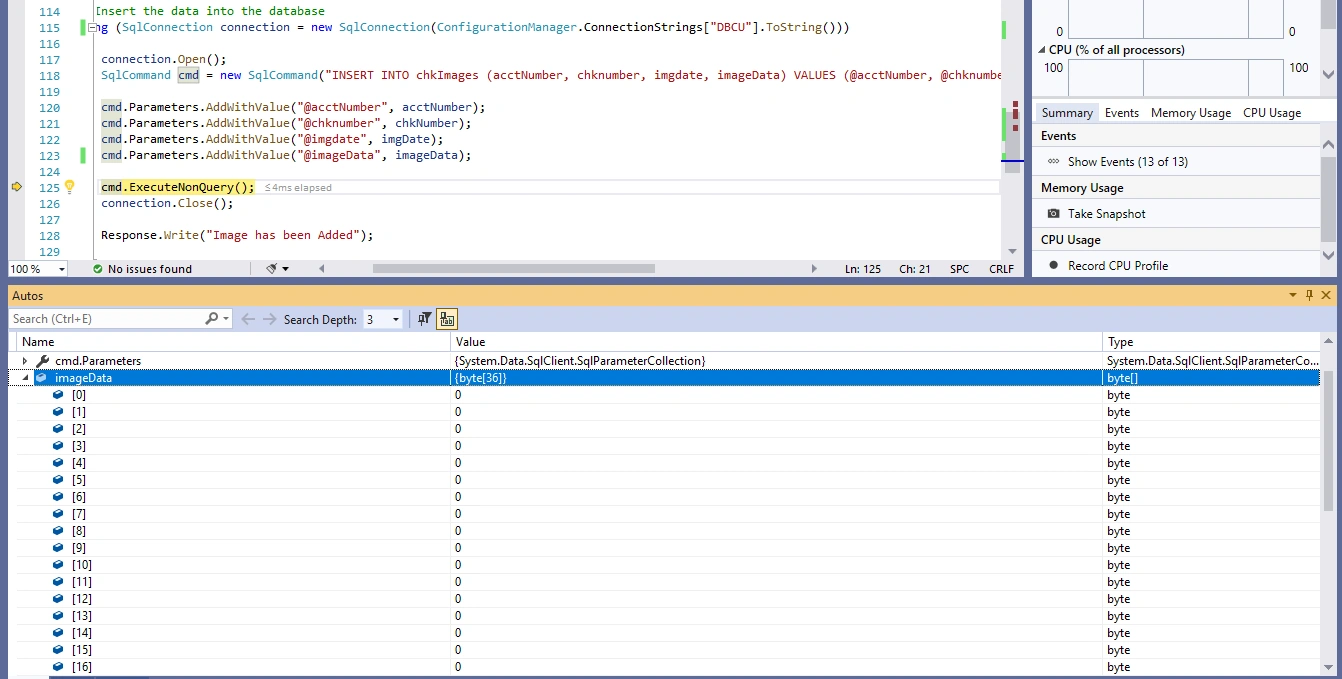
when I save path as bytes in the database, the image is saving as zero bytes. No idea how to get the values of bytes to save into database.
C#
  protected void Button1_Click(object sender, EventArgs e)
        {
            if (!FileUpload1.HasFile) //Validation
            {
                Response.Write("No file Selected"); return;
            }
            else
            {

                string path = @"Y:\2017\Apr\1-10";
                var files = Directory.GetFiles(path, "index.txt", SearchOption.AllDirectories);

                    // Read and populate textboxes from Index.txt
                    //string indexFilePath = Server.MapPath("~/index.txt");
                    string indexFilePath = Path.Combine(files);

                    PopulateTextBoxes(indexFilePath);

                // Extract values from textboxes
                string acctNumber = txtAcctNumber.Text;
                string chkNumber = txtChkNumber.Text;
                string imgDate = txtDate.Text;
                string imagePath = ViewState["ImagePath"].ToString();

                // Retrieve the base path from the configuration
                string basePath = ConfigurationManager.AppSettings["ImageBasePath"];

                // Construct the full path to the image file
                string fullImagePath = Path.Combine(basePath, imagePath);

                string PartImagePath = Path.GetFileName(fullImagePath);


                // Convert the image to byte array
                 byte[] imageData = new byte[PartImagePath.Length];


                //byte[] imageData = ConvertImageToByteArray(PartImagePath);

                // Insert the data into the database
                using (SqlConnection connection = new SqlConnection(ConfigurationManager.ConnectionStrings["DBCU"].ToString()))
                {
                    connection.Open();
                    SqlCommand cmd = new SqlCommand("INSERT INTO chkImages (acctNumber, chknumber, imgdate, imageData) VALUES (@acctNumber, @chknumber, @imgdate, @imageData)", connection);

                    cmd.Parameters.AddWithValue("@acctNumber", acctNumber);
                    cmd.Parameters.AddWithValue("@chknumber", chkNumber);
                    cmd.Parameters.AddWithValue("@imgdate", imgDate);
                    cmd.Parameters.AddWithValue("@imageData", imageData);

                    cmd.ExecuteNonQuery();
                    connection.Close();

                    Response.Write("Image has been Added");
                }
            }
        }







Amit MohantyRank #112 · 20K reputationPosted Jul 19, 2024, 3:14 AM EDT
The issue you are encountering the issue because you are only getting the length of the file name (PartImagePath.Length) rather than the actual bytes of the image file. Try this:
// Convert the image to byte array byte[] imageData = File.ReadAllBytes(fullImagePath);Ivonne AspilcuetaRank #4,887 · 320 reputationPosted Jul 19, 2024, 8:22 PM EDT
Yes, I use that too but Iwas applying it wrong. Thank you Amit.