Hi,
I am using javascript Ip geolocation. But the problem is this code is working all the time.
I have to stop it when it goes to the next page. So it should work once. How can I do that.
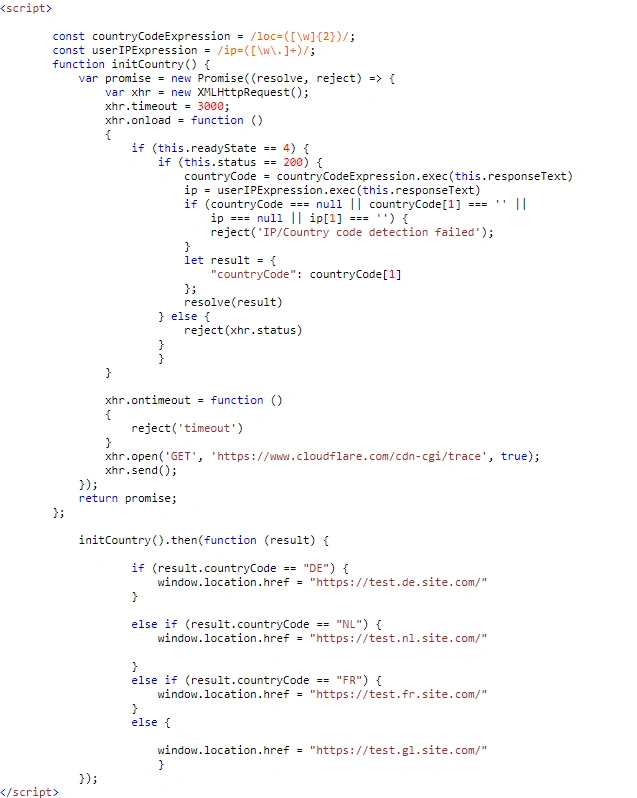
Hi,
I am using javascript Ip geolocation. But the problem is this code is working all the time.
I have to stop it when it goes to the next page. So it should work once. How can I do that.
Know the answer? Post it. Somebody with the same question will find it here.
Answer a question in the forums and earn +20 SHARP for every answer.
See unanswered questions Arun PottiAnswers in the forums20answers02
 Tahir AnsariAnswers in the forums5answers03
 Kamlesh KumarAnswers in the forums5answers04
 Sam HobbsAnswers in the forums4answers05
 Željko PerićAnswers in the forums3answersFull leaderboard →
 DevSocialUpcoming · 3rd editionAI Agents ConferenceDec 1–3, 2026Live onlineFree to attend4days leftRegister

Sachin SinghRank #66 · 26.2K reputationPosted Nov 5, 2021, 7:52 AM EDT
Ali Ylmaz151 reputationPosted Nov 6, 2021, 11:53 AM EDT
Hi,
Is there anyone to help ?
I shared my code.
  const countryCodeExpression = /loc=([\w]{2})/;
        const userIPExpression = /ip=([\w\.]+)/;
        var xhr = new XMLHttpRequest();
        var geldi = true;
        //automatic country determination.
        function initCountry() {
            var promise = new Promise((resolve, reject) => {

                xhr.timeout = 3000;
                xhr.onload = function ()
                {
                    if (xhr.readyState == 4) {
                        if (this.status == 200) {
                            countryCode = countryCodeExpression.exec(this.responseText)
                            ip = userIPExpression.exec(this.responseText)
                            if (countryCode === null || countryCode[1] === '' ||
                                ip === null || ip[1] === '') {
                                reject('IP/Country code detection failed');
                            }
                            let result = {
                                "countryCode": countryCode[1]
                            };
                            resolve(result)
                        } else {
                            reject(xhr.status)
                        }

                    }

                }

                xhr.ontimeout = function ()
                {
                    reject('timeout')
                }
                xhr.open('GET', 'https://www.cloudflare.com/cdn-cgi/trace', true);
                xhr.send();


            });

            return promise;

        };


            initCountry().then(function (result)
            {


                if (result.countryCode == url)
                {

                    if (result.countryCode == "DE") {

                        window.location.href = "https://de.site.com/"

                    }

                    else if (result.countryCode == "NL") {
                        window.location.href = "https://nl.site.com/"

                    }

                    else if (result.countryCode == "FR") {
                        window.location.href = "https://fr.site.com/"

                    }

                    else {
                        window.location.href = "https://gl.site.com/"

                    }
                }

            });